Events & webhooks
Inbound webhooks
The endpoints external systems push into, each bound to a workflow.
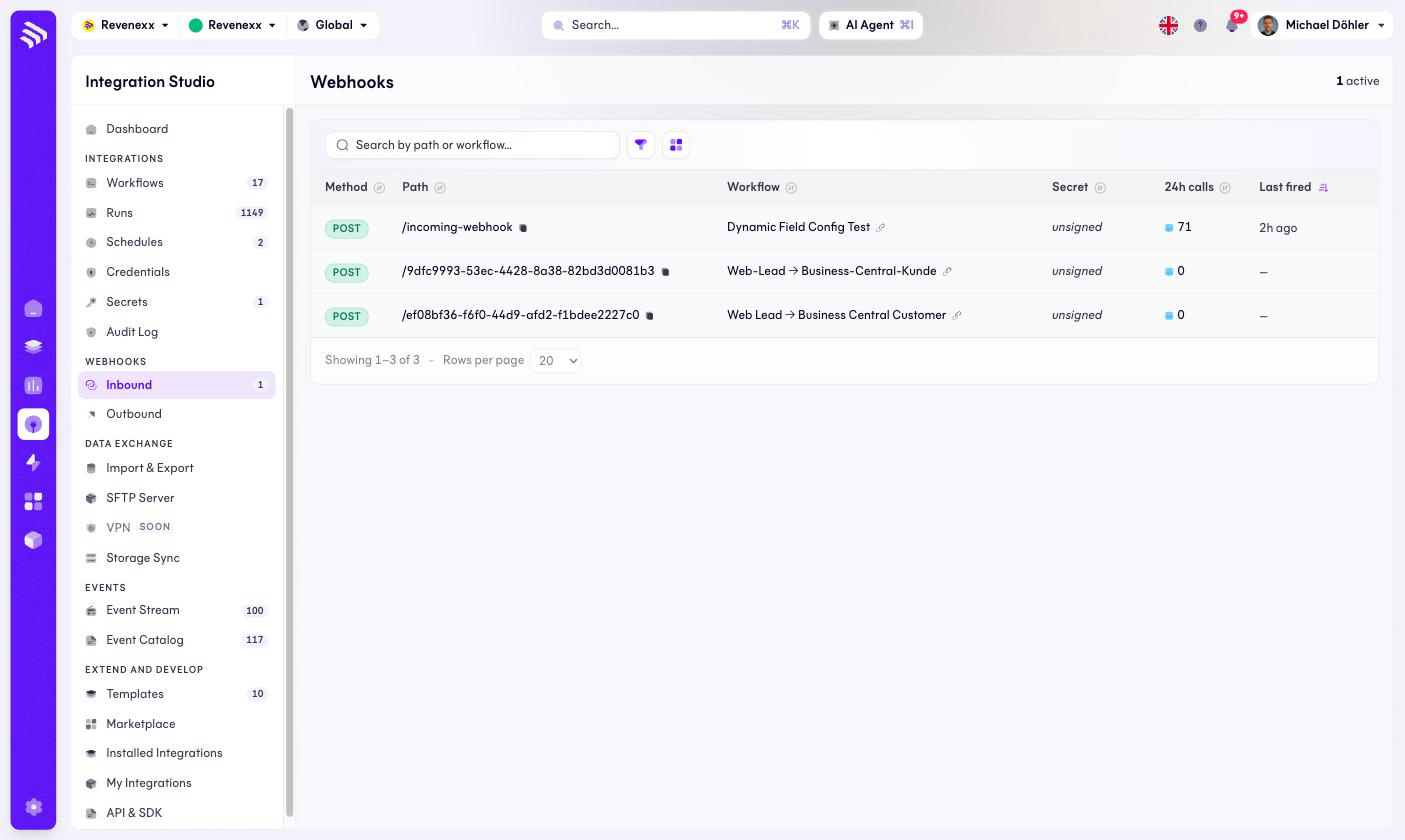
An inbound webhook is a URL the platform listens on: an external system POSTs to it, and a workflow runs. This screen lists every such endpoint on your tenant, with traffic counters.
Where you find it
Integration Studio › Webhooks › Inbound — /integrations/webhooks.
Fields and controls
| Column | What it shows |
|---|---|
| Method | The HTTP method the endpoint accepts — POST throughout. |
| Path | The endpoint path, with a copy icon for the full URL. Paths are either named (/incoming-webhook) or generated IDs. |
| Workflow | The workflow the endpoint triggers, as a link. |
| Secret | Whether calls are signed — unsigned when no signature is required. |
| 24h calls | How often the endpoint was called in the last day. |
| Last fired | When it last received a call. |
There is no create button: an inbound webhook comes into existence when you add a Webhook trigger to a workflow in the editor.
What happens when you change it
The endpoint lives and dies with its trigger — remove the Webhook trigger
from the workflow and the URL stops answering. An endpoint whose Secret says
unsigned accepts any caller who knows the URL; treat such a URL as a
credential when you hand it to a partner.
Permissions
Not verified.
Related
- Workflows
- Guide: Set up webhooks