Import & Export
An I/O profile is a saved recipe for one file job: which entity, which direction, which format, which field mapping. Once a profile exists, running it is one click — or a workflow's job.
Where you find it
Integration Studio › Data Exchange › Import & Export —
/integrations/io. Two tabs: Profiles and Recent runs.
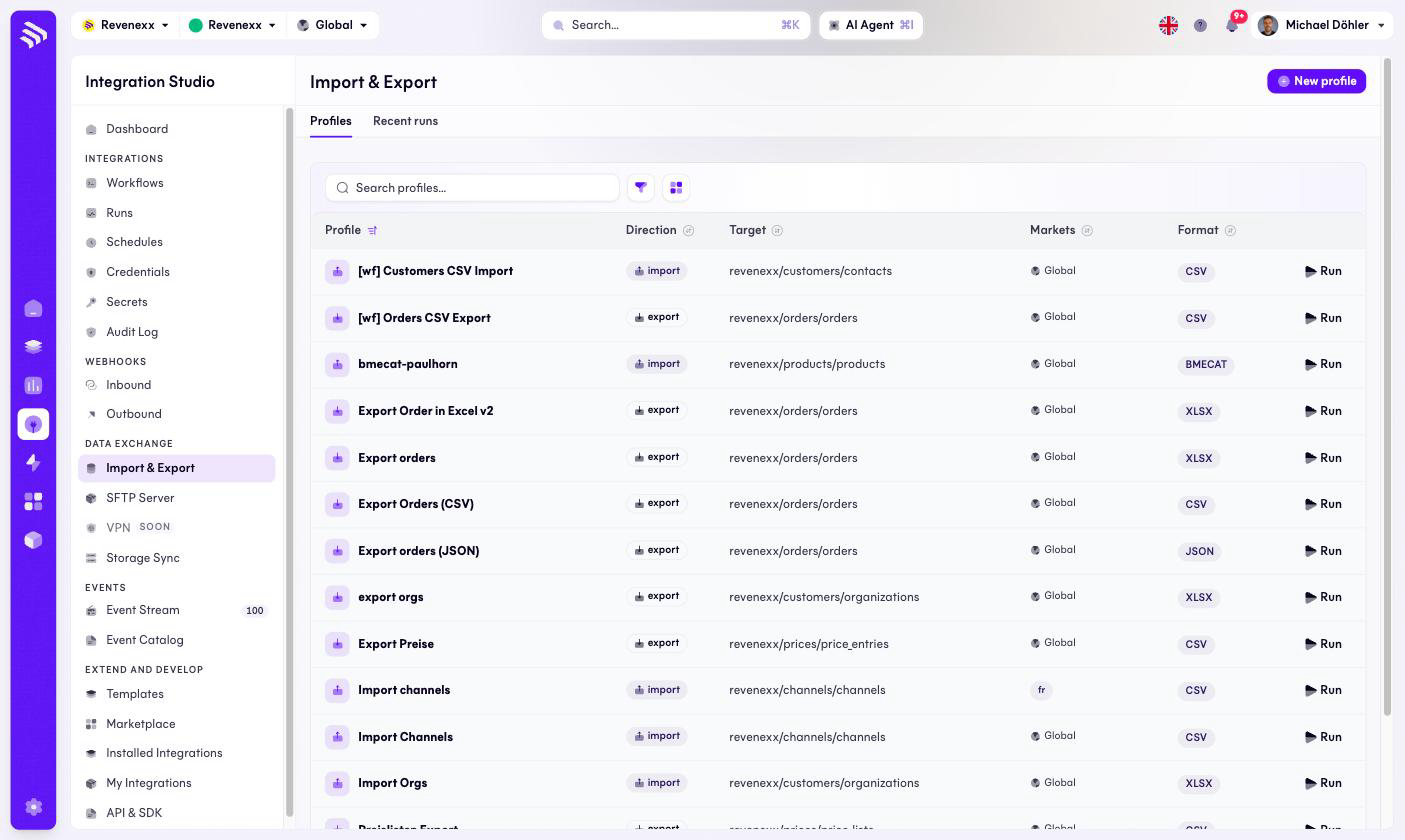
Fields and controls
| Column | What it shows |
|---|---|
| Profile | The profile name. Names prefixed [wf] belong to workflows and are managed by them. |
| Direction | import or export. |
| Target | The app and entity the profile reads or writes, for example revenexx/products/products or revenexx/prices/price_entries. |
| Markets | Which markets the profile touches — mostly Global, or a single market code such as fr. |
| Format | CSV, XLSX, JSON or BMECAT. |
| Run | Executes the profile now. |
New profile starts the profile wizard. The Recent runs tab lists past executions of every profile.
What happens when you change it
Run executes immediately against your data — an import writes the file's
rows into the target entity, an export produces the file. Check the profile's
mapping before the first run against production data, not after: a wrongly
keyed import updates the wrong records at file speed. Profiles prefixed
[wf] are owned by a workflow; edit the workflow, not the profile, or the
next workflow deployment overwrites your change.
Permissions
Not verified.
Related
- Guide: Field mapping
- SFTP Server — where the files often come from.
- Workflows — scheduling a profile.