Storage Sync
A sync rule moves files from a managed SFTP account into the platform's media storage on a schedule. It is the unglamorous piece that turns "the supplier uploads images somewhere" into "the images are in the media library".
Where you find it
Integration Studio › Data Exchange › Storage Sync —
/integrations/storage-sync.
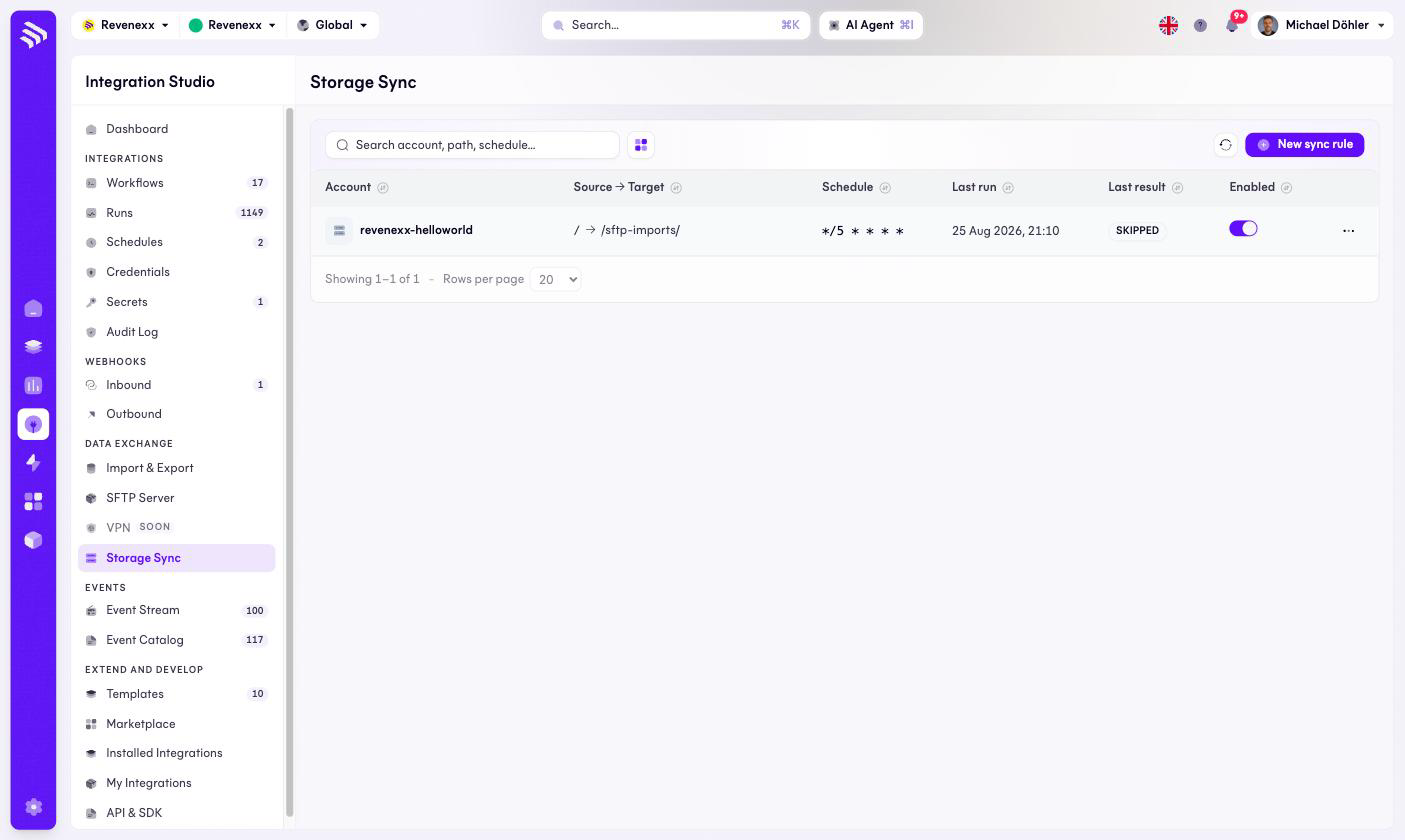
Fields and controls
| Column | What it shows |
|---|---|
| Account | The SFTP account the rule reads from. |
| Source → Target | The path pair, for example / → /sftp-imports/. |
| Schedule | The cron expression, for example */5 * * * * for every five minutes. |
| Last run | When the rule last executed. |
| Last result | The outcome — SKIPPED means it ran and found nothing new to copy. |
| Enabled | The per-rule on/off toggle. |
New sync rule creates one; refresh reloads the list, and the … menu carries edit, delete and the run history.
What happens when you change it
An enabled rule runs on its cron and copies whatever is new; files land in
the media library, typically
in the system folder sftp-imports. SKIPPED as the last result is normal
on a quiet source — it is the rule confirming it looked. Disabling a rule
stops the copying; files keep accumulating on the SFTP side until someone
turns it back on.
Permissions
Not verified.