Data exchange
SFTP Server
The managed SFTP endpoint: accounts, home directories, and where the files go next.
A drop folder for systems that only speak files. The platform runs the SFTP server; you create accounts on it and hand the login to the ERP, the supplier, the backup script.
Where you find it
Integration Studio › Data Exchange › SFTP Server — /integrations/sftp.
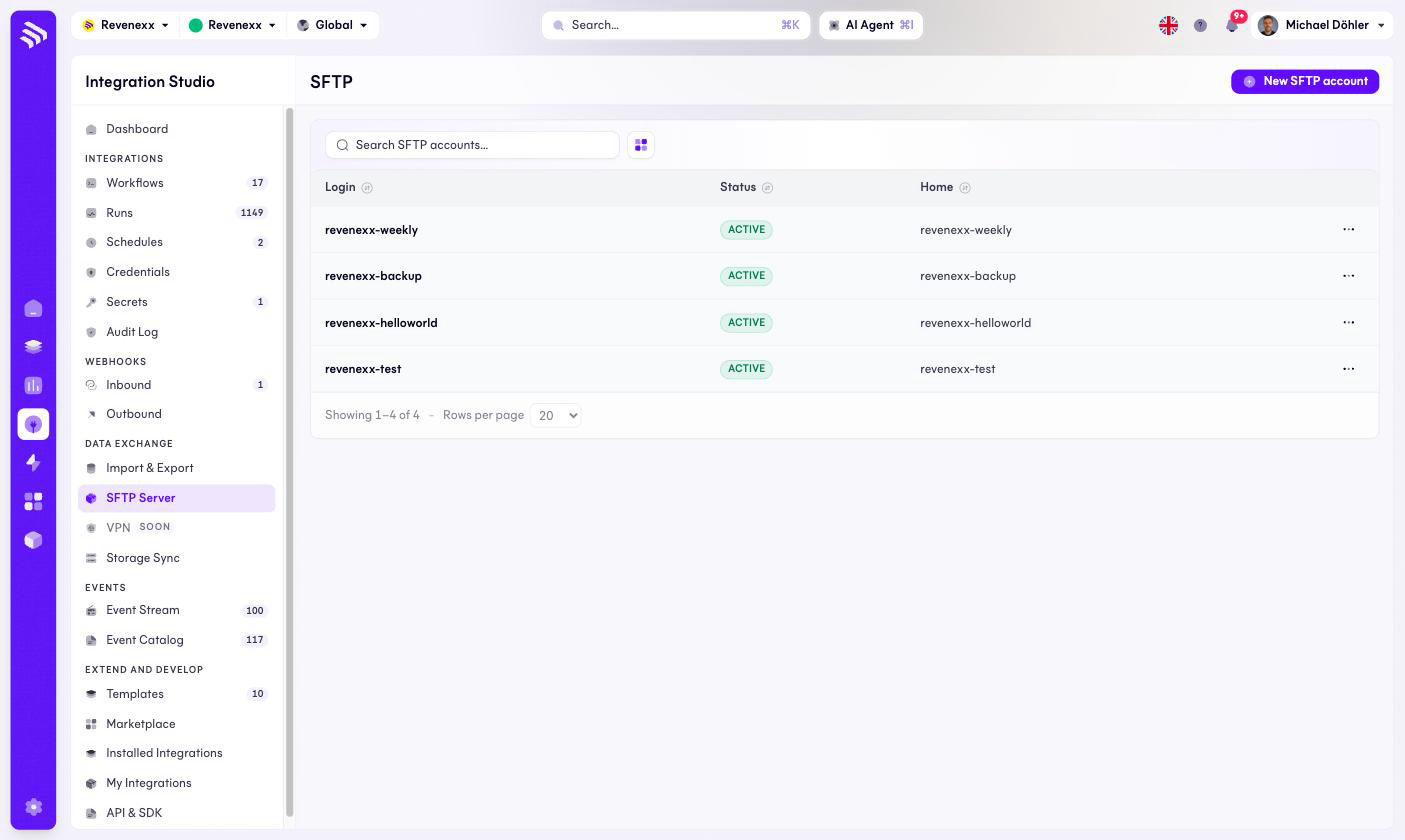
Fields and controls
| Column | What it shows |
|---|---|
| Login | The account's username, for example revenexx-weekly. |
| Status | ACTIVE for a usable account. |
| Home | The account's home directory — by default named after the login. Each account sees only its own home. |
New SFTP account creates one; the … menu carries the per-account actions.
What happens when you change it
A new account is a new isolated drop folder. The accounts also surface in two
other places: they appear as Platform SFTP entries in
Credentials, so
workflows can read what lands there, and a
Storage Sync rule
can copy incoming files into the media library's sftp-imports folder.
Deleting an account cuts off whoever is still uploading to it.
Permissions
Not verified.