Storefronts
Media
The file library behind the storefront: upload, folders, and the two system folders.
The media library holds the files a storefront serves — logos, product shots, downloads, archives. Pages and themes reference files from here rather than carrying their own copies.
Where you find it
Experience Studio › Surfaces › Media — /experience/media.
What it does
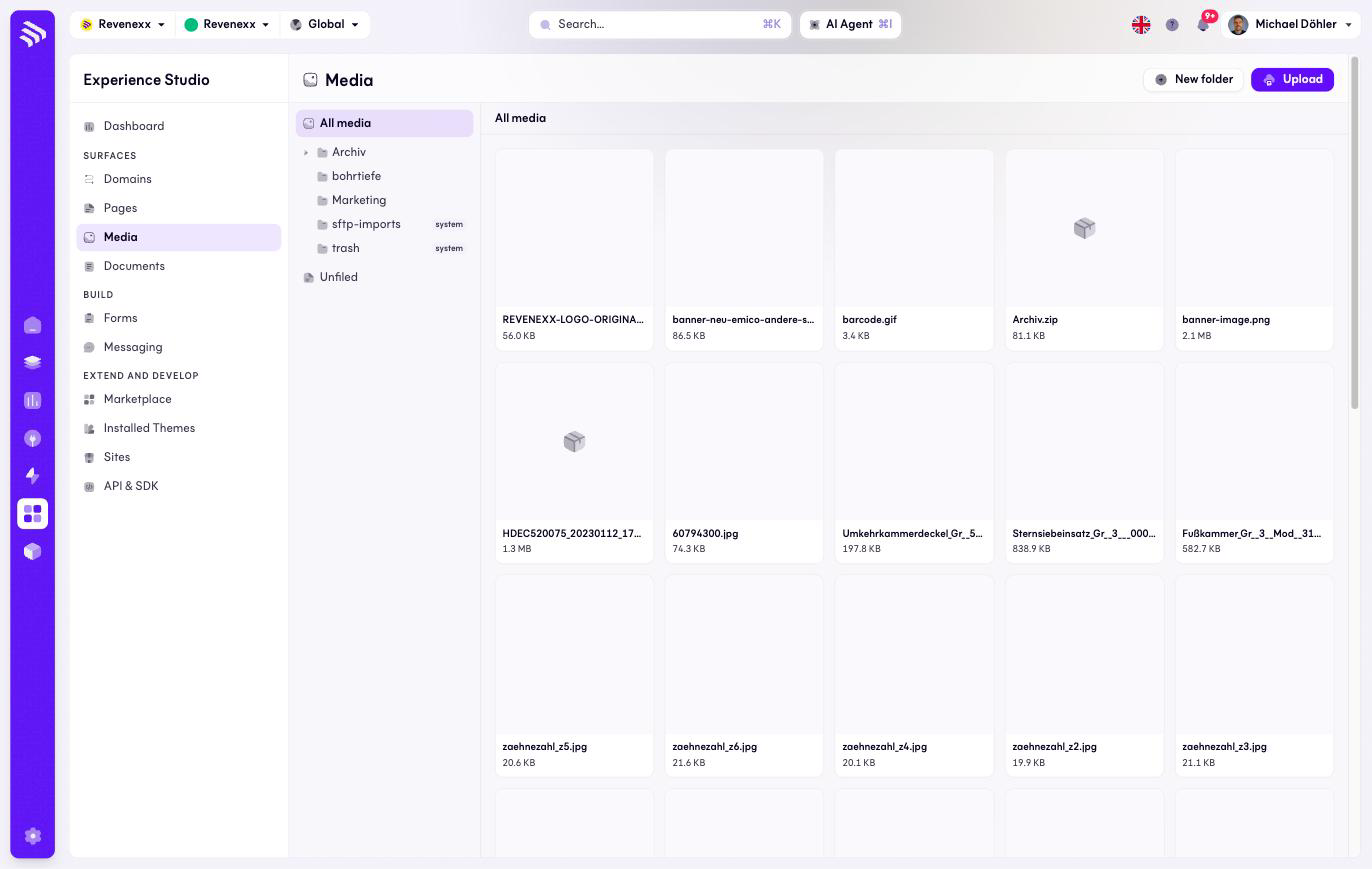
A gallery of file cards — thumbnail, filename, size — organised in a folder tree on the left. Upload adds files, New folder adds structure.
Fields and controls
| Element | What it does |
|---|---|
| Folder tree | All media plus your own folders. Selecting a folder filters the gallery. |
| File card | Thumbnail, filename and size. |
| Upload | Adds files to the current folder. |
| New folder | Creates a folder. |
Two folders carry a system badge and are managed by the platform:
| Folder | Purpose |
|---|---|
sftp-imports | Receives files that Storage Sync copies in from the managed SFTP server. |
trash | Deleted files. |
What happens when you change it
An uploaded file is immediately addressable by the storefront. Deleting a file breaks every page still embedding it — check where a file is used before you remove it.
Permissions
Not verified.
Related
- Pages — where media gets embedded.
- Storage Sync — automated file delivery into
sftp-imports.