Marketplace
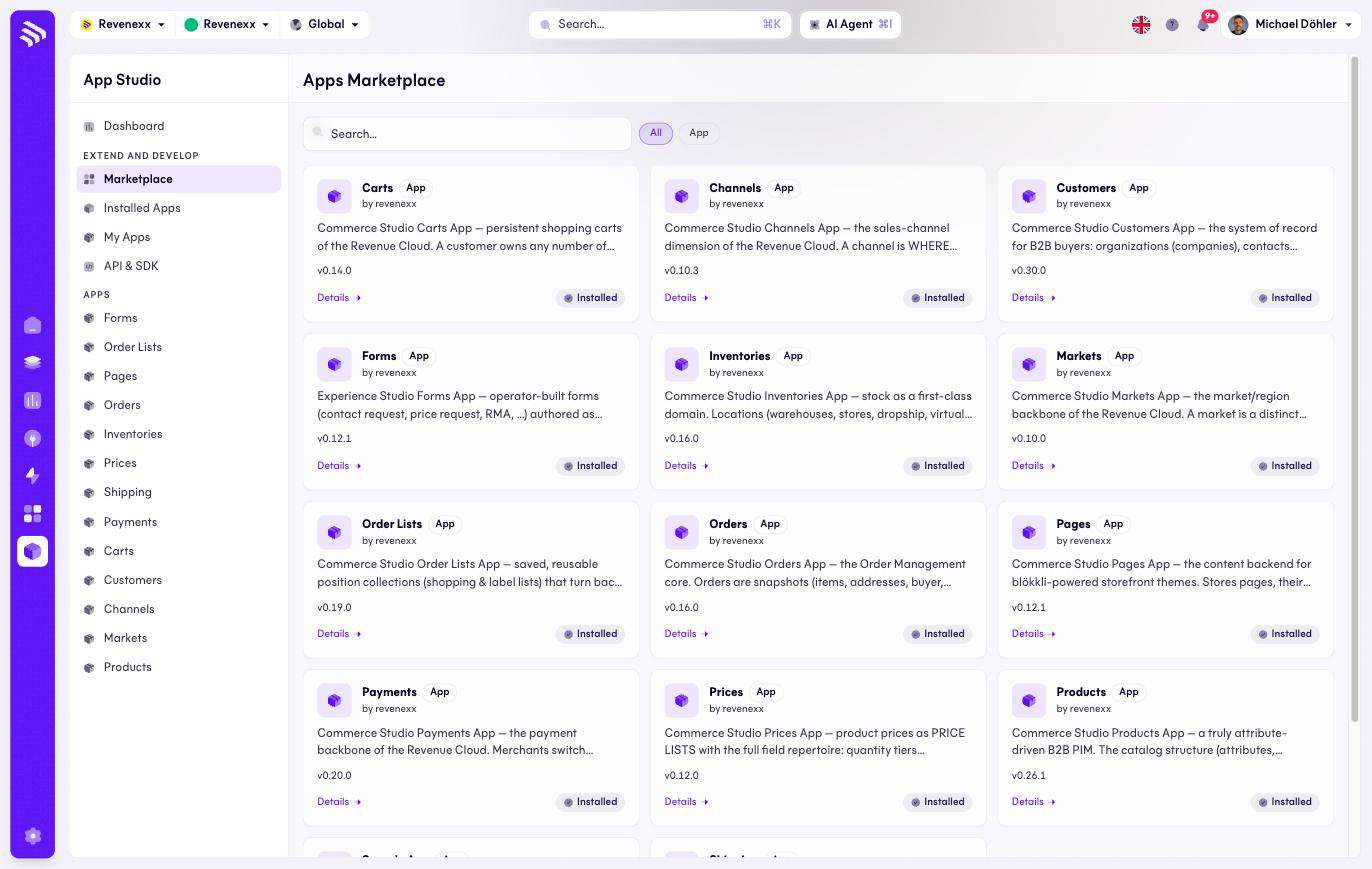
The Marketplace lists every public app available for your tenant, one card per app, with its version and whether it is already installed.
Where you find it
App Studio › Extend and develop › Marketplace — /apps/marketplace.
What it does
Each card names the app, its publisher and its current version, and carries an Installed badge once the app is on your tenant. Details opens the app's page with its description, permissions and changelog — the same page as in Installed apps.
Today the catalog holds the thirteen first-party apps by revenexx that make up Commerce and Experience Studio — Products, Prices, Orders, Customers, Carts, Order lists, Inventories, Shipping, Payments, Forms, Pages, Channels, Markets. On a standard tenant all of them are installed already, so this screen is mostly a read: what exists, at which version. It becomes an install surface when third-party apps arrive.
Every app declares a pricing model in its billing manifest: included (part of your plan — the first-party apps are this), free, or paid. The app's detail page shows which one applies before you install.
Fields and controls
| Control | What it does |
|---|---|
| Search | Filters the cards by name. |
| Type chips (All / App) | Filters by listing type. |
| Details | Opens the app's detail page. |
What happens when you change it
Browsing changes nothing. Installing an app happens from its detail page, and that is where the permission list is shown — read it before you confirm; the Apps and the Marketplace guide explains what to look for.
Permissions
Which Cockpit roles may browse the Marketplace or install from it is not verified.
Related
- Installed apps
- Guide: Apps and the Marketplace
- Guide: Billing — where paid apps land on your bill.