My apps
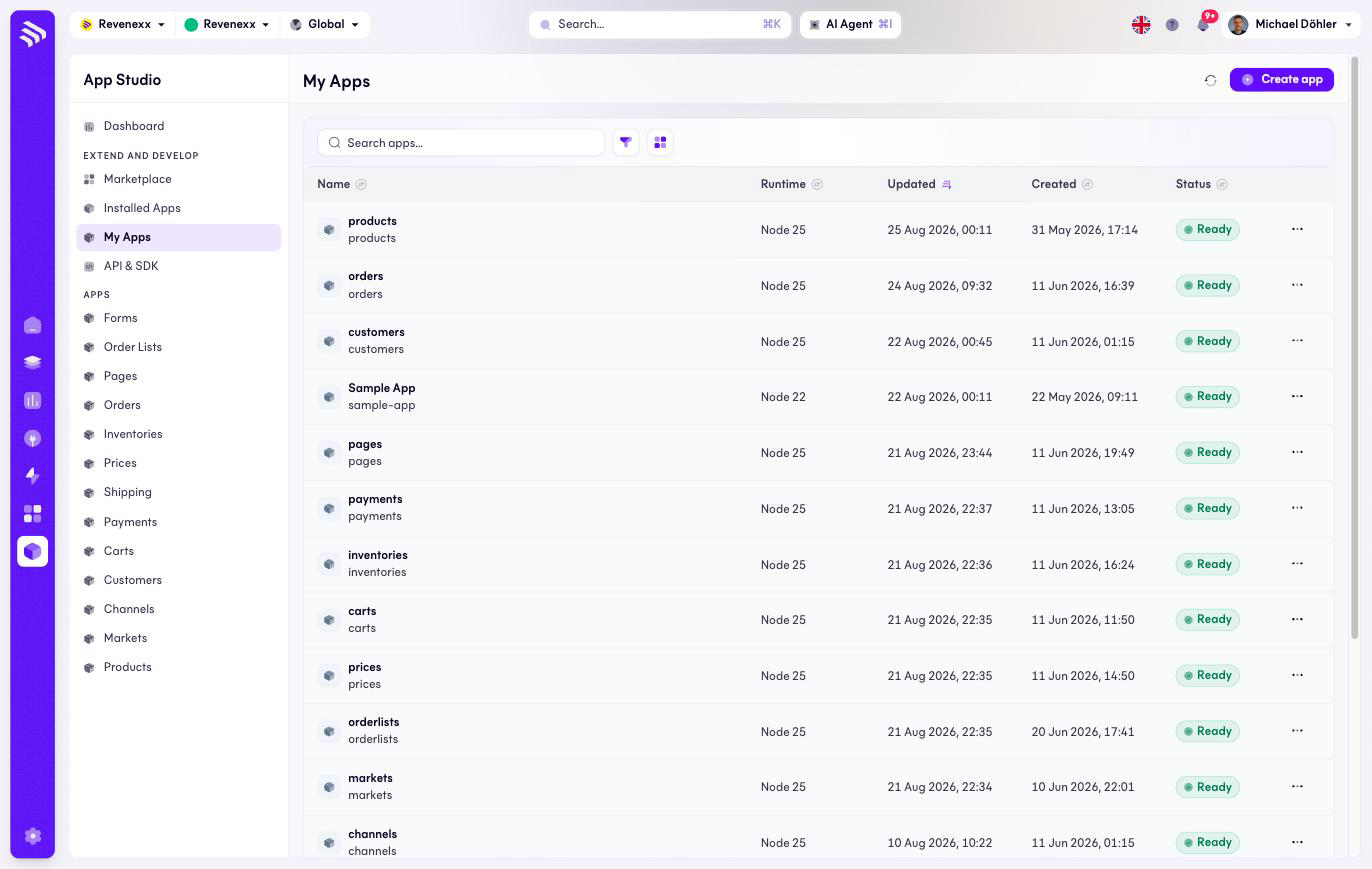
My Apps is the developer side of App Studio: the apps built on your tenant rather than installed from the Marketplace. If nobody at your company or your implementation partner writes code, this list stays empty and that is fine.
Where you find it
App Studio › Extend and develop › My Apps — /apps/my-apps.
What it does
One row per app your organisation develops, with its runtime and build status. Create app starts a new one and offers two ways to bring the code: connect a Git repository, or set the codebase up manually. The Git option uses the GitHub connections managed under Settings › Git accounts.
Fields and controls
| Column / control | What it shows or does |
|---|---|
| Name | App name plus slug. |
| Runtime | The Node.js version the app runs on, e.g. Node 25. |
| Updated / Created | Timestamps. |
| Status | Build and deployment state, e.g. Ready. |
| Row menu (…) | Per-app actions. |
| Create app | Starts the new-app flow (Git or manual). |
| Refresh, filter, view switch | Standard list controls; the search box filters by name. |
What happens when you change it
Create app registers a new app on your tenant; it does not touch the installed apps until the new app is actually installed. Everything else on the list is read-only.
Permissions
An app you build declares its permissions in its manifest like any other app — what it may read and write is decided there, not by who created it. Which Cockpit roles may open this screen is not verified.
Related
- API & SDK — the documentation for building an app.
- Git accounts — the GitHub connections the Git flow uses.
- Dashboard — where the build-success rate of these apps shows up.