Categories
Categories are the tree your storefront navigation and your filters hang on. A category collects products either by hand or by rule, and this list is where you see both.
Where you find it
Commerce Studio › PIM › Categories — /commerce/categories
What it does
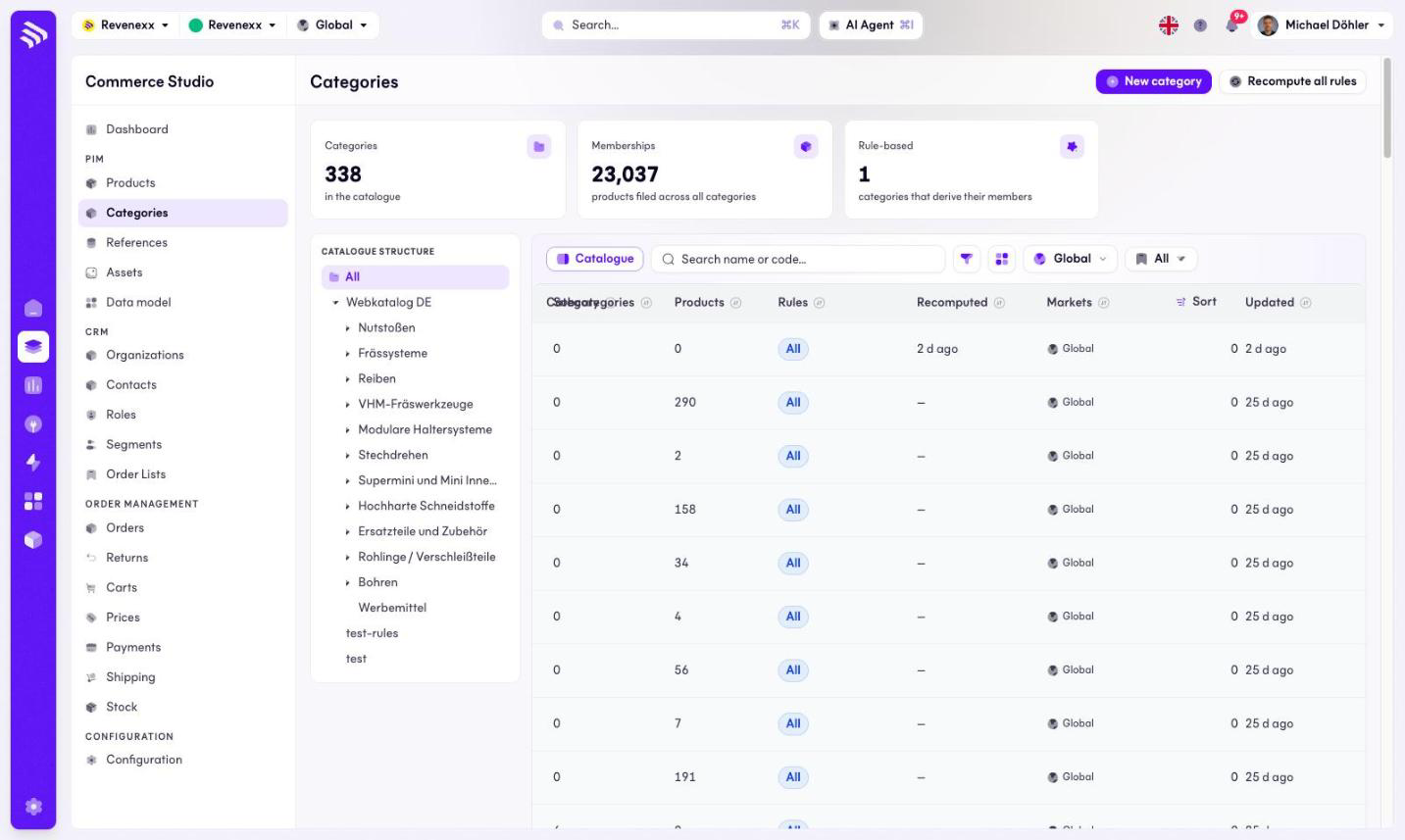
KPI cards count the categories in the catalogue, the product memberships and how many categories are rule-based. A catalogue-structure tree on the left mirrors the hierarchy; the table lists the categories with their counts. The category name links to the category detail.
Fields and controls
| Column | What it shows |
|---|---|
| Category | Name and code. |
| Subcategories | Direct children. |
| Products | Membership count. |
| Rules | Whether the category is rule-based. |
| Recomputed | When the rules last ran. |
| Markets | Market assignment. |
| Sort | Position among siblings. |
| Updated | Last change. |
Toolbar: New category, Recompute all rules, a search box for name or code, a market selector, saved views, a column picker and a catalogue toggle. Rows carry Open, Edit and Recompute rules actions.
What happens when you change it
Recomputing runs the stored rules and refreshes the rule-based memberships. Hand-picked memberships are never touched by a recompute — only rows a rule filed are added or removed. Recompute all rules does the same for every rule-based category at once; a nightly job runs it as well, so a recompute by hand is for when you cannot wait until tomorrow.
Permissions
The products app declares create, read, update and delete on categories in its manifest. Which Cockpit roles may open this screen is not verified.
Related
- Category detail
- Guide: Categories