Products
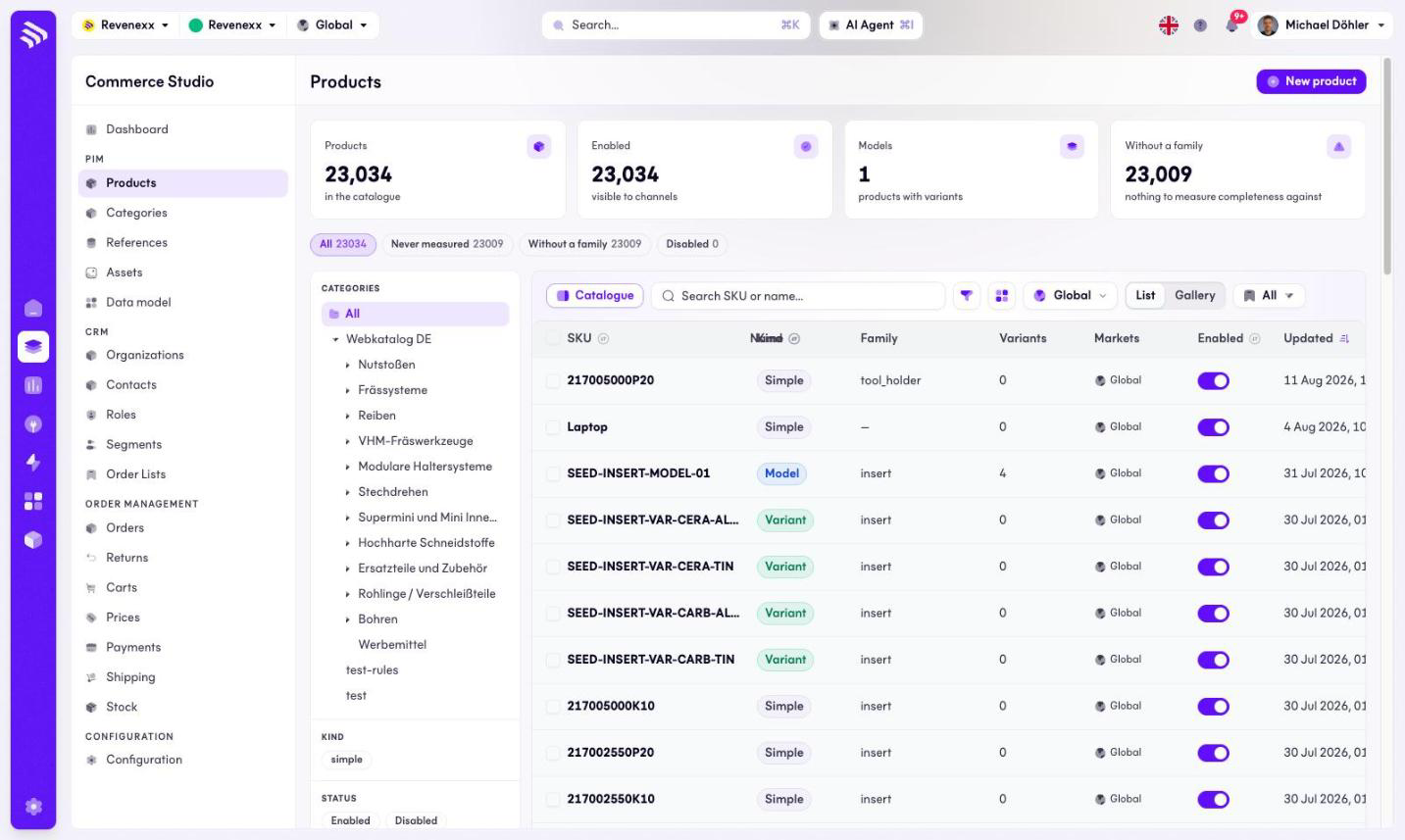
The product list is the working surface of the PIM: every product on your tenant, one row each, with the filters a merchandiser needs to carve 20,000 rows down to the ten that need attention.
Where you find it
Commerce Studio › PIM › Products — /commerce/products
What it does
Four KPI cards summarise the catalogue before the table starts: total products, how many are enabled (visible to channels), how many are models with variants, and how many have no family yet. Below them, status pills narrow the list in one click — all products, products whose completeness was never measured, products without a family, and disabled products.
A category tree on the left filters the table to one branch of the catalogue. Clicking a SKU opens the product editor.
Fields and controls
| Column | What it shows |
|---|---|
| SKU | The product identifier. Links to the editor. |
| Name | The label attribute, resolved per your locale. |
| Kind | Simple, Model or Variant. |
| Family | The family the product belongs to. Empty rows show up in the "without family" pill. |
| Variants | Variant count, for models. |
| Markets | The markets the product is assigned to. |
| Enabled | A toggle, editable in the row. |
| Updated | Last change. |
Toolbar controls: New product (opens a modal), a search box for SKU or name, filters for kind and status, a market selector, saved views, a list/gallery switch, a column picker and a catalogue toggle. Rows carry an Edit and a Delete action. Pagination offers 10, 20, 50 or 100 rows per page.
What happens when you change it
- The Enabled toggle switches the product's channel visibility directly from the list, without opening the editor.
- Delete removes the product. There is no undo in the list; use the Disabled state when you only want it off the shelf.
- New product opens the create dialog as a modal over the list.
Permissions
The products app declares create, read, update and delete on products in its manifest. Which Cockpit roles may open this screen is not verified.