Marketplace
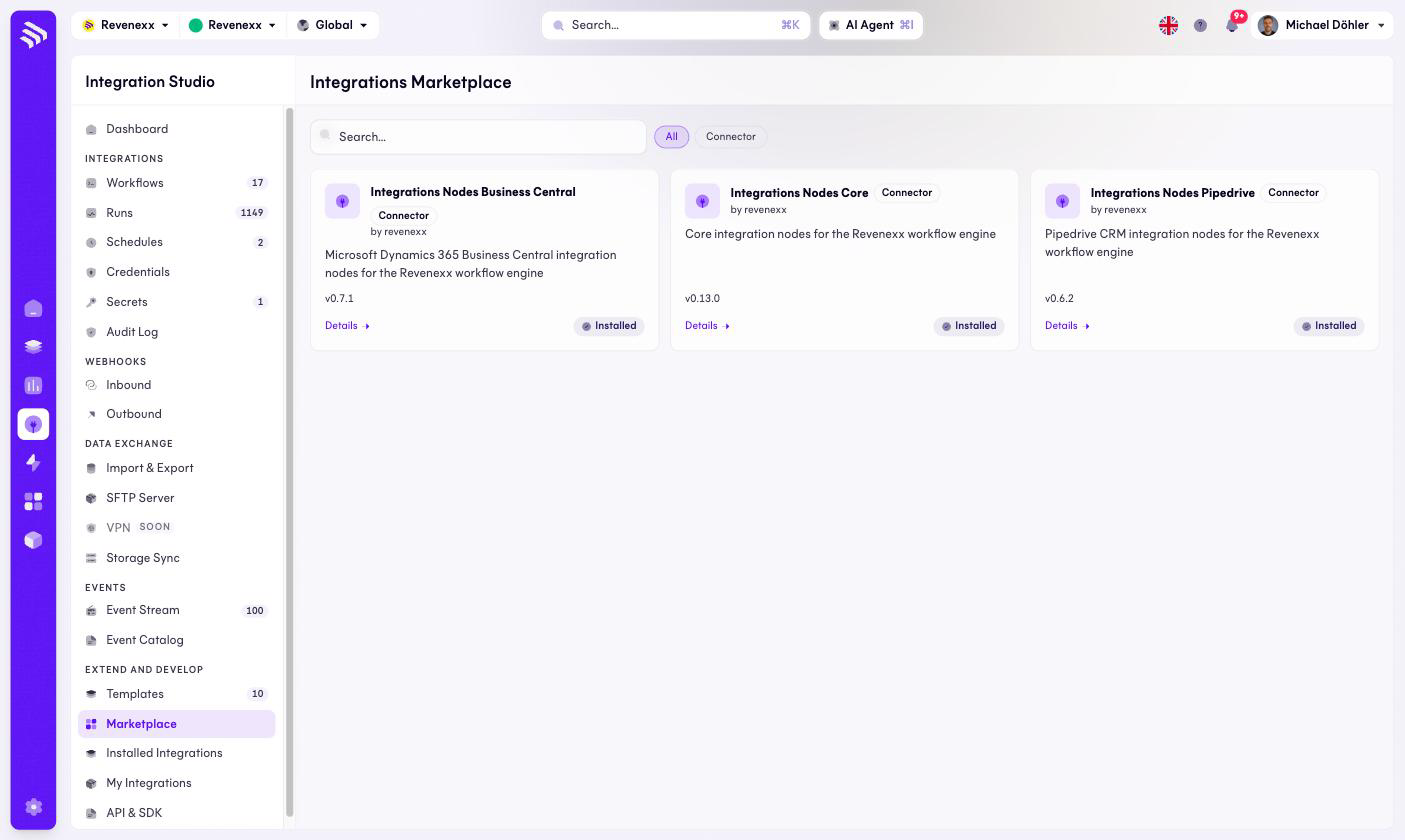
The marketplace for connector packages. Installing one adds its nodes to the workflow editor — a Business Central package is what makes "Business Central" appear in the Add-node panel.
Where you find it
Integration Studio › Extend and Develop › Marketplace —
/integrations/marketplace.
Fields and controls
Connector cards with name, vendor, version and an Installed badge where applicable; each links to a Details page. Search and type chips filter the catalog. Three connector packages are listed today, all installed: Integrations Nodes Core, Integrations Nodes Business Central and Integrations Nodes Pipedrive.
What happens when you change it
Installing a package adds its node categories to the workflow editor and lists it under Installed Integrations. It does not create workflows or move data — that stays your move.
Permissions
Not verified.