Extend and develop
My Integrations
Your own node packages, built from a connected Git repository.
When no marketplace connector fits — the 25-year-old ERP with the custom export, the Branchenlösung nobody else runs — your team or your partner builds a node package, and this screen is where it connects.
Where you find it
Integration Studio › Extend and Develop › My Integrations —
/integrations/my-integrations.
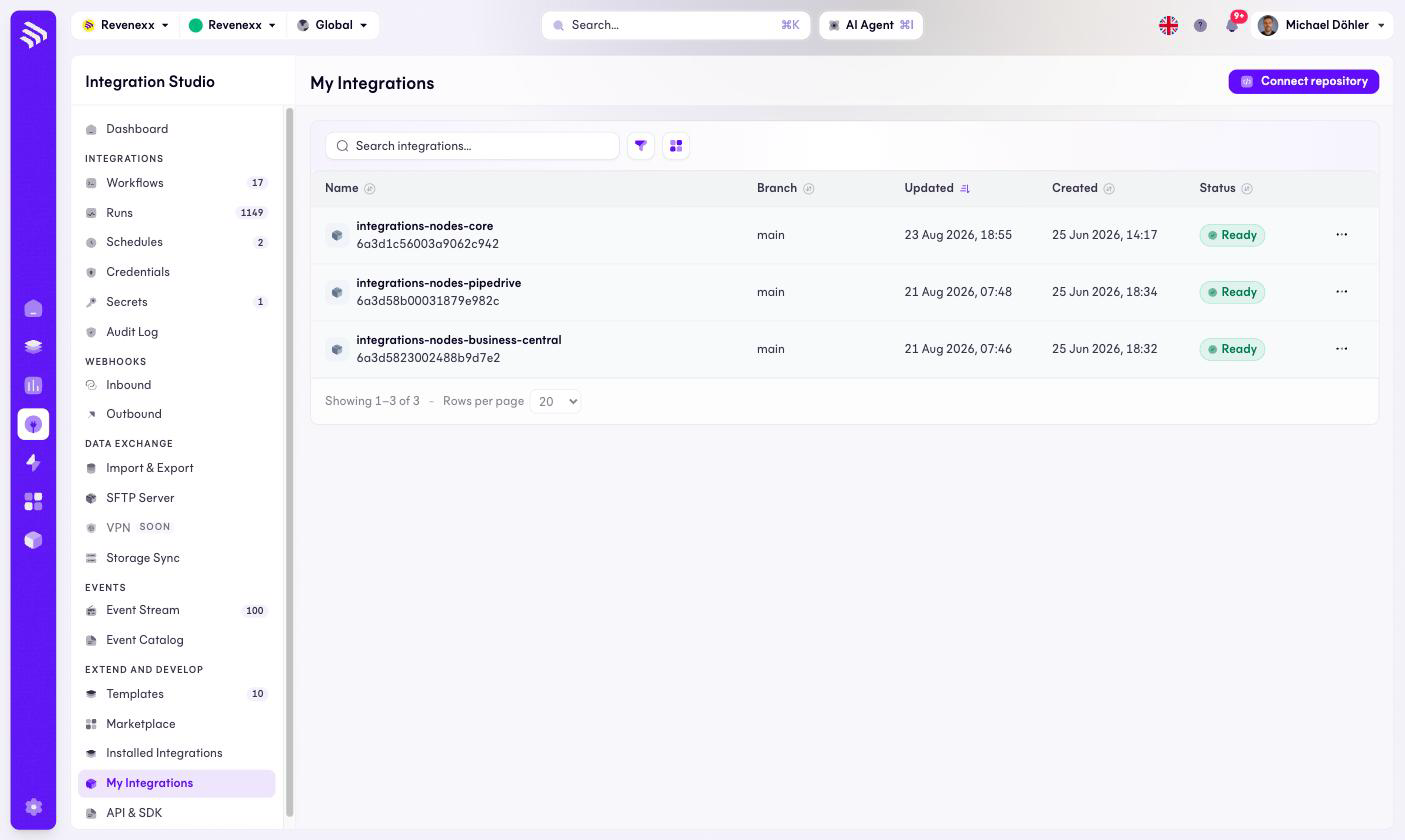
Fields and controls
| Column | What it shows |
|---|---|
| Name | The integration's name and its ID. |
| Branch | The Git branch builds come from, typically main. |
| Updated / Created | Lifecycle timestamps. |
| Status | Ready when the current build succeeded. |
Connect repository links a Git repository as a new integration; each row has a … menu.
What happens when you change it
Connecting a repository makes the platform build the node package from the chosen branch; a successful build makes its nodes available in the workflow editor like any installed package. The development side — the SDK, the package format — lives in the developer documentation, reachable from API & SDK.
Permissions
Not verified.