Workflows
Schedules
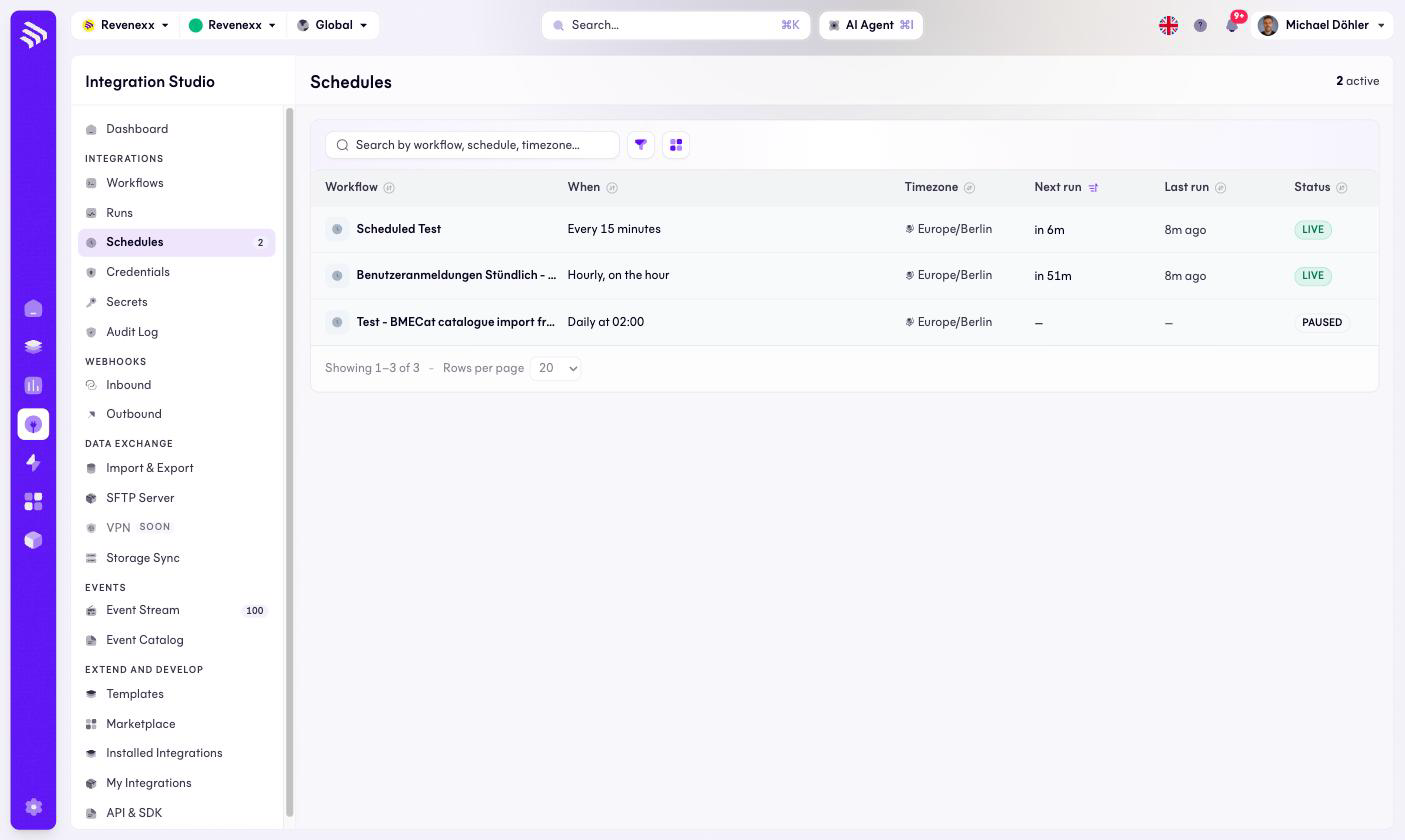
When time-triggered workflows fire: readable schedules, timezone, next and last run.
One row per schedule trigger, so you can read the whole nightly choreography of your tenant on one screen instead of opening seventeen workflows.
Where you find it
Integration Studio › Integrations › Schedules —
/integrations/schedules.
Fields and controls
| Column | What it shows |
|---|---|
| Workflow | The workflow the schedule belongs to. |
| When | The schedule in words — "Every 15 minutes", "Hourly, on the hour", "Daily at 02:00". |
| Timezone | The timezone the schedule is evaluated in, for example Europe/Berlin. |
| Next run | When it will fire next. |
| Last run | When it last fired. |
| Status | LIVE or PAUSED. |
There is no create button here — a schedule comes into existence when you add a Schedule trigger to a workflow in the editor.
What happens when you change it
The screen mirrors the workflows: pausing a workflow pauses its schedule, and
the header counter ("2 active") counts only live ones. The timezone column is
worth an actual look before winter — a schedule in Europe/Berlin shifts
against UTC twice a year, and an ERP expecting a file at 02:00 UTC will get
it an hour late after the clock change.
Permissions
Not verified.