Contact detail
The contact detail is the file of one person: their identity, their role and approval limit, the registration decision, and their activity, addresses and buying history.
Where you find it
Commerce Studio › CRM › Contacts › name — click a contact's e-mail in the list.
What it does
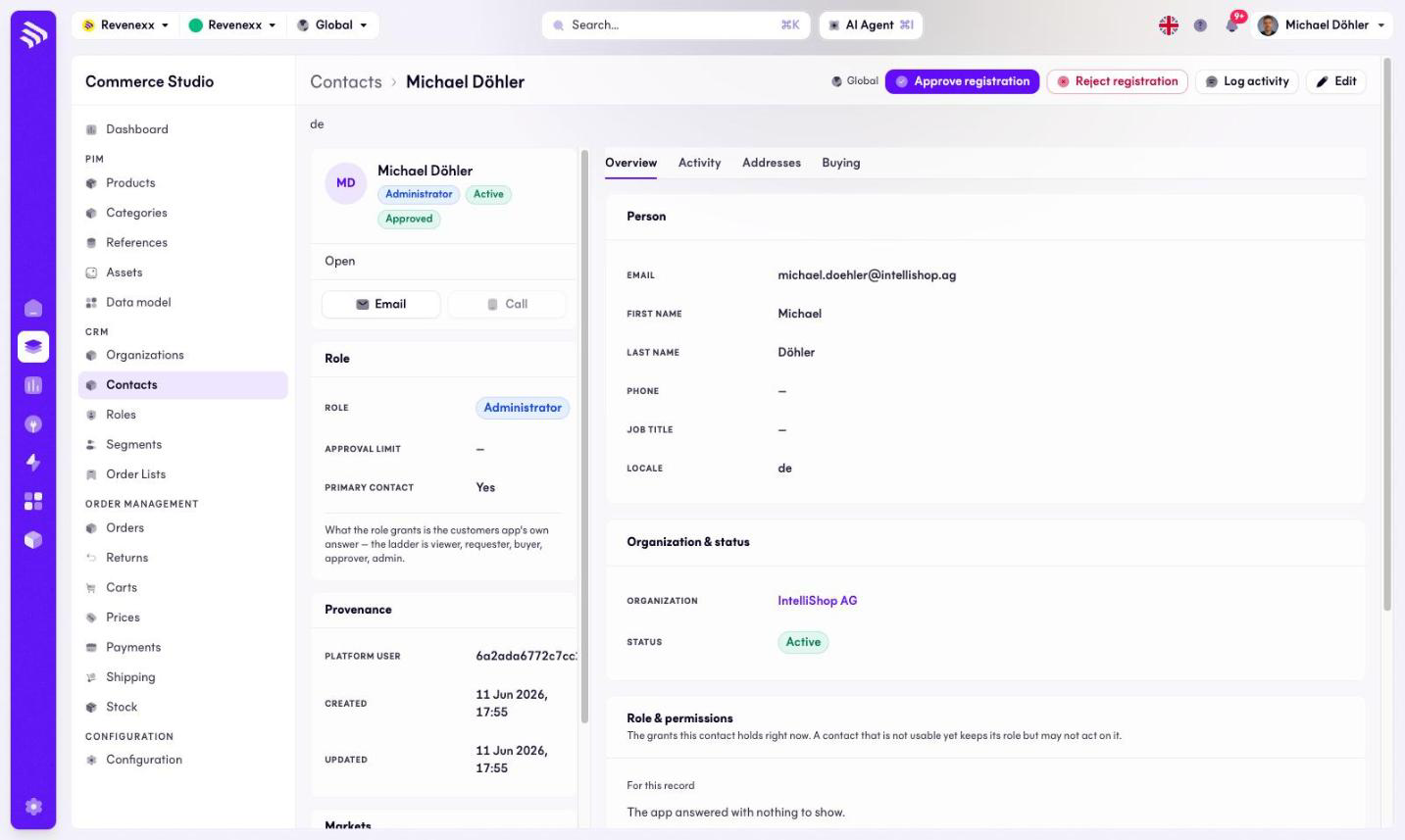
The header card shows the name with role, status and registration badges. Header actions: Approve registration, Reject registration, Log activity, Edit, Open, Email and Call (disabled when no phone is on file).
Side panels carry the role (role, approval limit, primary contact — with a hint naming the ladder: viewer, requester, buyer, approver, admin), the provenance (the linked platform user, created, updated) and the market assignment.
Tabs
| Tab | What it holds |
|---|---|
| Overview | The person and the registration record. The default tab, documented below. |
| Activity | The contact's timeline. |
| Addresses | The contact's addresses. |
| Buying | The contact's buying history. |
Fields and controls
On the Overview tab:
| Panel | Fields |
|---|---|
| Person | E-mail, first name, last name, phone, job title, locale. |
| Organization & status | The company and the access status. |
| Registration | Status, decided at, decided by, reason. |
What happens when you change it
Approving a registration lets the person log in and buy; rejecting parks them. The approval limit is stored on the contact and shown here; it does not hold or stop an order on its own. The spending limit that approval rules check is the contact's personal limit under Cost centres › Personal limits. The role decides the grants; changing it changes what the person can do in the storefront on their next request.
Permissions
The customers app declares create, read, update and delete on contacts in its manifest. Which Cockpit roles may open this screen is not verified.
Related
- Roles
- Guide: Approve registrations
- Guide: Approval rules