Contacts
Contacts are the people who log in and order for their company. Every contact belongs to an organization and holds a role that decides what they may do — from read-only viewer to admin.
Where you find it
Commerce Studio › CRM › Contacts — /commerce/contacts
What it does
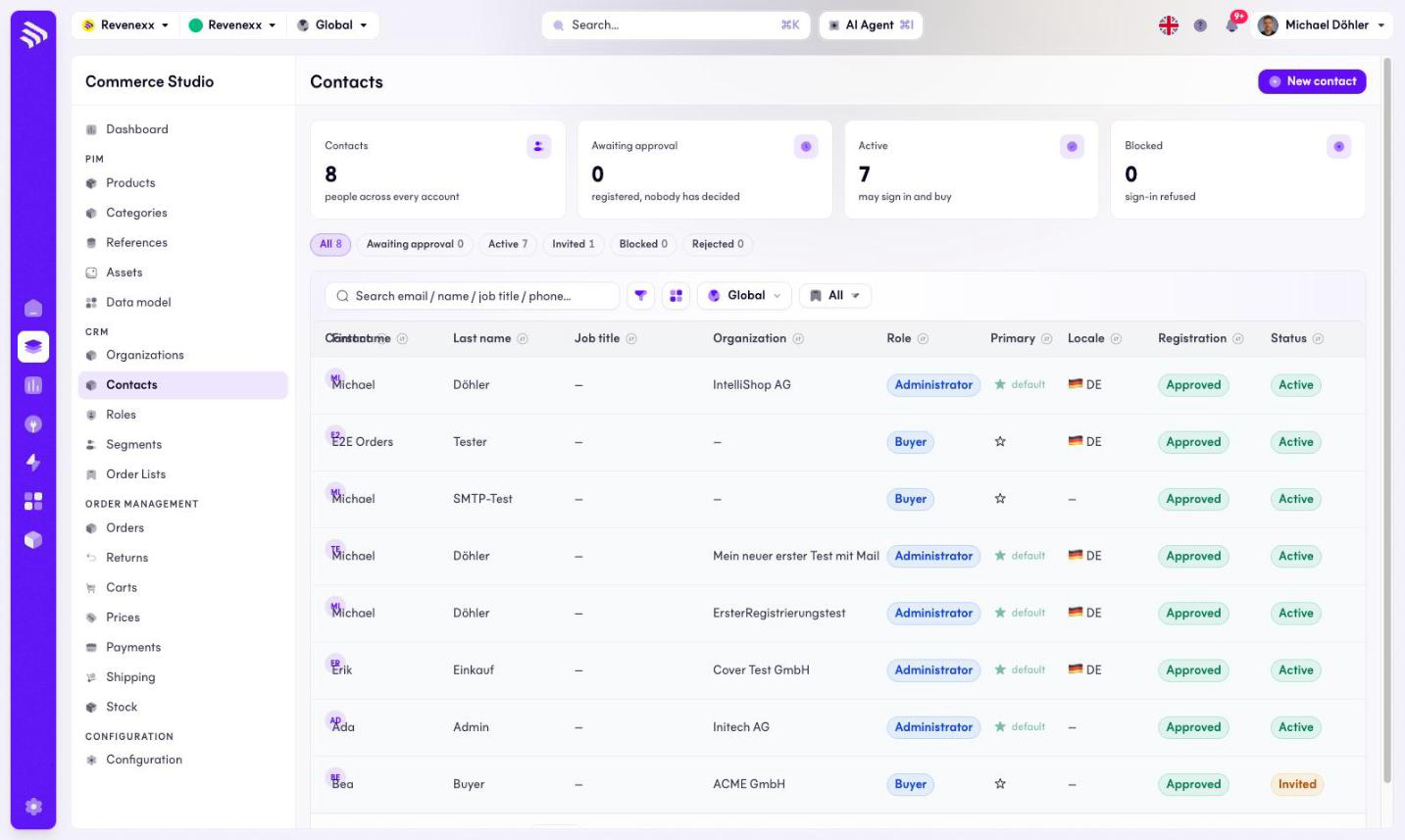
KPI cards count the people across every account, how many wait for approval, how many are active (may log in and buy) and how many are blocked. Status pills narrow the list: all, waiting for approval, active, invited, blocked, rejected. The e-mail links to the contact detail.
Fields and controls
| Column | What it shows |
|---|---|
| Contact | Avatar, e-mail and phone (or a hint that none is on file). |
| First name / Last name | The person. |
| Job title | Free text — "Werkstattleiter", "Einkauf". |
| Organization | The company the contact belongs to. |
| Role | The permission role, for example Buyer or Administrator. |
| Primary | A star marks the organization's primary contact. |
| Locale | The contact's language, shown as a flag. |
| Registration | Pending, Approved or Rejected. |
| Status | Active, Invited or Blocked. |
| Markets | Market assignment. |
| Last activity | The most recent timeline entry. |
Toolbar: New contact, a search box for e-mail, name, job title or phone, a filter toggle, a column picker, a market selector and saved views.
What happens when you change it
Role and job title are different things: the role is the permission ladder, the job title is free text. Registration and status are also separate — approving a registration is not the same switch as blocking a login.
Permissions
The customers app declares create, read, update and delete on contacts in its manifest. Which Cockpit roles may open this screen is not verified.