Roles
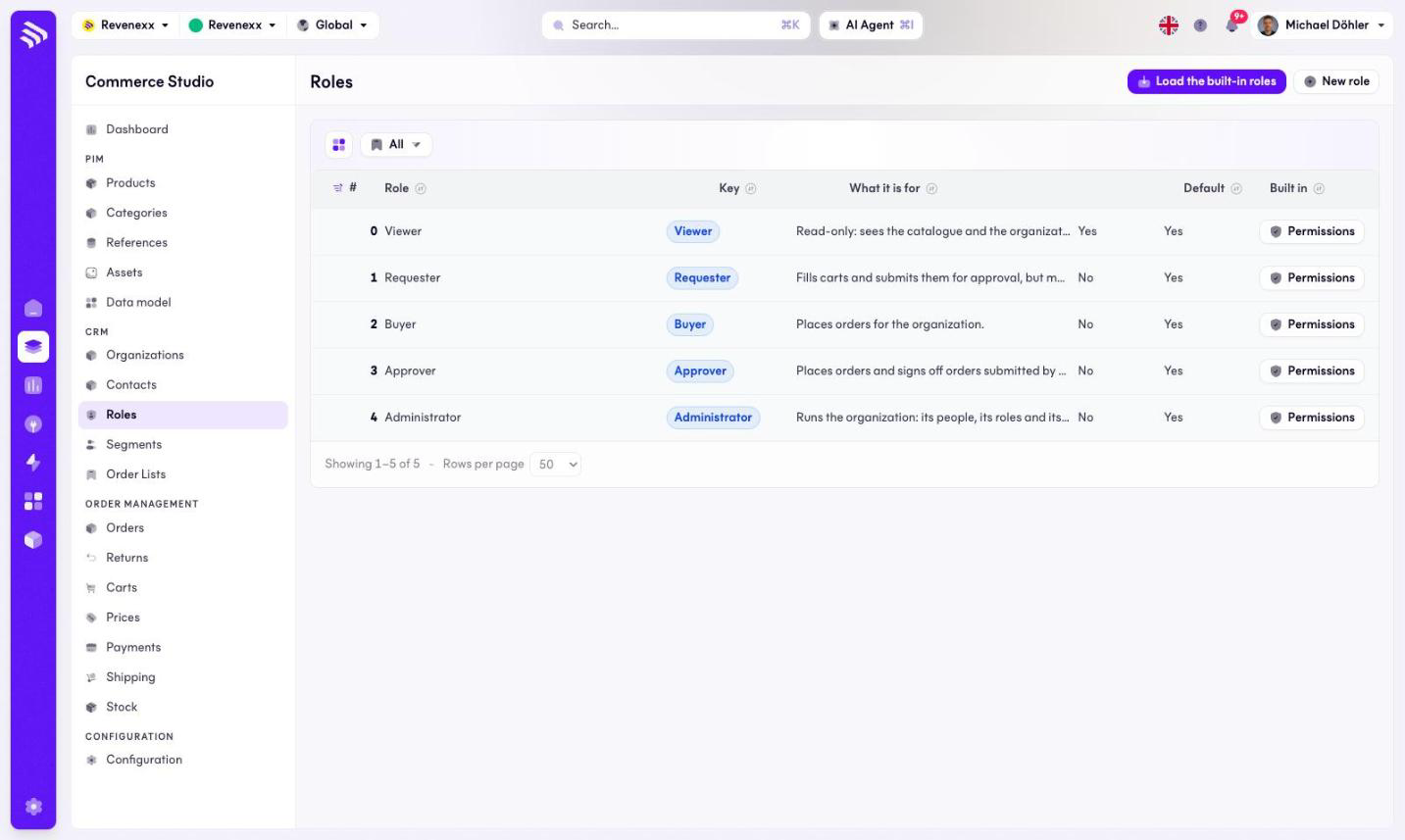
Roles are the permission ladder your contacts stand on. A viewer sees the catalogue, a requester asks, a buyer orders, an approver signs off, an admin manages the account. This screen lists the roles and opens the permission set of each.
Where you find it
Commerce Studio › CRM › Roles — /commerce/roles
What it does
The table lists the roles in ladder order — the built-in five are Viewer (the default for new contacts), Requester, Buyer, Approver and Administrator. Each row names the role, its key, what it is meant for and whether it is built in. There is no per-role detail page; the Permissions row action opens a modal instead.
Toolbar: Load the built-in roles (seeds the five), New role and a column picker.
Fields and controls
The permissions modal lists the permission keys with a checkbox each:
catalog.read, carts.manage, orders.create, orders.request,
orders.approve, orders.read, addresses.manage, contacts.read,
contacts.manage, organization.manage. The confirm button replaces the
role's whole permission set, and the modal warns you that it does.
What happens when you change it
Saving the modal replaces the permission set — it does not add to it. Every contact holding the role is affected on their next request. Uncheck with care.
Permissions
The customers app declares create, read, update and delete on roles and role permissions in its manifest. Which Cockpit roles may open this screen is not verified.
Related
- Contacts
- Guide: Contacts and roles
- Guide: Procurement governance