Organization detail
The organization detail is the account file of one buying company: who they are, on what terms they buy, and everything attached to them — people, addresses, activity, segments and orders.
Where you find it
Commerce Studio › CRM › Organizations › company — click a company name in the list.
What it does
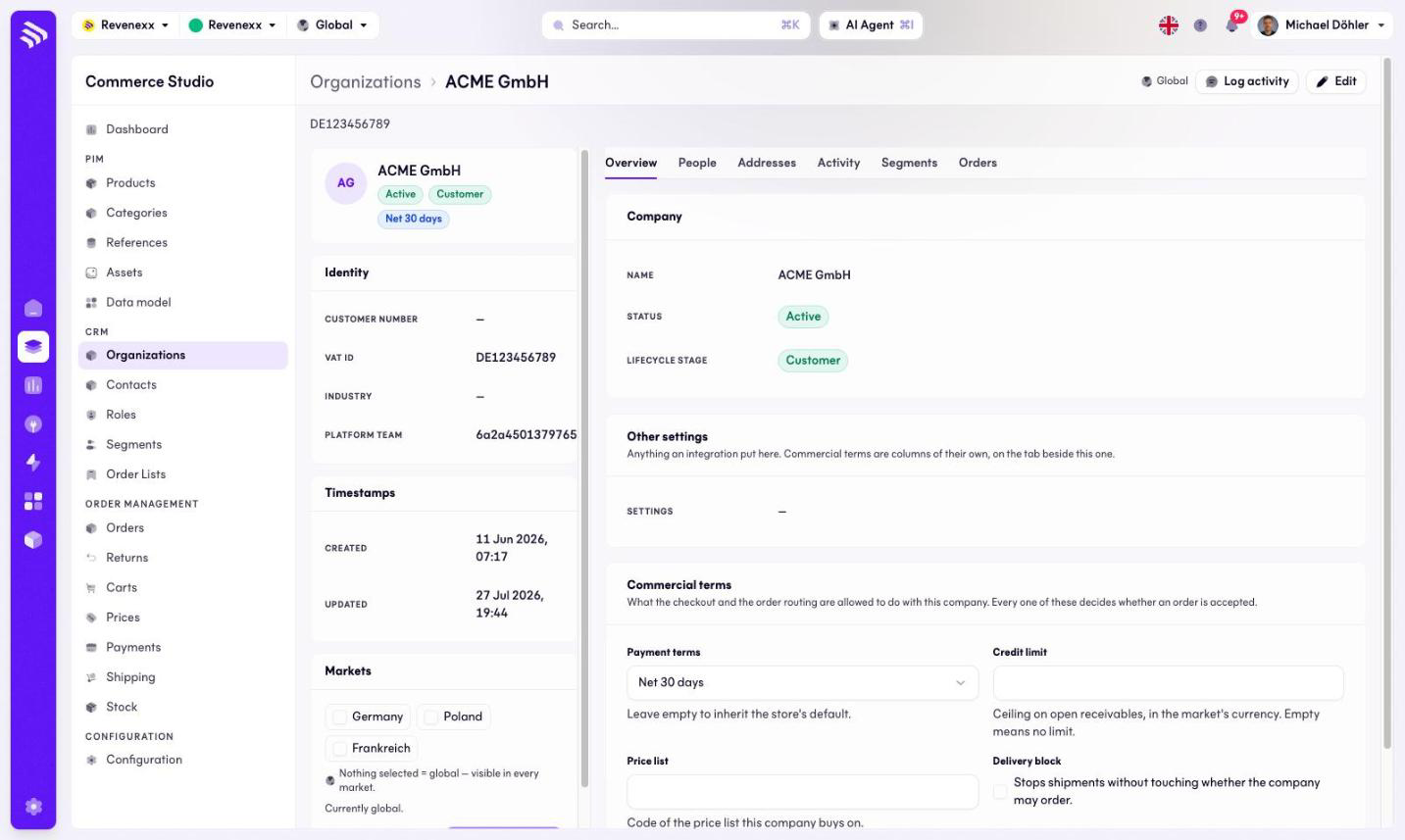
The header card shows the name with three badges: status, lifecycle stage and terms. Header actions: Log activity and Edit. Side panels carry the identity (customer number, VAT ID, industry, platform team), the timestamps and the market assignment with its own save action.
Tabs
| Tab | What it holds |
|---|---|
| Overview | The company record and the commercial terms. The default tab, documented below. |
| People | The contacts of this organization. |
| Addresses | Billing and shipping addresses. |
| Activity | The timeline: calls, visits, notes, and the system trail. |
| Segments | The segments this company belongs to. |
| Orders | The company's orders. |
Fields and controls
On the Overview tab:
| Panel | Fields |
|---|---|
| Company | Name, status, lifecycle stage. |
| Further settings | A settings field an integration may fill; empty by default. |
| Terms | Payment terms, credit limit, price list, delivery block toggle — with their own save and discard actions. |
What happens when you change it
Saving the terms stores them on the company. The price list code points the company at the price list it buys on. Payment terms, credit limit and the delivery block are values on the record; with the delivery block switched on, a red banner appears at the top of the page, and the same happens when the status is Blocked.
Permissions
The customers app declares create, read, update and delete on organizations in its manifest. Which Cockpit roles may open this screen is not verified.
Related
- Contacts
- Guide: Payment terms
- Guide: Credit and risk