Create a product
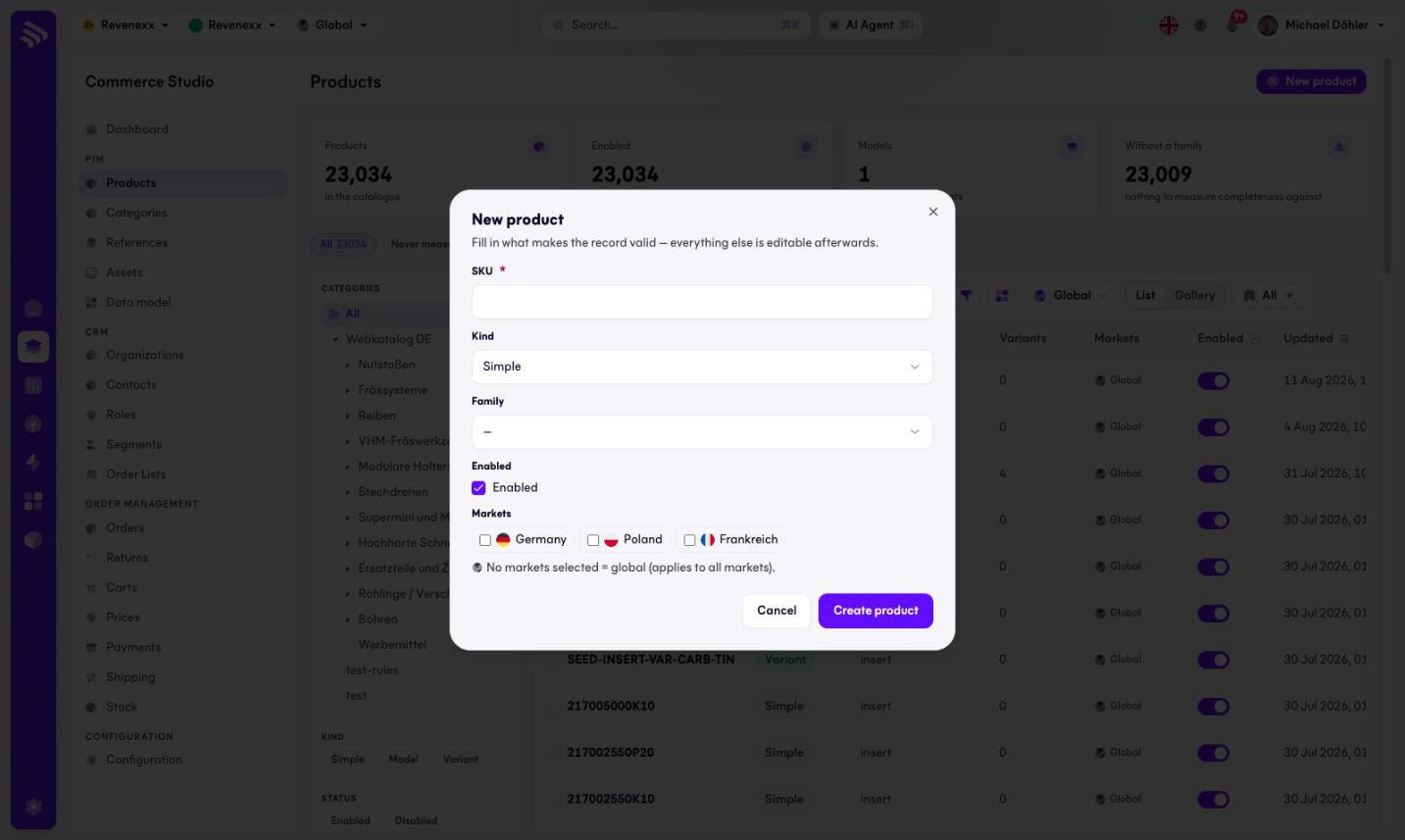
Creating a product asks for the minimum that makes the record valid. Everything else — attributes, categories, media — is added afterwards in the editor.
Where you find it
Commerce Studio › PIM › Products › New product — a modal dialog over the product list.
What it does
The dialog collects the identity of the product and nothing more. Its own helper text says it: fill in what makes the record valid, everything else can be edited afterwards.
Fields and controls
| Field | Meaning |
|---|---|
| SKU | Required. The identifier, usually your ERP article number. |
| Kind | Simple by default. Model for a product with variants, Variant for one of them. |
| Family | Optional at creation. The family decides which attributes the product carries, so pick it early. |
| Enabled | On by default. Enabled products are visible to channels. |
| Markets | Checkboxes per market. Leaving all of them empty makes the product global. |
Create product saves and closes; Cancel discards.
What happens when you change it
Saving creates the product and it appears in the list. A product created without a family counts into the "without family" KPI on the list until you assign one — and without a family it has no attribute set to fill in, so assign the family before you start enriching.
Permissions
The products app declares create, read, update and delete on products in its manifest. Which Cockpit roles may open this dialog is not verified.