Workflows
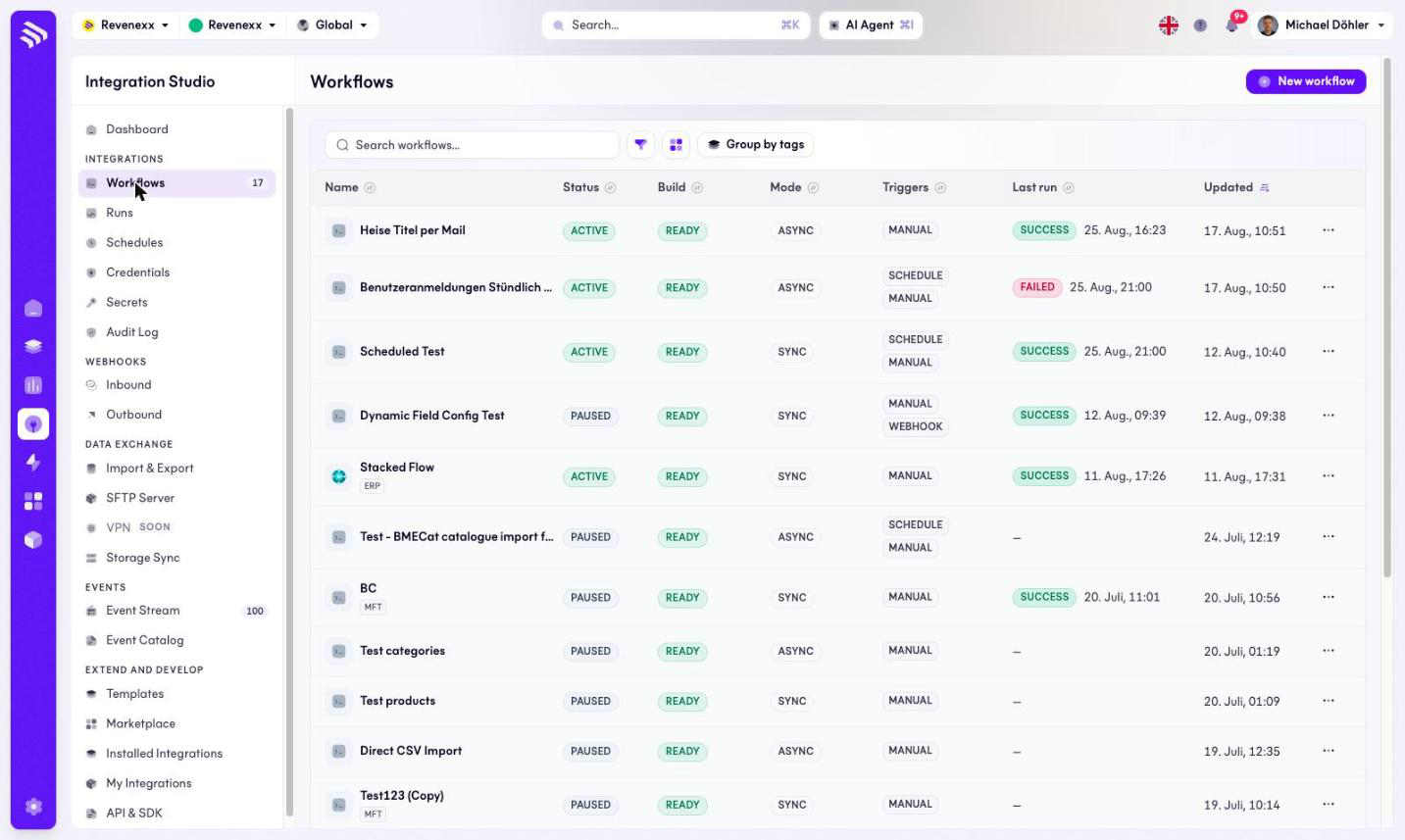
A workflow is one automated job: a trigger, then a chain of nodes that read, transform and write. This screen lists them; a row click opens the editor.
Where you find it
Integration Studio › Integrations › Workflows —
/integrations/workflows. The editor lives at
/integrations/workflows/:id.
The list
| Column | Values seen |
|---|---|
| Name | The workflow name, with optional tag chips such as ERP or MFT. Group by tags reorders the list around them. |
| Status | ACTIVE or PAUSED. Only an active workflow reacts to its triggers. |
| Build | READY when the workflow's current version is deployable. |
| Mode | SYNC or ASYNC — whether the workflow answers its caller directly or runs durably in the background. |
| Triggers | MANUAL, SCHEDULE, WEBHOOK — a workflow can have several. |
| Last run | A SUCCESS/FAILED badge plus the timestamp. |
| Updated | Last change to the definition. |
New workflow creates one; each row carries a … menu.
The editor
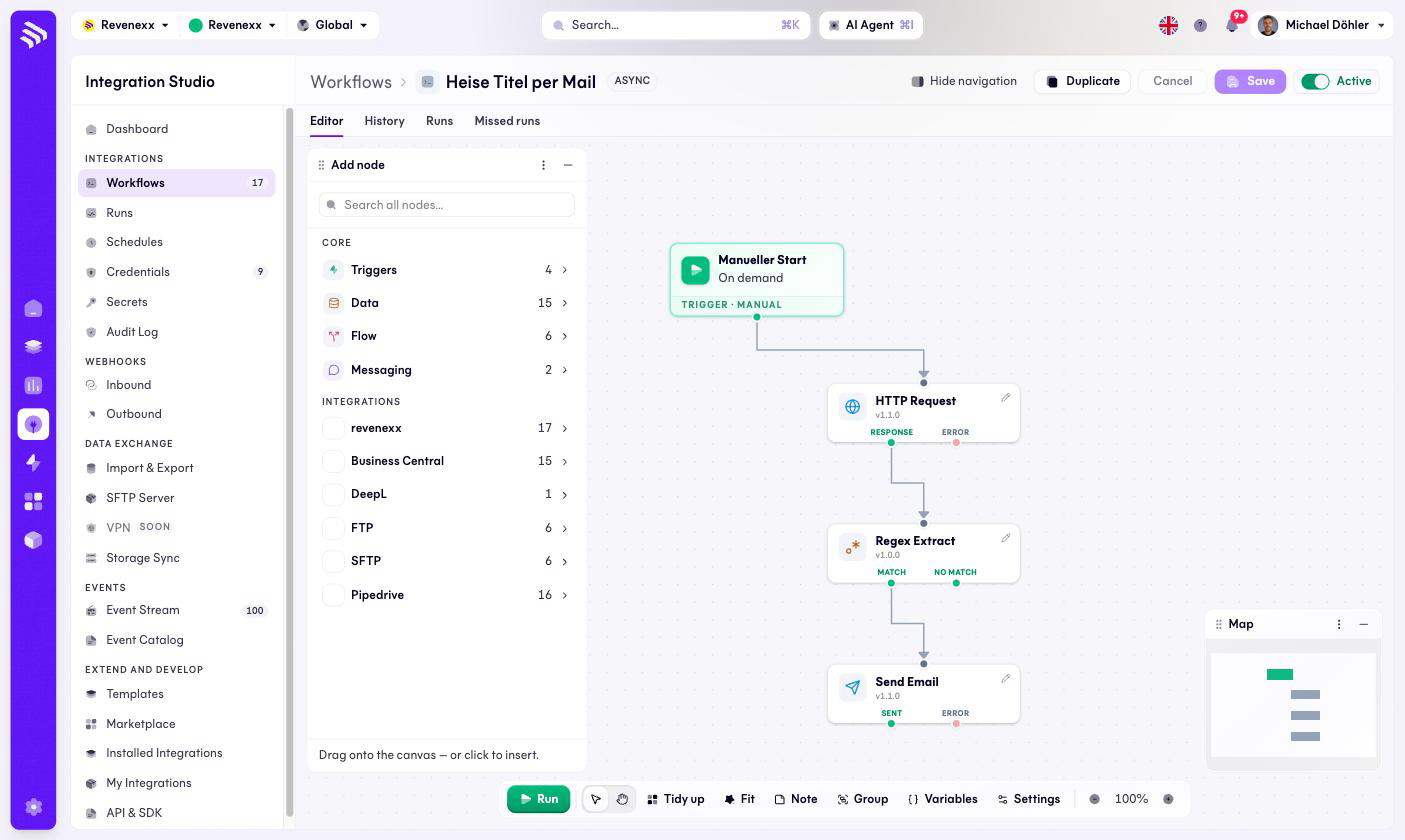
Four tabs: Editor, History, Runs and Missed runs. The Editor
tab is a node-graph canvas with a minimap: the trigger on the left, then
versioned nodes (for example HTTP Request v1.1.0) connected through typed
output ports such as RESPONSE/ERROR or MATCH/NO MATCH — the error
path is a port you wire, not an afterthought.
The Add node panel is searchable and grouped: core categories (Triggers, Data, Flow, Messaging) and one category per installed integration — in the screenshot revenexx, Business Central, DeepL, FTP, SFTP and Pipedrive. Which categories you see depends on your installed integrations.
Toolbar: Save (enabled once something changed), Cancel, Duplicate, the Active toggle, Run, plus canvas tools — Tidy up, Fit, Note, Group, Variables, Settings and zoom.
What happens when you change it
Saving changes the definition; it does not touch runs already executing. The Active toggle is the switch that matters: a paused workflow ignores its schedule and its webhooks. Run starts a manual execution of the current definition. Duplicate copies the workflow — the standard way to test a risky change next to the running original.
Permissions
Not verified — the workflow engine does not publish an app manifest the way the catalog apps do.