Order list detail
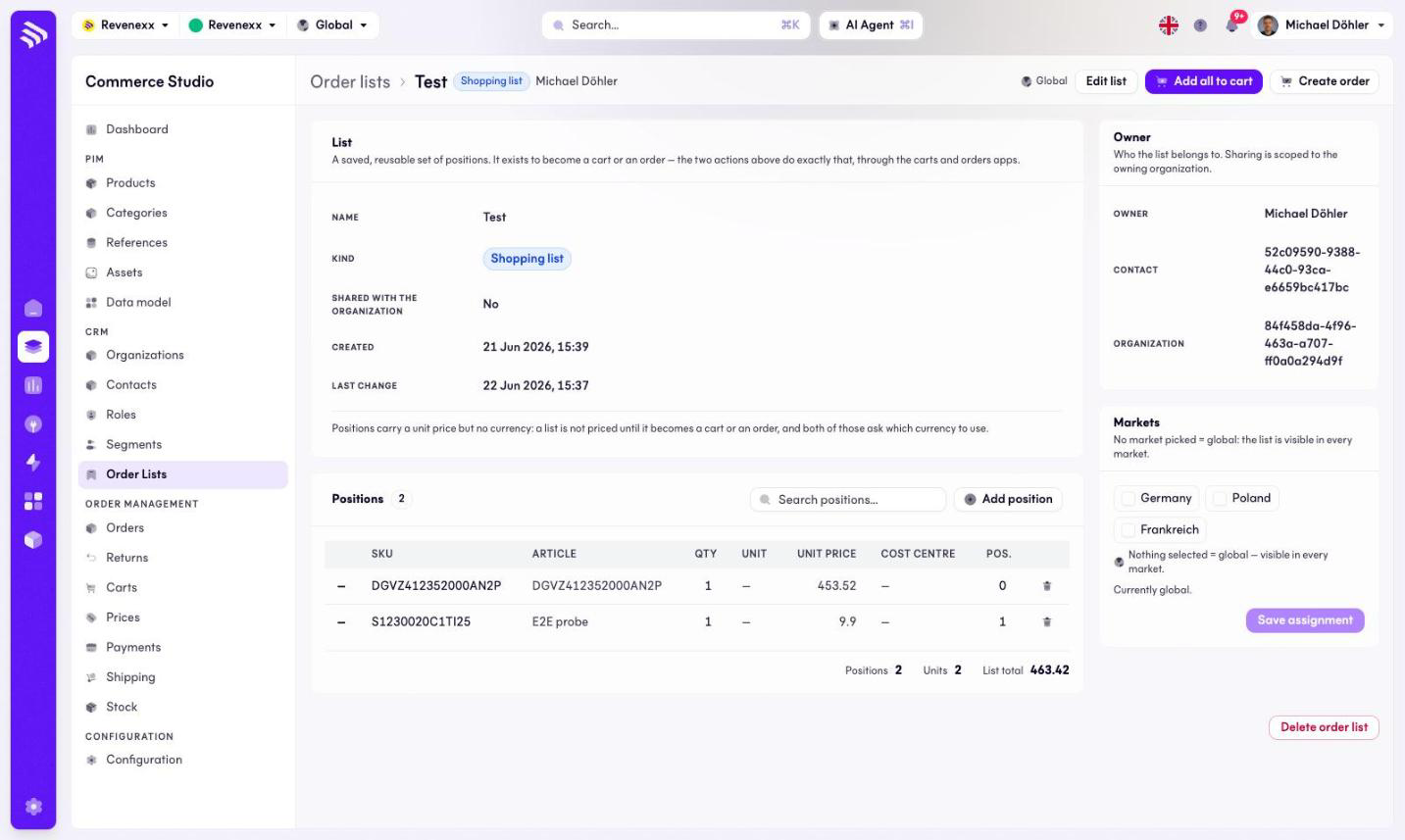
The order list detail shows one list with its positions — the articles, the quantities, the cost centres — and the actions that turn it into a cart or an order.
Where you find it
Commerce Studio › CRM › Order Lists › list — click a list name.
What it does
The header shows the list name with its kind badge and the owner. Panels carry the list record (name, kind, shared with the organization, created, last change), the totals (positions, units, list total), the owner and the market assignment. At the bottom sits the danger action Delete order list.
Fields and controls
The positions table:
| Column | What it shows |
|---|---|
| SKU | The article number. |
| Article | The article name. |
| Qty | The saved quantity. |
| Unit | The order unit, for example PCE. |
| Unit price | The stored price. |
| Cost centre | The buyer's cost centre for the position. |
| Pos. | The position number. |
Actions: Add all to cart (primary), Create order, Edit list, Add position, a position search, and the market assignment's save action.
Positions carry a unit price but no currency — the currency is settled when the list becomes a cart or an order.
What happens when you change it
Add all to cart copies every position into a cart; Create order places an order from the list. Both leave the list unchanged, so the buyer can reuse it next month. Delete order list removes the list with its positions.
Permissions
The orderlists app declares create, read, update and delete on lists and their items in its manifest. Which Cockpit roles may open this screen is not verified.
Related
- Order lists
- Carts
- Guide: Order lists