Carts
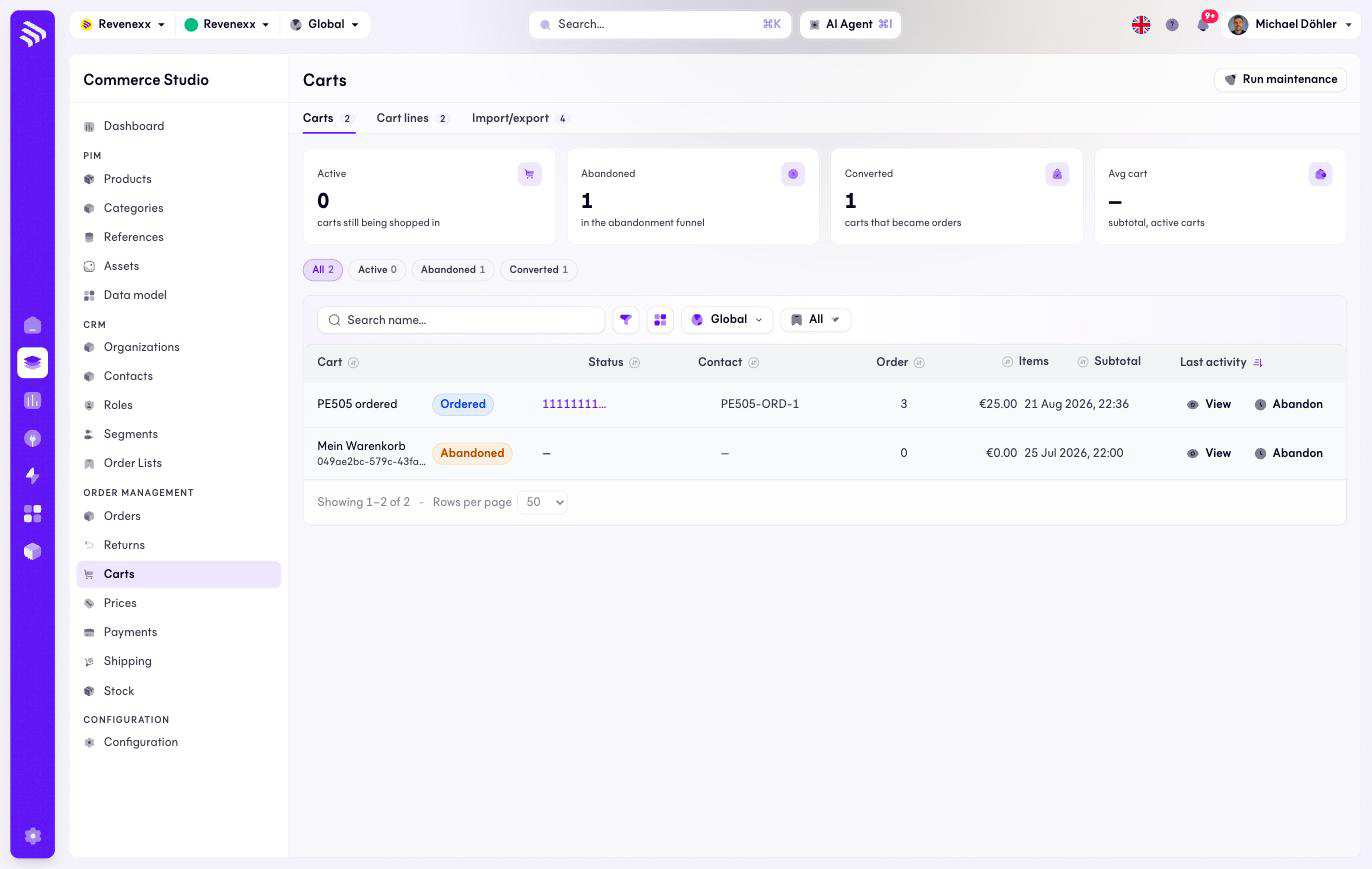
Carts shows what your buyers have on the way: the carts being filled, the ones that went stale and the ones that became orders. The page has three tabs — the cart list, a flat list of all cart lines, and the import/export profiles.
Where you find it
Commerce Studio › Order Management › Carts — /commerce/carts. The tabs
are Carts, Cart lines
and Import/export.
What it does
KPI cards count the active carts, the abandoned ones (your recovery funnel), the converted ones and the average cart value. Quick chips filter by the same states. Carts are created by buyers in the storefront, not here.
Fields and controls
| Column | What it shows |
|---|---|
| Cart | The cart name. |
| Status | Active, Abandoned or Ordered. |
| Contact | The owner, shown as a shortened ID link. |
| Order | The order reference, once converted. |
| Items | Line count. |
| Subtotal | The cart value. |
| Last activity | The last change — what the abandonment sweep measures. |
Header action: Run maintenance. Per row: View and Abandon. Toolbar: a name search, a filter toggle, a column picker, market scope and saved views.
What happens when you change it
Run maintenance starts the sweep that marks idle carts as abandoned — the same job that runs on a schedule, so running it by hand is for when you want the funnel current now. Abandon moves a single cart to Abandoned immediately. A converted cart keeps its order reference.
Permissions
The carts app declares create, read, update and delete on carts, cart items and import/export profiles in its manifest. Which Cockpit roles may open this screen is not verified.