Domains
A domain connects a hostname to a site — shop.example.de to the storefront
behind it. This screen is where you see whether DNS is right and what each
hostname actually serves.
Where you find it
Experience Studio › Surfaces › Domains — /experience/domains.
What it does
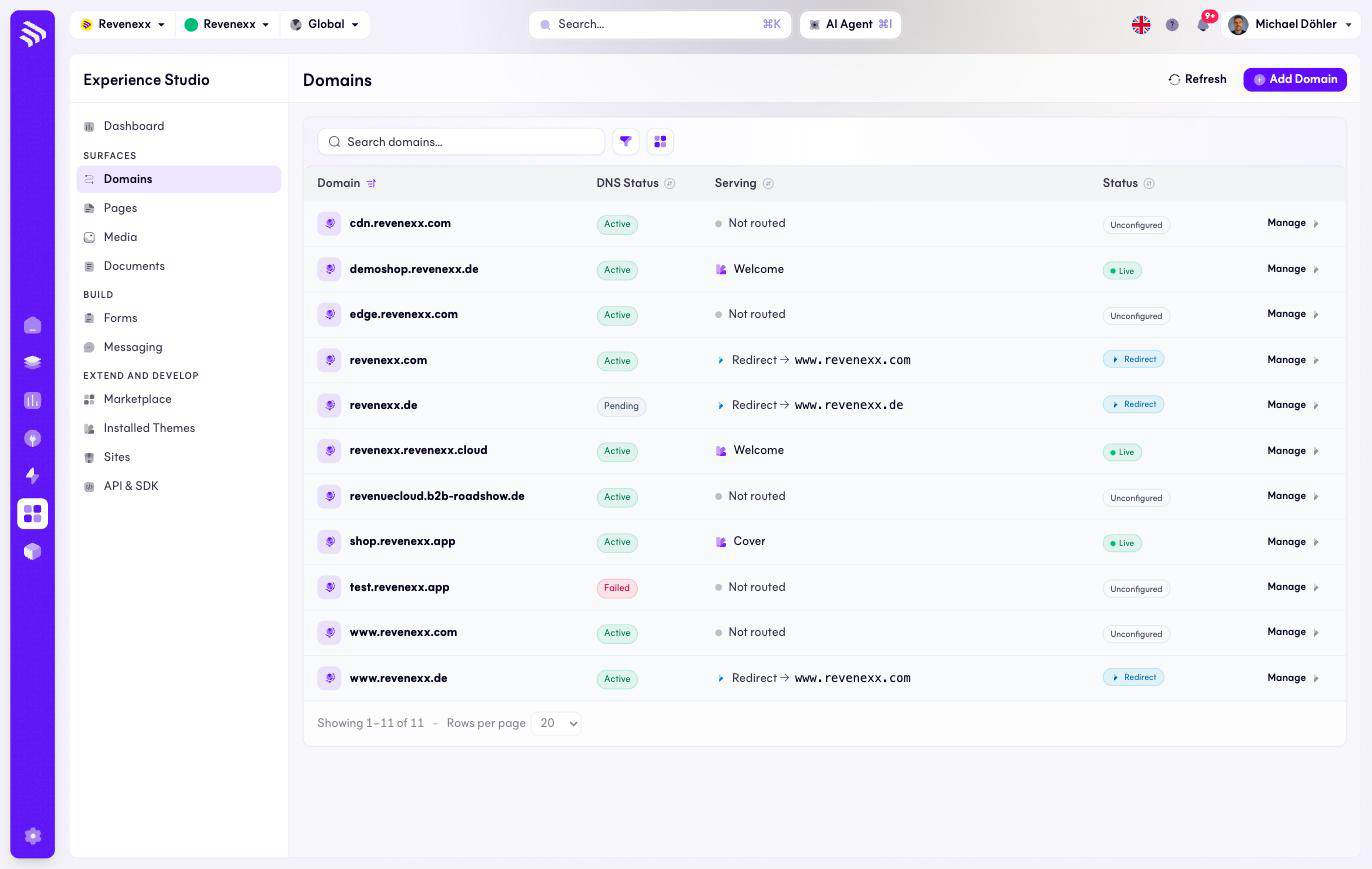
One row per hostname. Add Domain registers a new one, Manage opens the domain's detail screen, and the refresh icon re-checks the list. Search, a filter and a list/grid switch narrow the view.
Fields and controls
| Column | Values seen |
|---|---|
| Domain | The hostname. |
| DNS Status | Active — the records point at the platform. Pending — registered, records not yet confirmed. Failed — the check did not pass. |
| Serving | What answers on this hostname: a site name, Redirect → <host>, or Not routed. |
| Status | Live, Redirect, or Unconfigured. |
What happens when you change it
A domain becomes useful in two steps: the DNS records at your registrar have
to point at the platform (DNS Status turns Active), and the domain has to
be routed to a site or a redirect (Status turns Live or Redirect). A
domain stuck on Pending is almost always a record that was never set or has
not propagated yet; Failed means the check ran and the answer was wrong.
Both are fixed at the registrar, not in the Cockpit.
Permissions
Not verified.