Pages
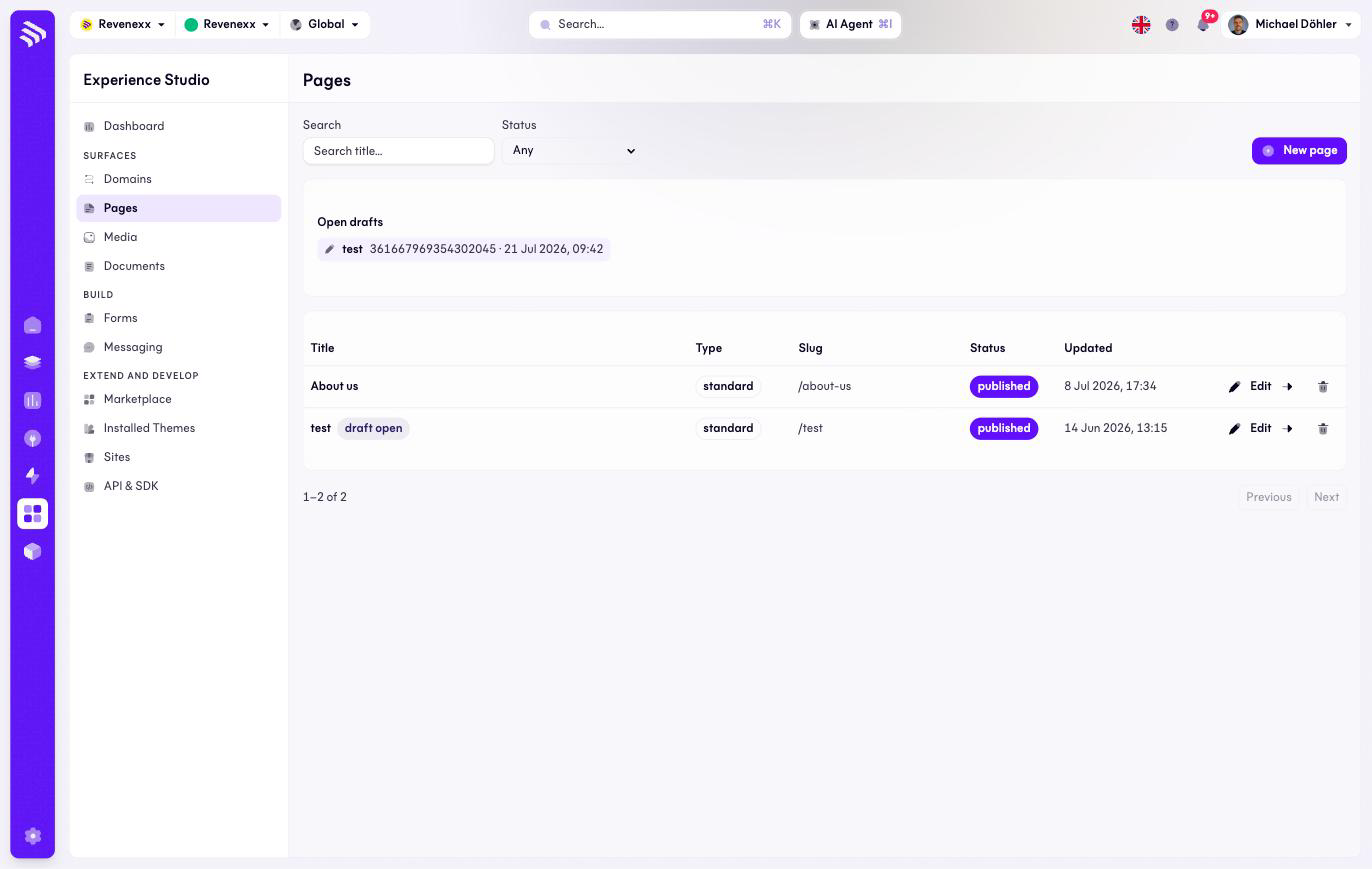
Pages are the editable content of a storefront — the landing page, "About us", a campaign page — composed from blocks rather than coded. This screen lists them; Edit opens the block editor.
Where you find it
Experience Studio › Surfaces › Pages — /experience/pages.
What it does
One row per page with its publication state. New page creates one. An Open drafts strip above the table lists pages with unpublished edits, so half-finished work does not get lost in the list.
Fields and controls
| Column | What it shows |
|---|---|
| Title | The page title. |
| Type | The page type; standard is the default. |
| Slug | The path the page is served under, for example /about-us. |
| Status | draft, published or archived. A published page with unpublished edits additionally carries a draft open badge. |
| Updated | Last change. |
Row actions: Edit (opens the block editor at
/experience/pages/:id/edit), an open arrow, and delete. The list filters by
title search and status.
What happens when you change it
Editing never touches the live page. Each page has one open working copy — a
draft — and every editor action lands there, with undo and redo. Only
publishing replaces the live version, and the platform keeps a revision
snapshot of what was published. Until then the storefront serves the last
published state, which is why a page can be published and still show
draft open.
Deleting a page removes it from the storefront; the slug becomes free again.
Permissions
The pages app's manifest declares create, read, update and delete on pages, blocks, revisions and the other editor entities. Which Cockpit roles may open this screen is not verified.
Related
- Guide: Edit pages
- Media — where the images in your blocks live.