Messaging
Messaging is the mail your commerce processes send — order confirmation, two-factor code, welcome mail. When it stops, buyers assume the order did not arrive, which is why the first tab is a health view rather than a template list.
Where you find it
Experience Studio › Build › Messaging — /experience/messaging. Eight
tabs: Overview, Deliveries, Templates, Layouts, Provider,
Suppressions, Healthcheck and Audit log. Overview and Templates
are documented below; the other tabs carry what their names say.
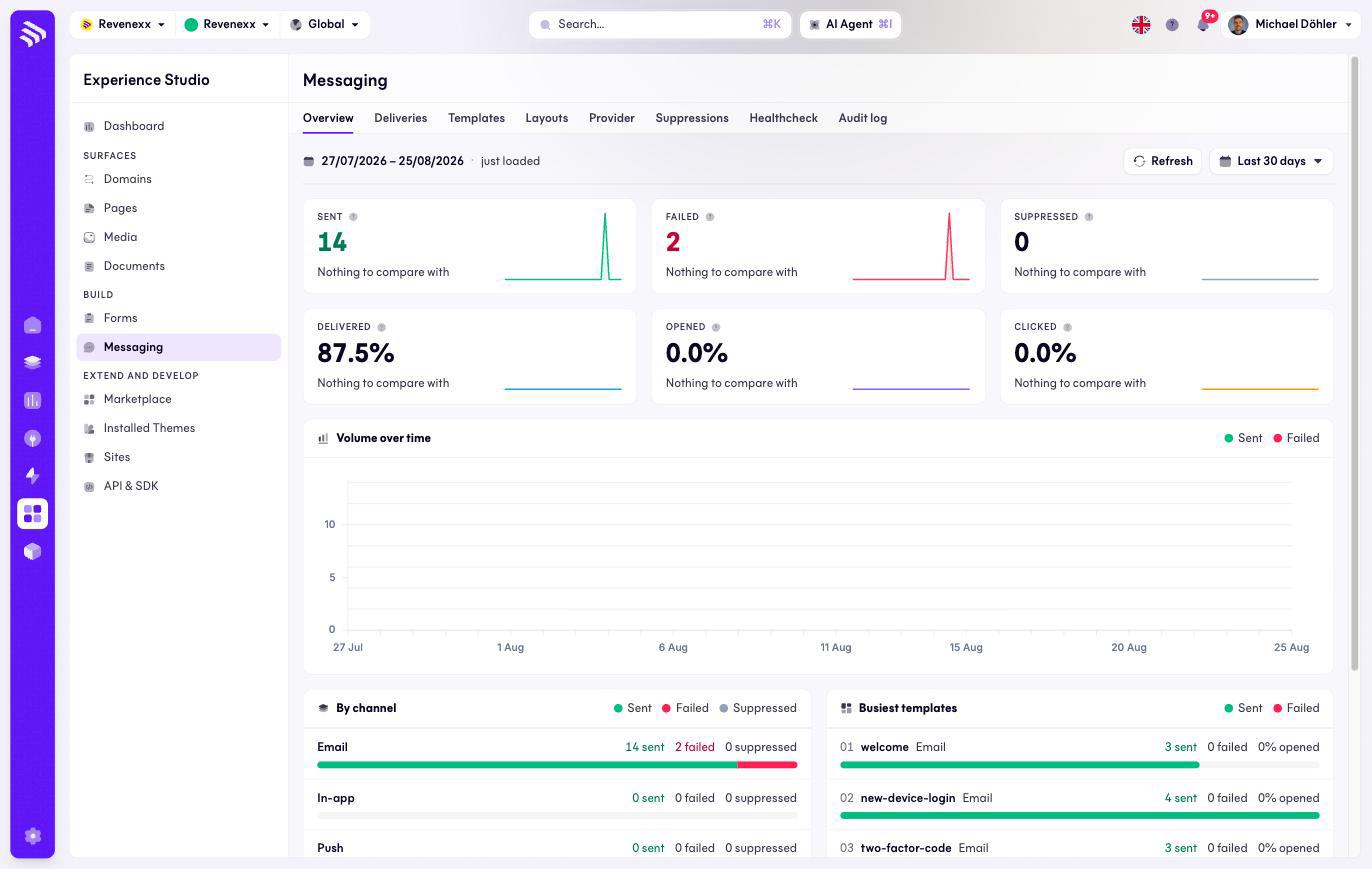
The Overview tab
KPI cards for the selected date range (default: last 30 days): Sent, Failed, Suppressed, Delivered, Opened and Clicked. Below them a volume-over-time chart, a by-channel breakdown (Email, In-app, Push) and the busiest templates.
The Templates tab
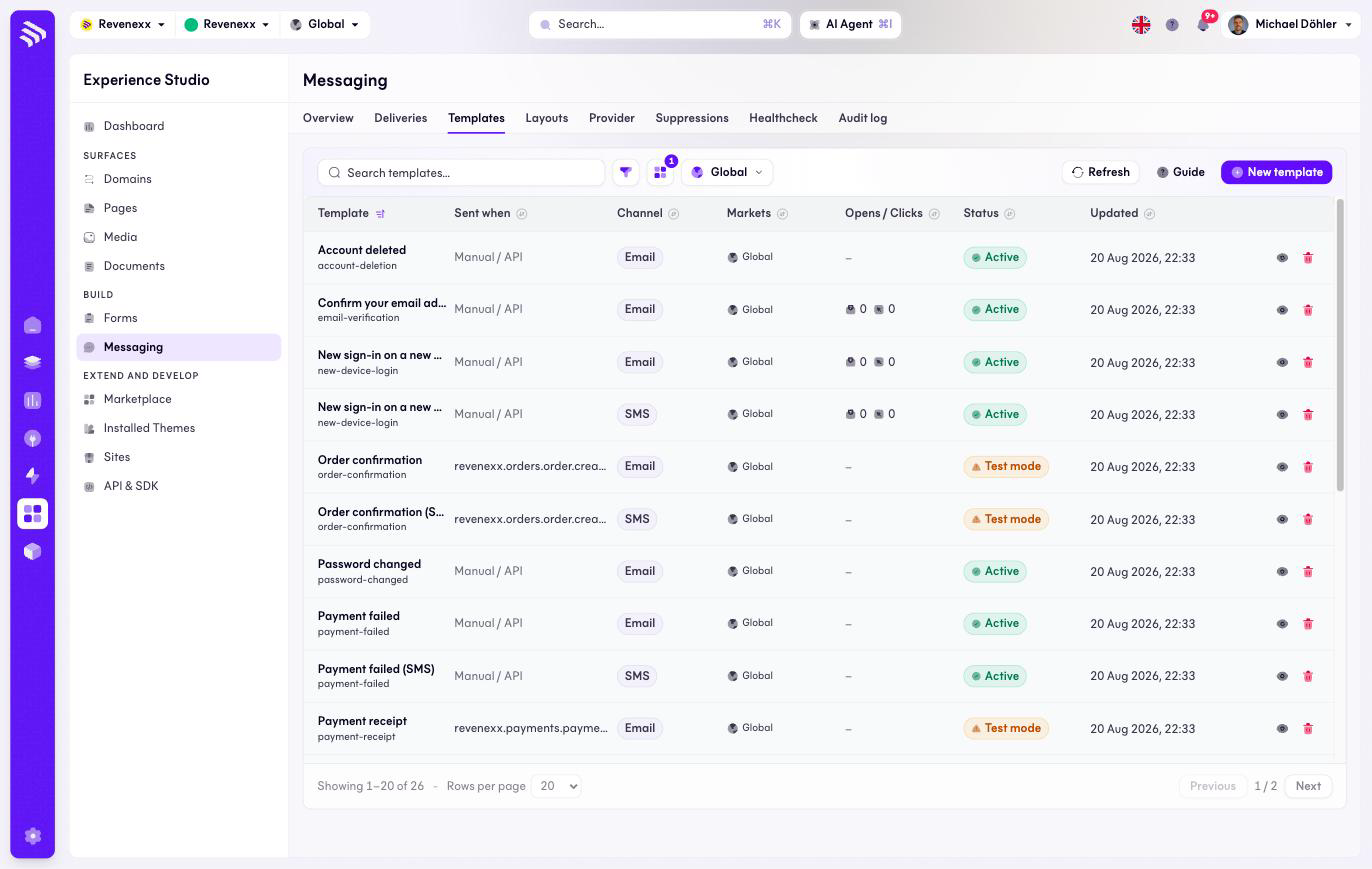
| Column | What it shows |
|---|---|
| Template | Name and key, for example order-confirmation. |
| Sent when | Either Manual / API or the event that triggers the send, for example revenexx.orders.order.created. |
| Channel | Email or SMS. |
| Markets | Which markets the template serves; the market selector in the toolbar scopes the list. |
| Opens / Clicks | Engagement per template. |
| Status | Active, or Test mode with an orange warning badge. |
| Updated | Last change. |
Actions: New template, a Guide link, refresh, filter, view switch and a per-row preview and delete.
What happens when you change it
A template whose trigger is an event key sends itself: the moment the
platform emits that event, the template goes out. Manual / API templates
send only when something calls them. Test mode is the safety catch — a
template in test mode is visibly flagged and not treated as a production
sender, which is where you keep an order confirmation until its content is
signed off.
Permissions
Not verified.
Related
- Guide: Forms and email
- Event Catalog — the event keys templates can bind to.