Sites
A site is a running storefront: a frontend build, deployed on the platform, bound to your tenant's data. The Sites screen lists them; the detail screen manages the deployments of one site.
Where you find it
Experience Studio › Extend and Develop › Sites — /experience/sites.
A row click opens the site detail at /experience/sites/:slug.
What it does
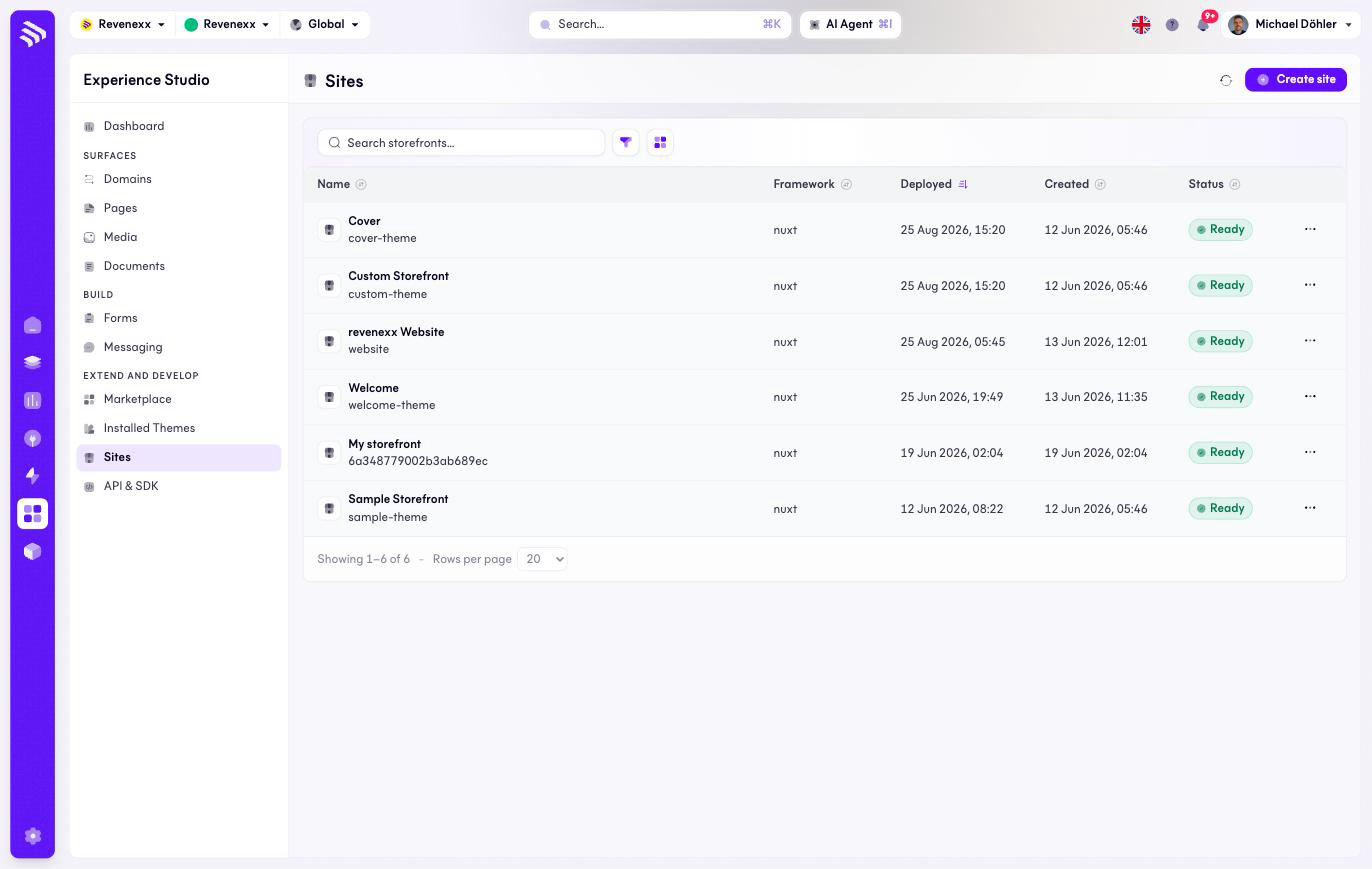
One row per site with its framework and deployment state. Create site starts a new one. The search field, filter and the list/grid switch narrow the view; the refresh icon reloads it.
Fields and controls
| Column | What it shows |
|---|---|
| Name | Display name plus the slug, for example website. The slug is also the URL of the detail screen. |
| Framework | The frontend framework of the build, for example nuxt. |
| Deployed | When the active deployment went out. |
| Created | When the site was created. |
| Status | The deployment state — Ready when the current build is live. |
Each row carries a … menu with the per-site actions.
The site detail
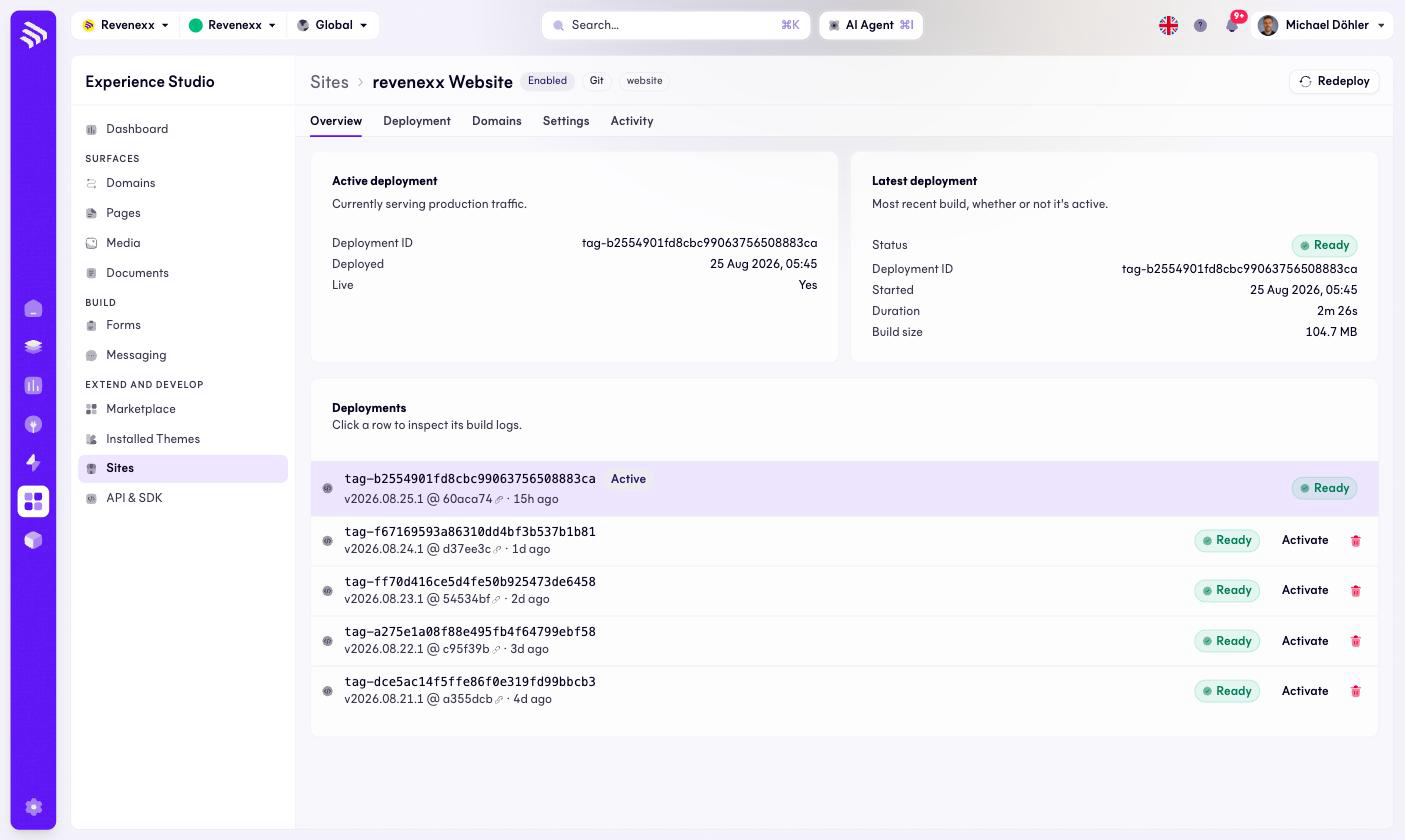
Five tabs: Overview, Deployment, Domains, Settings and Activity. The header shows the site's badges — Enabled, Git for a repository-connected site, and the slug.
The Overview tab carries three blocks:
| Block | Content |
|---|---|
| Active deployment | Deployment ID, deploy time, and the Live marker — the build buyers are getting right now. |
| Latest deployment | Status, Deployment ID, start time, duration and build size of the most recent build. |
| Deployments | The history, one row per build with a version like v2026.08.25.1 @ 60aca74, a Ready badge, an Activate button and a delete icon. Clicking a row opens its build logs. |
What happens when you change it
Redeploy (top right) builds and ships the site again. Activate on an older deployment makes that build the live one — this is the rollback: the previous version is one click away as long as its row still exists. Deleting a deployment removes that option for the build you delete.
Permissions
Not verified — the sites platform does not publish an app manifest the way the catalog apps do.
Related
- Domains — where a site gets its hostname.
- Themes — what a site looks like.
- Guide: Create a storefront