Order detail
The order detail is the file of one order: its positions, its three statuses, its shipments and returns, its payment snapshot and its full event history. An order is a snapshot — items, addresses, buyer and totals are frozen at place-time and stay consistent when catalogue or customer change underneath.
Where you find it
Commerce Studio › Order Management › Orders › number — click a row in the order list. The URL carries the order's ID rather than its number.
What it does
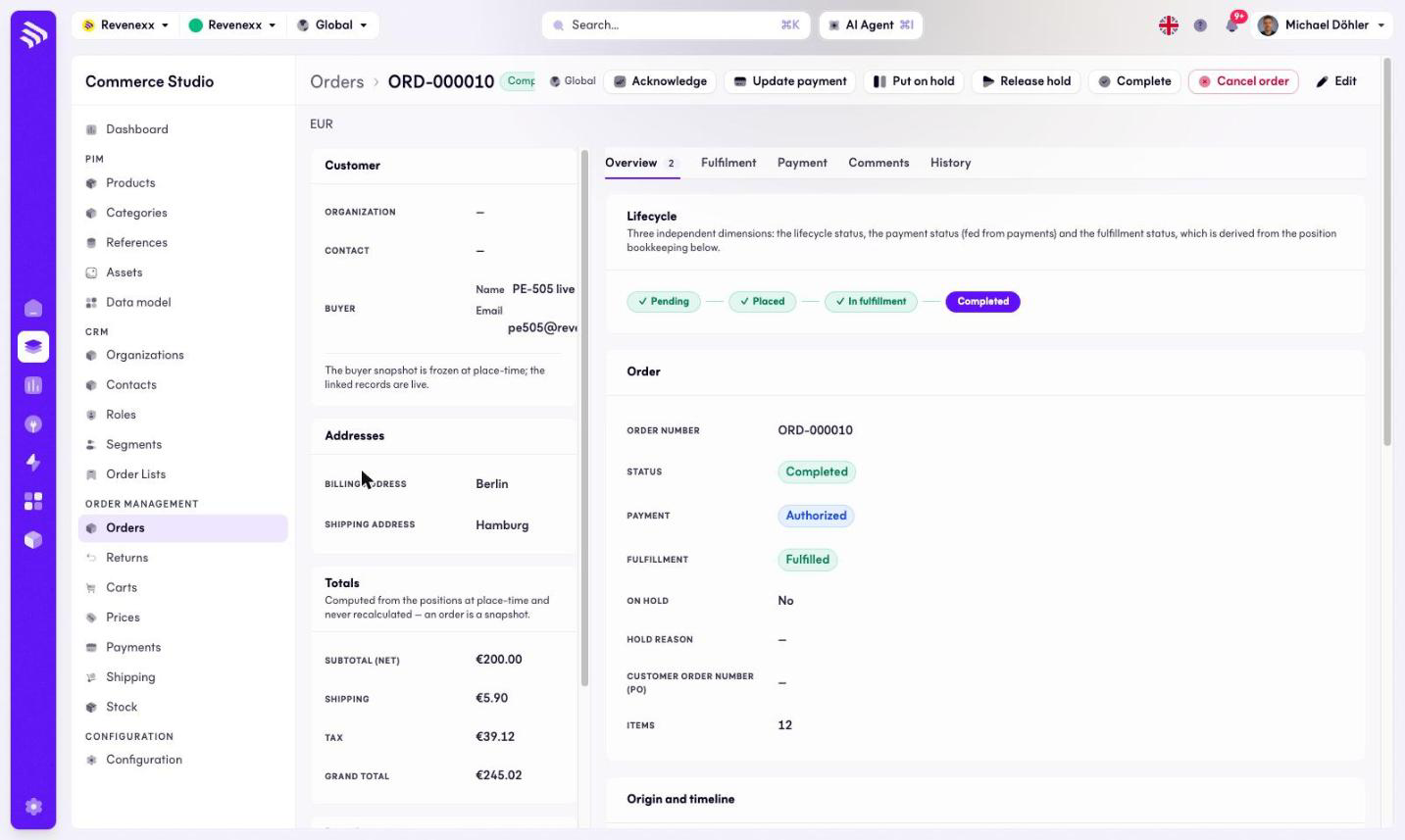
The header shows the order number with three status badges — lifecycle, payment, fulfillment — and seven actions: Acknowledge, Update payment, Hold, Release hold, Complete, Cancel order (red) and Edit.
A left rail accompanies every tab:
| Panel | Contents |
|---|---|
| Customer | Organization, contact, and the buyer's name and e-mail — a frozen buyer snapshot. |
| Addresses | Billing and shipping address. |
| Totals | Subtotal (net), shipping, tax, total. Never recalculated: an order is a snapshot. |
| Details | Channel, currency, external reference (ERP), source cart, acknowledged at. |
Every tab carries a footer hint that the record is written by the app and read-only here.
Tabs
Overview
The default tab. A lifecycle stepper walks Pending → Placed → In fulfillment → Completed, with a hint that lifecycle, payment and fulfillment are three independent dimensions. The order block shows number, status, payment, fulfillment, held flag, hold reason, the customer order number (PO) and the line count. Origin and timeline lists created, placed, acknowledged and completed timestamps; a free-form data block holds user data and metadata.
The positions table lists Pos., SKU, name, type, quantity, unit price, tax % and line total. Each line carries its own fulfillment note — "9/10 shipped · 2 returned · 1 cancelled" — because in B2B partial everything is normal. Cancel positions lives here.
Fulfillment
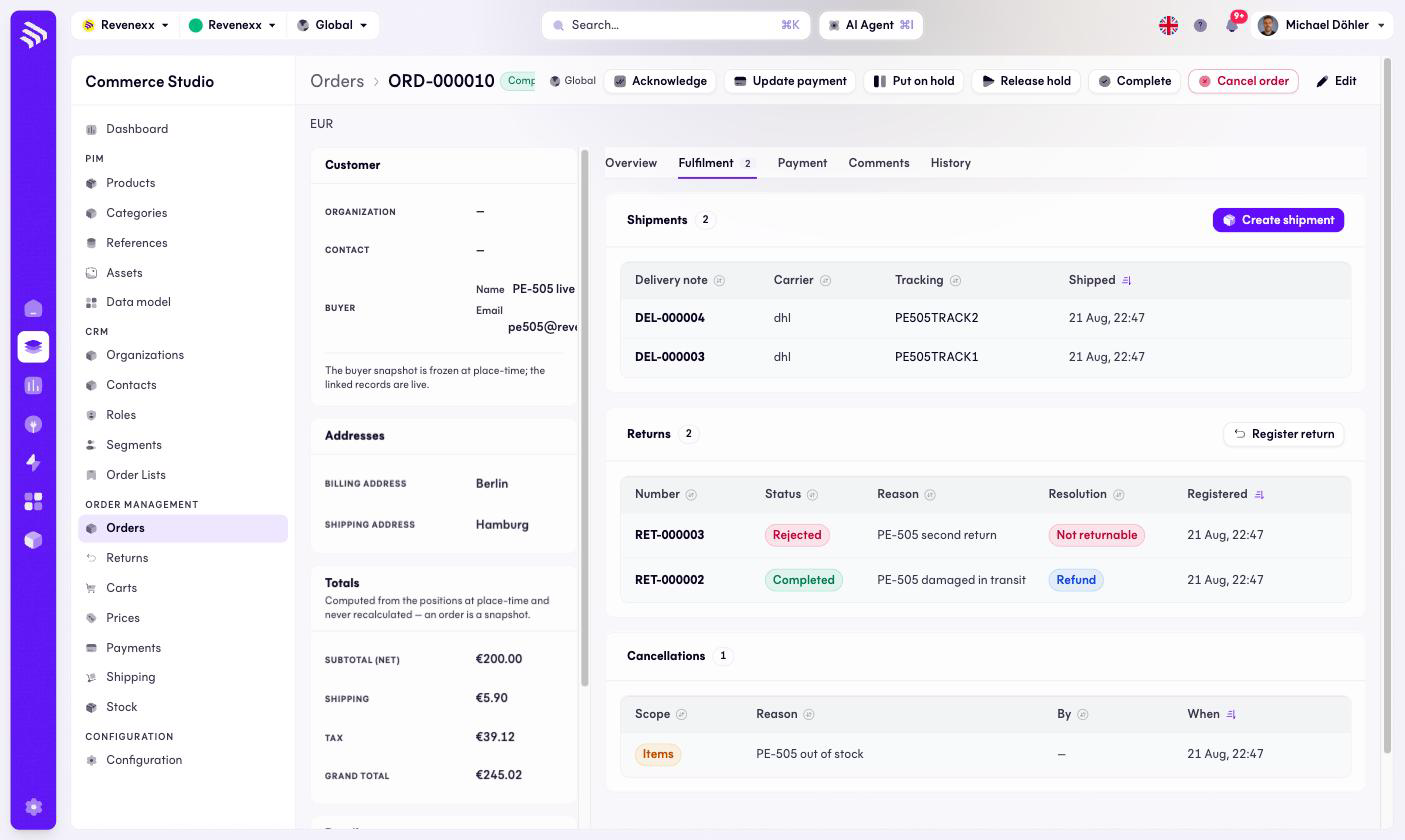
Three tables: shipments (delivery note, carrier, tracking, shipped at), returns (number, status, reason, resolution, registered) and cancellations (scope, reason, by whom, when). The actions Create shipment and Register return start the two flows — returns for this order begin here, not on the Returns list.
Payment
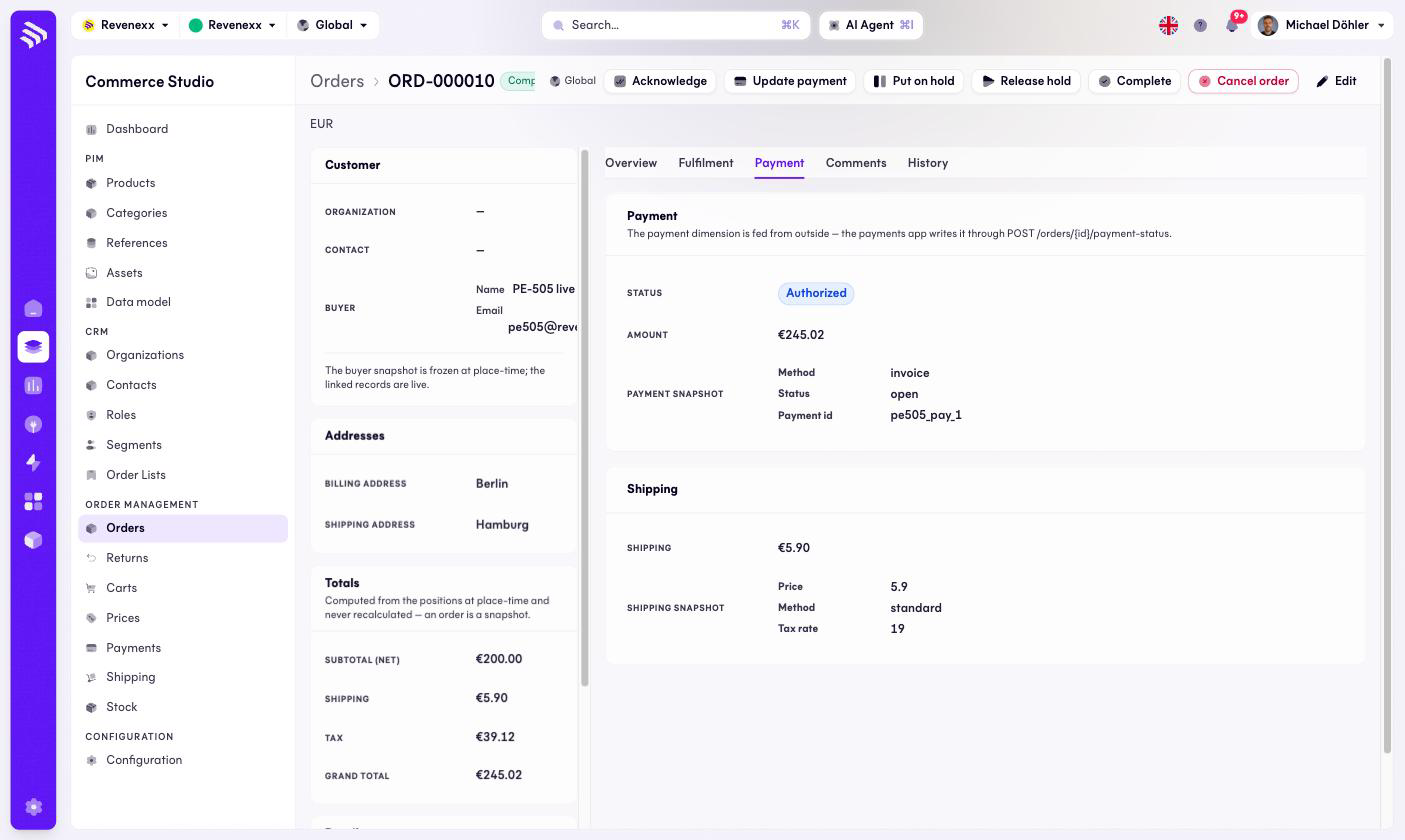
The payment status and amount, plus two snapshots: the payment (method, status, payment ID) and the shipping (price, method, tax rate). A hint explains that the payment status is fed from outside, by the payments app or your ERP, through the order's payment-status endpoint — Update payment in the header covers the manual case.
Comments
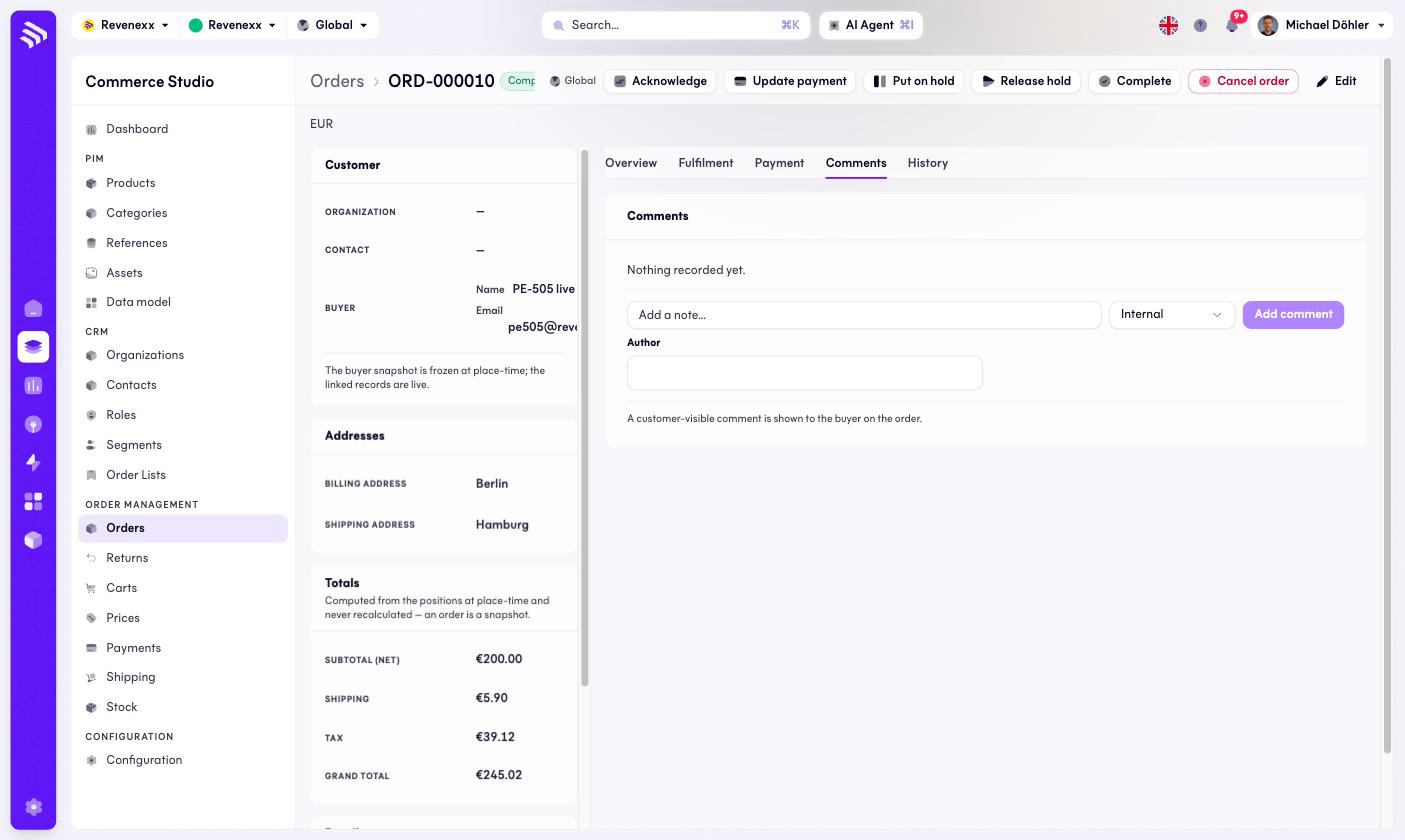
A note input with a visibility select (Internal by default) and an author field. Customer-visible comments are shown to the buyer, so choose the visibility deliberately.
History
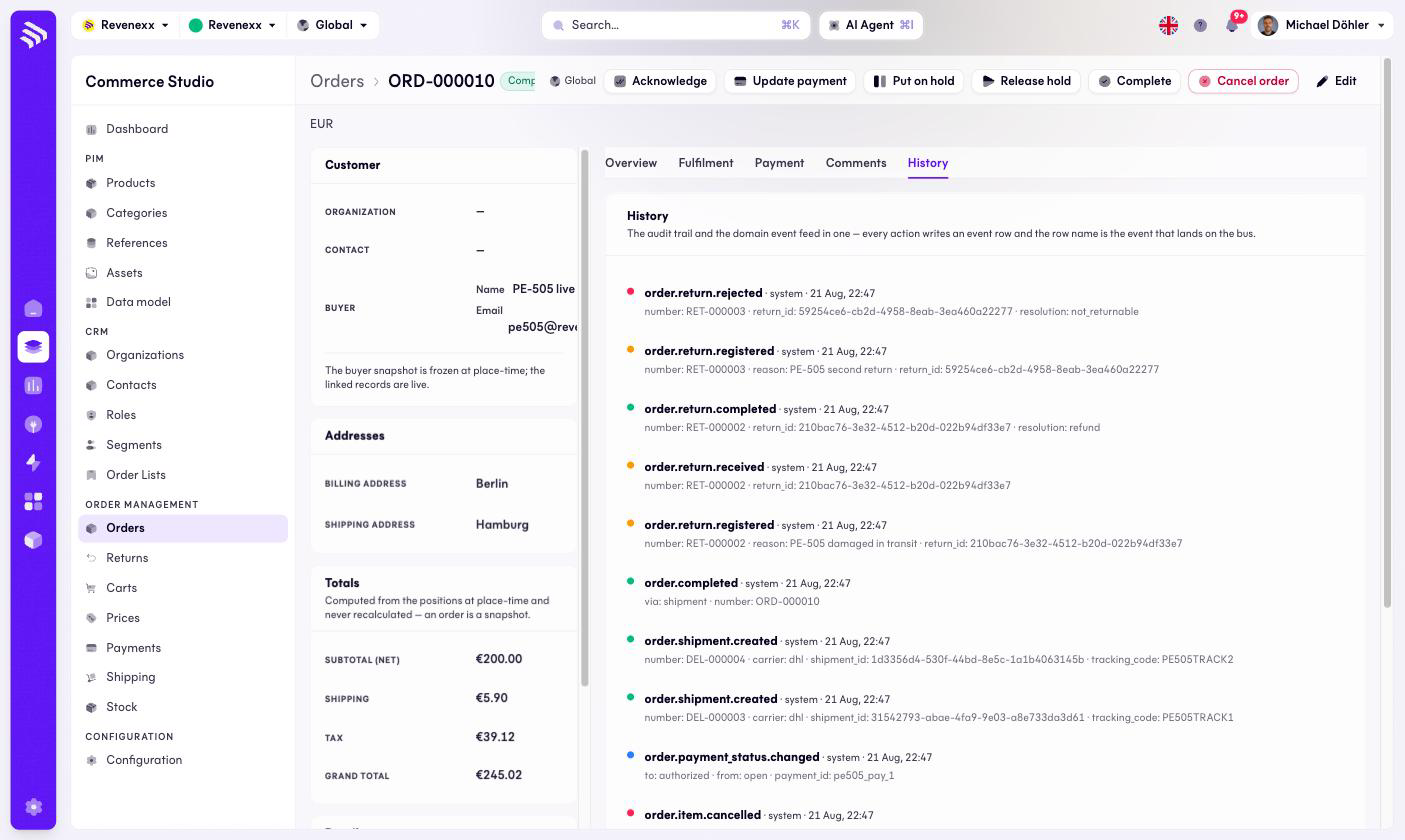
The event stream of the order — order.placed, order.acknowledged,
order.held, order.item.cancelled, order.payment_status.changed,
order.shipment.created, order.completed, the return events — each with its
actor and payload. When you need to know what happened to an order and when,
this tab is the answer.
What happens when you change it
Acknowledge confirms receipt; Hold stops the order from shipping until Release hold; Complete closes it; Cancel order ends it. Create shipment ships open quantities and draws a delivery number; Register return starts a return against shipped quantities. The totals never change: corrections happen through positions, shipments and returns, and the snapshot stays as placed.
Permissions
The orders app declares create, read, update and delete on orders, items, shipments, returns and comments in its manifest. Which Cockpit roles may open this screen is not verified.
Related
- Guide: Process an order
- Guide: Partial deliveries
- Guide: Cancel or change an order
- Guide: Returns