Payments
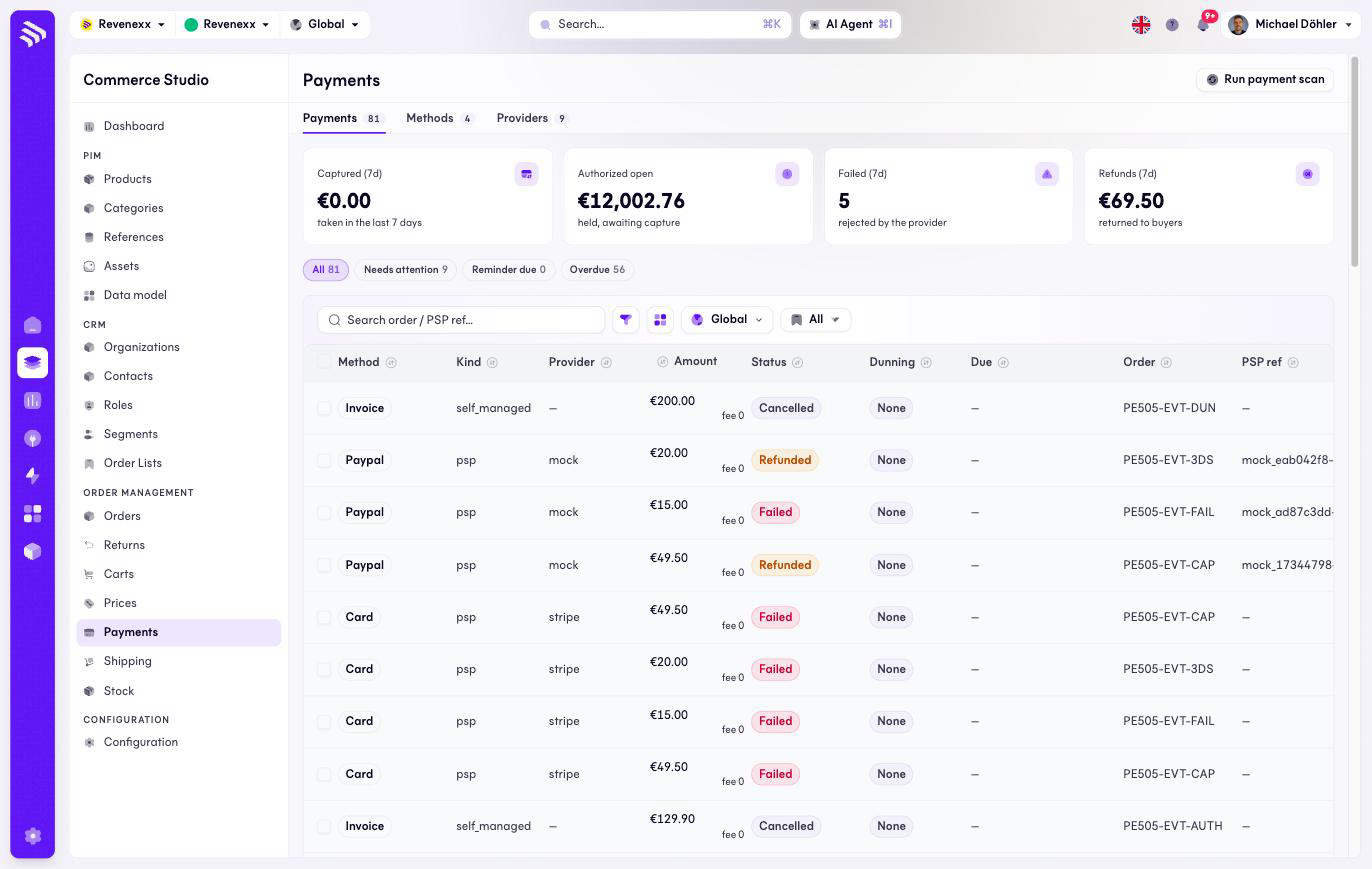
Payments lists every payment record on the tenant — authorized, captured, refunded, failed — with its dunning state and due date. The page has three tabs: the payments, the payment methods and the providers.
Where you find it
Commerce Studio › Order Management › Payments — /commerce/payments.
What it does
KPI cards show the money view of the last seven days: collected, open authorized, failed and refunds. Quick chips pull out what needs attention: payments needing action, dunning due, overdue. Rows carry checkboxes for bulk selection.
Fields and controls
| Column | What it shows |
|---|---|
| Method | The payment method. |
| Kind | self_managed (invoice, prepayment) or psp. |
| Provider | The PSP behind a psp payment, for example stripe. |
| Amount (+ fee) | The amount and the method's fee. |
| Status | Authorized, Captured, Refunded, Failed, Cancelled. |
| Dunning | None or Overdue. |
| Due | The due date. |
| Order | The order reference. |
| PSP ref. | The provider's reference. |
| Created | When the record was created. |
Header action: Run payment scan — the check that refreshes dunning and overdue states. Toolbar: an order or PSP reference search, a filter toggle, a column picker, market scope and saved views.
What happens when you change it
The scan re-evaluates every open payment against its due date and fills the dunning column; the quick chips read from its result. The records themselves are written by the checkout and the providers.
Permissions
The payments app declares create, read, update and delete on payments in its manifest. Which Cockpit roles may open this screen is not verified.