Shipping
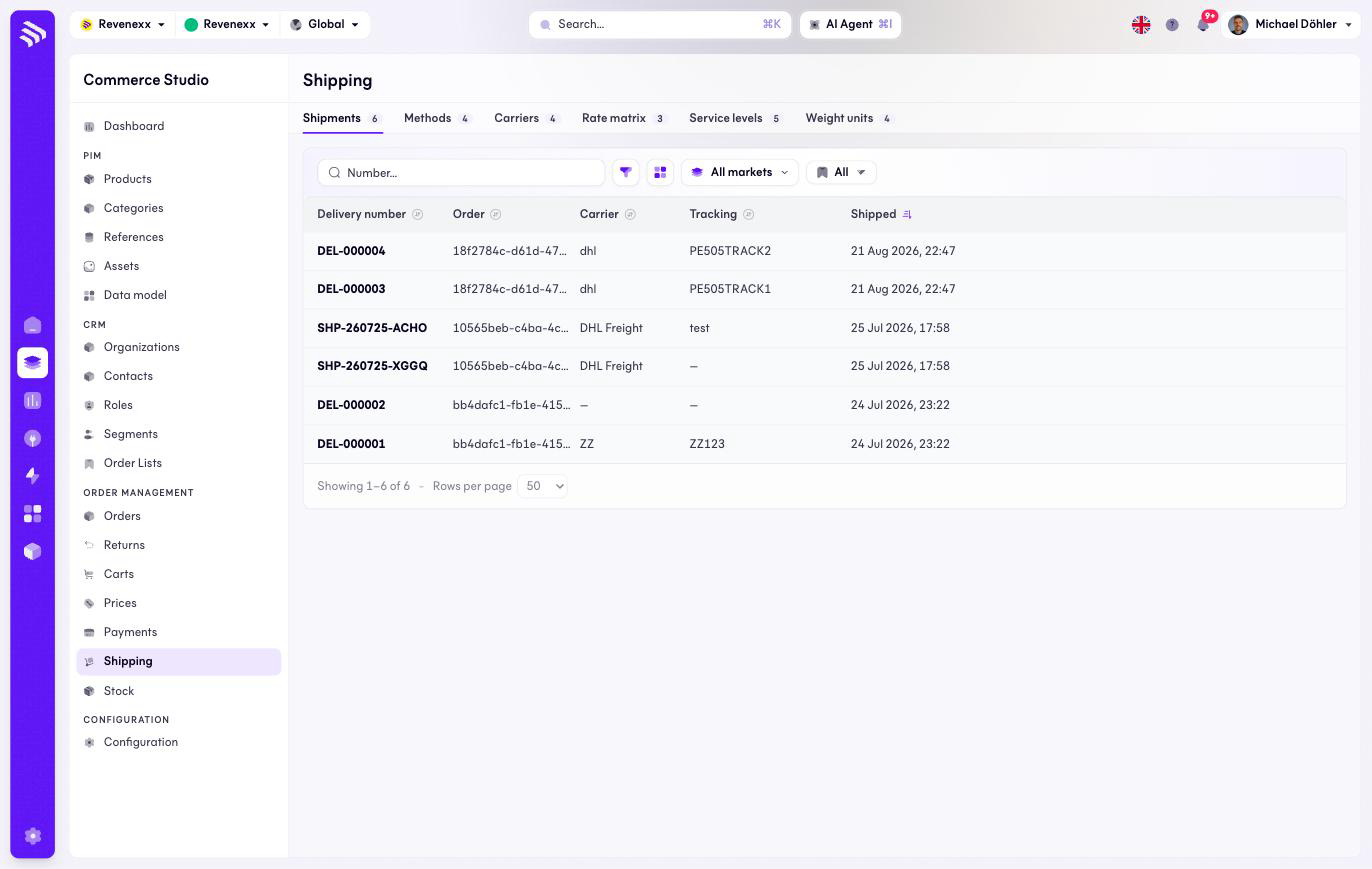
Shipping is one page with six tabs: the shipments that went out, and the configuration that prices and routes them — methods, carriers, the rate matrix, service levels and weight units. The sidebar entry opens the Shipments tab.
Where you find it
Commerce Studio › Order Management › Shipping — /commerce/orders/shipments;
the tabs switch to /commerce/shipping/<tab>.
Tabs
| Tab | What it holds | Reference |
|---|---|---|
| Shipments | Every shipment, with carrier and tracking | this page |
| Methods | The shipping methods buyers choose from | Shipping methods |
| Carriers | DHL, DPD, GLS and their facts | Carriers |
| Rate matrix | The tier tables behind matrix-priced methods | Rate matrix |
| Service levels | Economy to same-day, your own set | Service levels |
| Weight units | Kilogram, gram, pound, ounce | Weight units |
What it does
The Shipments tab lists every shipment. There is no create button — a shipment is created on the order it belongs to, via Create shipment on the order detail's Fulfillment tab.
Fields and controls
| Column | What it shows |
|---|---|
| Delivery number | For example DEL-000004. |
| Order | The order the shipment belongs to. |
| Carrier | Who ships it. |
| Tracking | The tracking reference. |
| Shipped | When it left. |
Toolbar: a number search, a filter toggle, a column picker, market scope and saved views.
What happens when you change it
The list is a read surface. Shipping something, or correcting a shipment, happens on the order.
Permissions
The orders app declares create, read, update and delete on order shipments in its manifest; the shipping app declares the same on methods, carriers, rate tiers, service levels and weight units. Which Cockpit roles may open this screen is not verified.
Related
- Guide: Shipping
- Guide: Partial deliveries