Returns
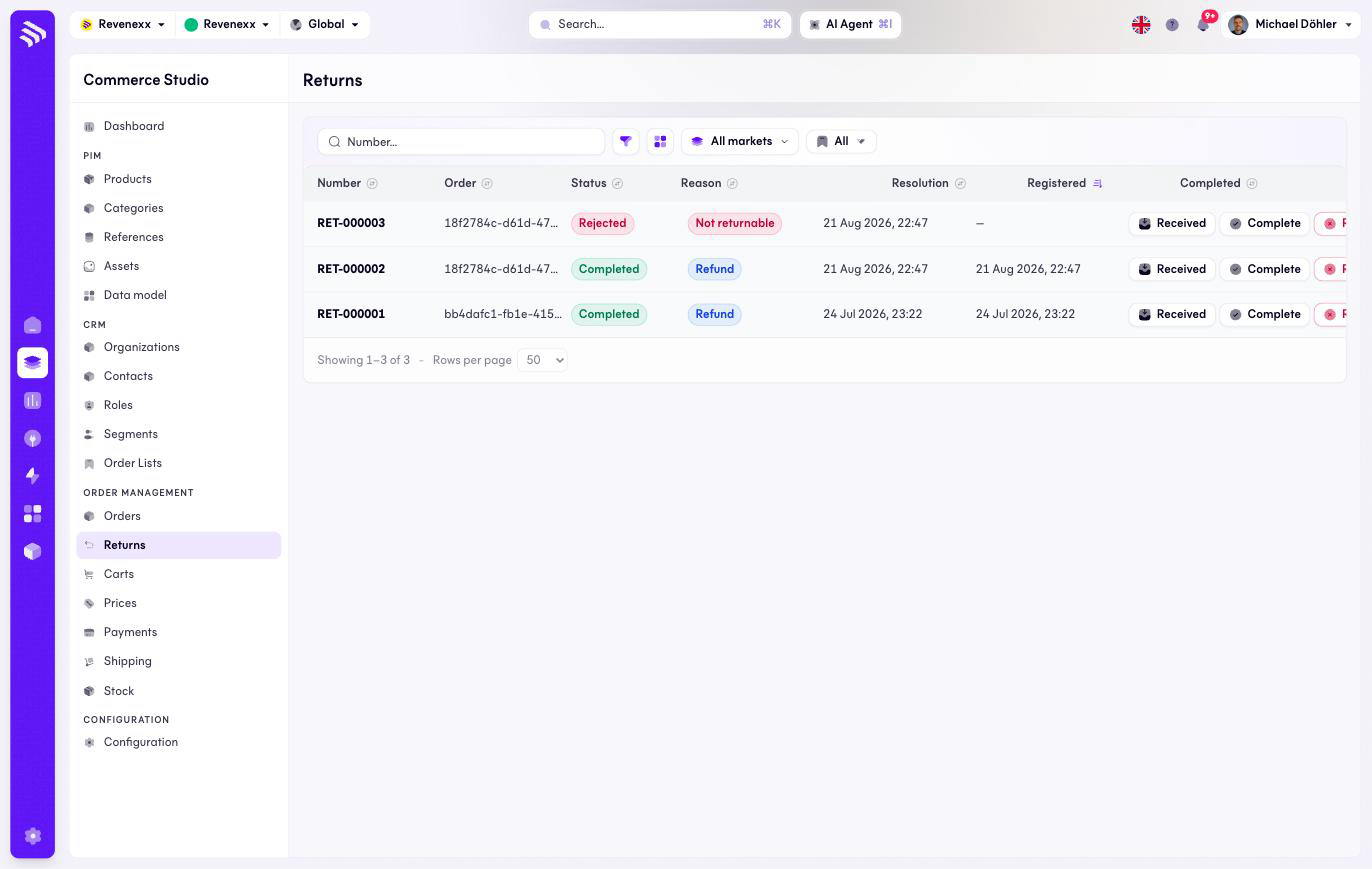
Returns lists every registered return across all orders, with its lifecycle — registered, received, completed or rejected — and its resolution.
Where you find it
Commerce Studio › Order Management › Returns — /commerce/orders/returns
What it does
Each row is one return with its status, reason and resolution (for example Refund or Not returnable). Three row actions drive the lifecycle: Receive, Complete and Reject (red).
There is no create button here: a return is registered on the order it belongs to, via Register return on the order detail's Fulfillment tab.
Fields and controls
| Column | What it shows |
|---|---|
| Number | The return number, for example RET-000003. |
| Order | The order the return belongs to. |
| Status | Registered, Received, Completed, Rejected. |
| Reason | The stated reason. |
| Resolution | How the return is settled, for example Refund. |
| Registered | When it was registered. |
| Completed | When it was settled. |
Toolbar: a number search, a filter toggle, a column picker, market scope and saved views.
What happens when you change it
Receive books the goods as arrived; Complete settles the return and records the returned quantities on the order's positions; Reject refuses it. Restocking the goods is a separate step on the Stock screen.
Permissions
The orders app declares create, read, update and delete on order returns in its manifest. Which Cockpit roles may open this screen is not verified.
Related
- Guide: Returns
- Order detail