Prices
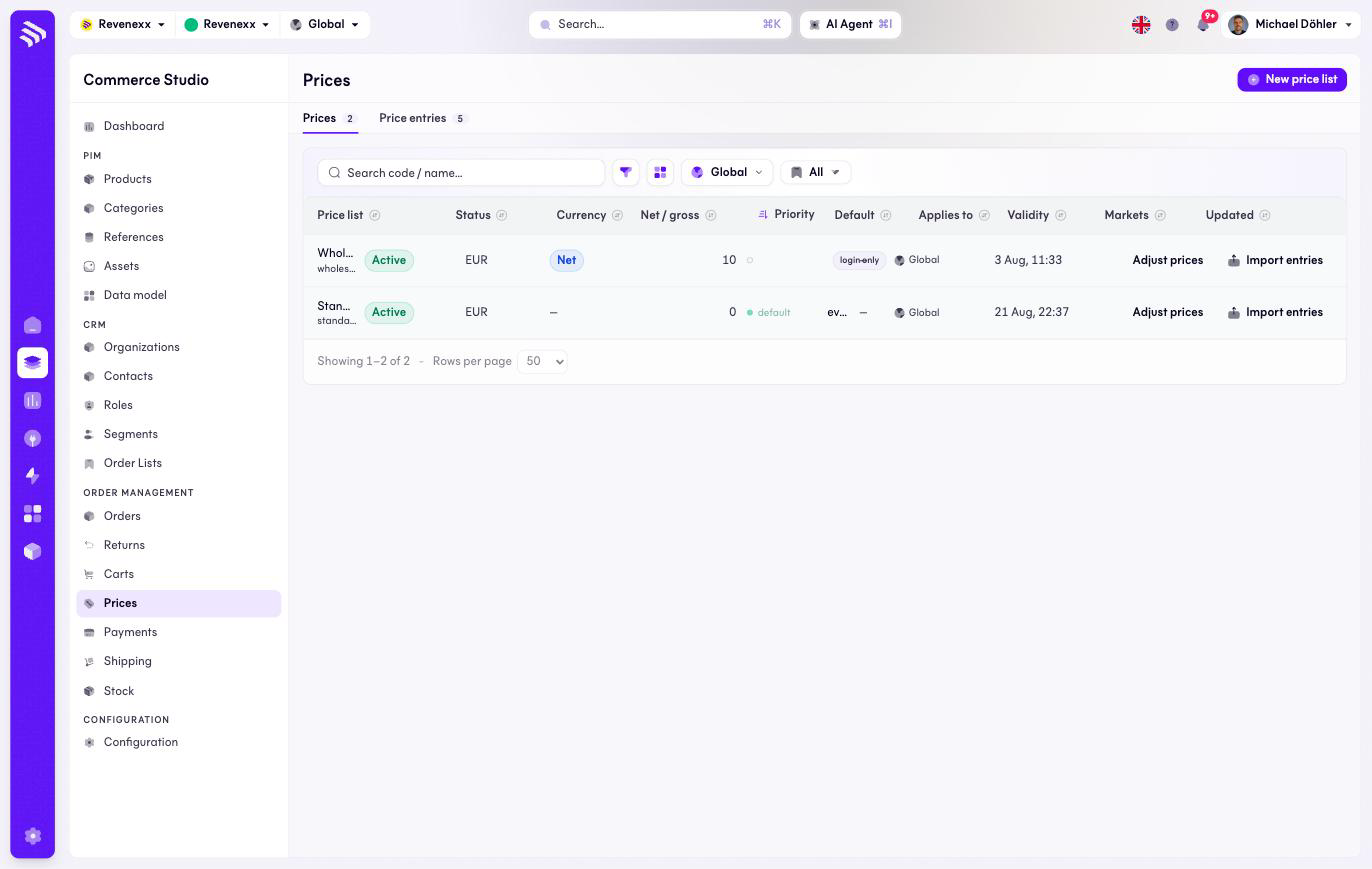
Prices holds your price lists. A list carries a currency, a net-or-gross basis, a priority and an audience — everyone, or only signed-in accounts. The page has two tabs: the lists and their entries.
Where you find it
Commerce Studio › Order Management › Prices — /commerce/prices/lists.
What it does
One row per price list. A typical tenant runs a default list for everyone and sharper lists for signed-in accounts — the Applies-to column shows which is which, and priority breaks ties when several lists price the same article.
Fields and controls
| Column | What it shows |
|---|---|
| Price list | Name and code, for example wholesale-eur. |
| Status | Active or not. |
| Currency | The list's currency. |
| Net / gross | Whether the amounts include tax. |
| Priority | Higher wins when lists overlap. |
| Default | The tenant's fallback list. |
| Applies to | Everyone, or account-bound ("only with sign-in"). |
| Validity | The list's validity window, when set. |
| Markets | Market assignment. |
| Updated | Last change. |
Actions: New price list, and per row Adjust prices and Import entries. Toolbar: a code or name search, a filter toggle, a column picker, market scope and saved views.
What happens when you change it
Adjust prices changes a whole list at once — a percentage round, a new season. Import entries loads entries into the list in bulk. Priority and the default flag decide which list answers when a buyer qualifies for several; the price a buyer sees changes the moment the winning list changes.
Permissions
The prices app declares create, read, update and delete on price lists in its manifest. Which Cockpit roles may open this screen is not verified.
Related
- Price entries
- Guide: Price lists
- Guide: Adjust a price list