Price entries
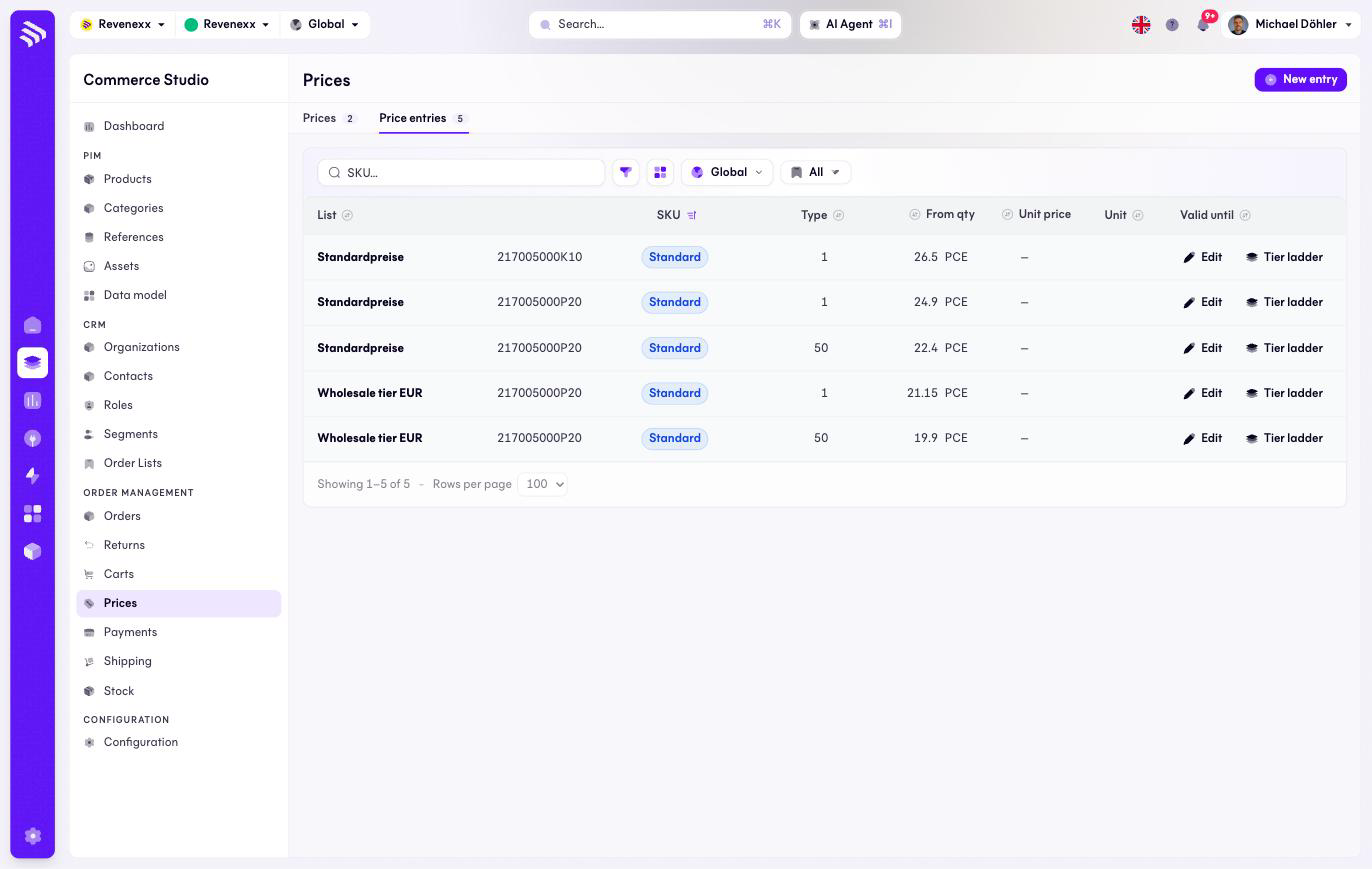
Price entries is the flat view of every price row: one entry per list, SKU and quantity tier. The Staffelpreis ladder of an article lives here — from quantity 1 at one price, from 50 at a better one.
Where you find it
Commerce Studio › Order Management › Prices › Price entries —
/commerce/prices/entries.
What it does
One row per entry. The same SKU appears once per list and per tier, which is what makes the ladder visible at a glance.
Fields and controls
| Column | What it shows |
|---|---|
| List | The price list the entry belongs to. |
| SKU | The article. |
| Type | The entry type, for example Standard. |
| From qty | The tier threshold — the entry applies from this quantity. |
| Unit price | The amount. Shown without a currency symbol: the currency comes from the list. |
| Unit | The price unit, for example PCE. |
| Valid until | The entry's expiry, when set. |
Actions: New entry, and per row Edit and Tier ladder. Toolbar: a SKU search, a filter toggle, a column picker, market scope and saved views.
What happens when you change it
A changed entry prices the article differently on the next resolve — carts and orders already placed keep their snapshot prices. The highest tier at or below the ordered quantity wins, so a new "from 50" row changes nothing for a buyer ordering 20.
Permissions
The prices app declares create, read, update and delete on price entries in its manifest. Which Cockpit roles may open this screen is not verified.
Related
- Prices
- Guide: Scale prices
- Guide: Time-limited prices