Carts
Cart lines
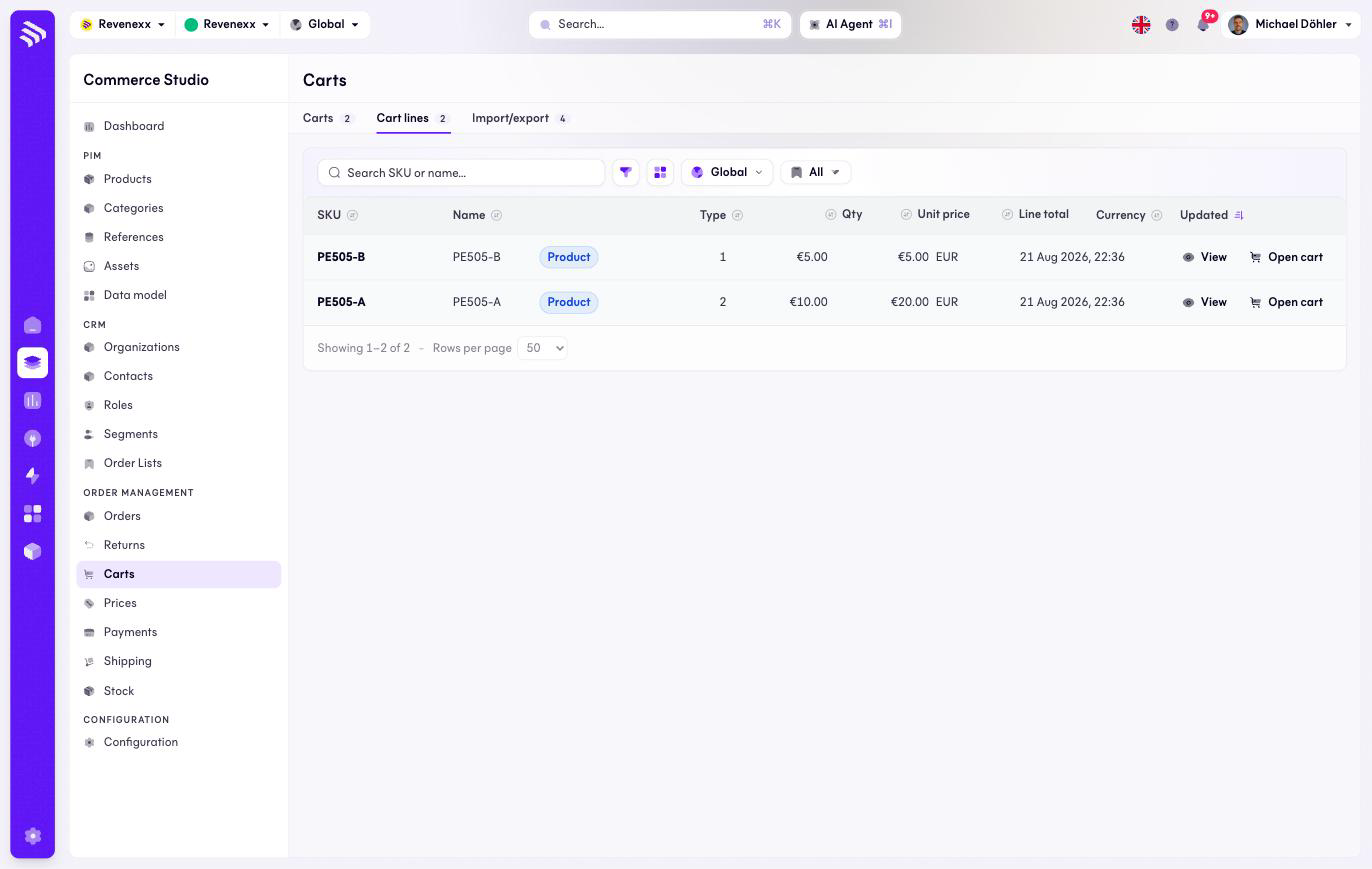
The Cart lines tab: every line item across all carts, in one flat list.
Cart lines flattens every cart into one list of line items — useful when the question is "who has this article in a cart right now" rather than "what is in this cart".
Where you find it
Commerce Studio › Order Management › Carts › Cart lines —
/commerce/carts/items.
What it does
One row per line item, across all carts. Each row links back to its cart.
Fields and controls
| Column | What it shows |
|---|---|
| SKU | The article. |
| Name | The snapshot name, frozen at add-time. |
| Type | Product, or a custom line. |
| Qty | The quantity. |
| Unit price | The snapshot price. |
| Line total | Quantity × unit price. |
| Currency | The cart's currency. |
| Updated | Last change. |
Per row: View and Open cart. Toolbar: a SKU or name search, a filter toggle, a column picker, market scope and saved views.
What happens when you change it
The list is a read surface; changes to a line happen in its cart.
Permissions
The carts app declares create, read, update and delete on cart items in its manifest. Which Cockpit roles may open this screen is not verified.