Cart import/export
Import/export profiles define how cart data moves in and out of the platform: which entity, which format, and how incoming rows are applied.
Where you find it
Commerce Studio › Order Management › Carts › Import/export —
/commerce/carts/io-profiles.
What it does
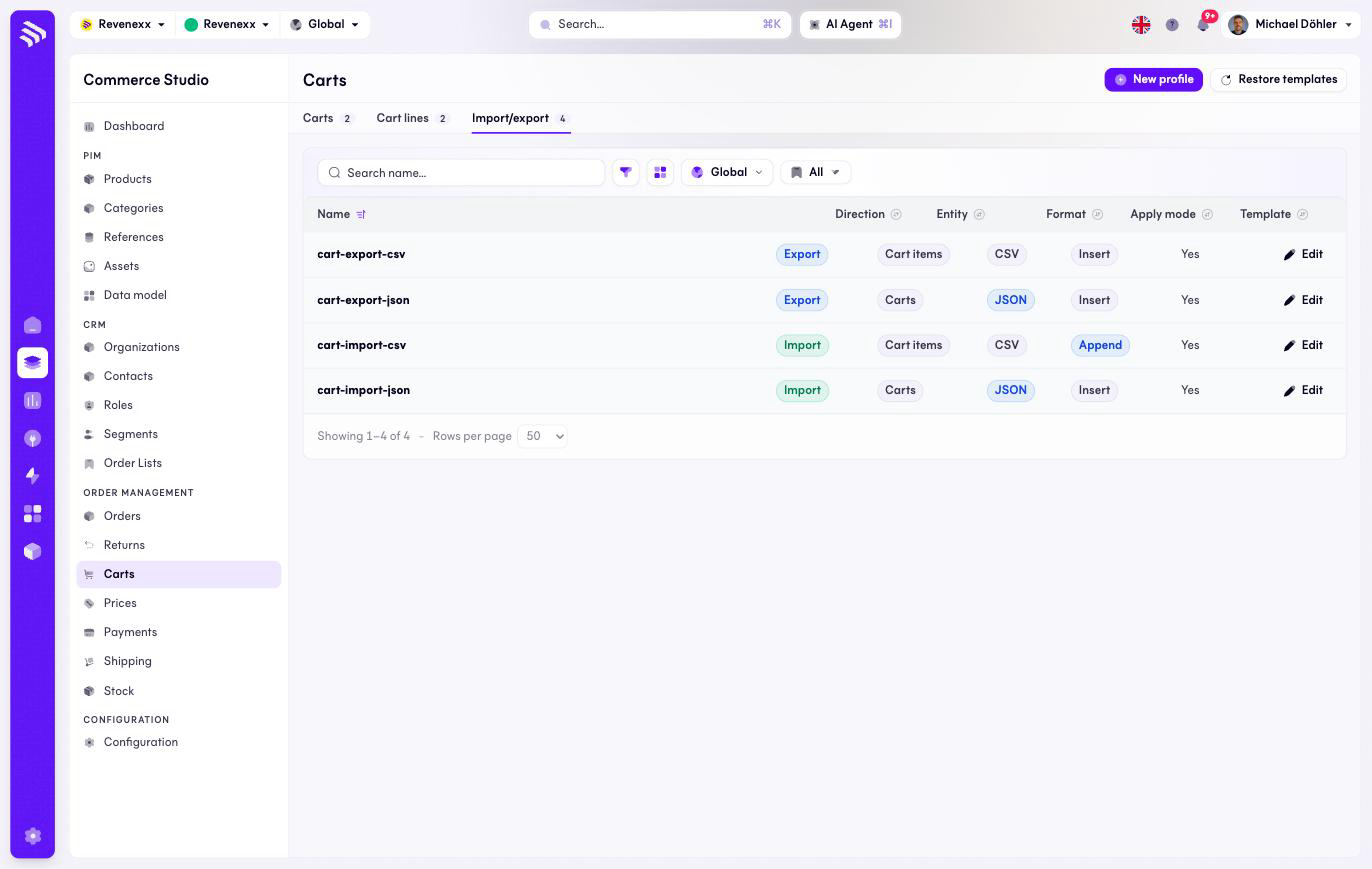
The tab lists the profiles. Four templates ship with the app — CSV and JSON, import and export, for carts and cart lines. The list defines the profiles; it has no run control of its own.
Fields and controls
| Column | What it shows |
|---|---|
| Name | The profile name, for example cart-import-csv. |
| Direction | Import or Export. |
| Entity | Carts or Cart items. |
| Format | CSV or JSON. |
| Apply mode | How incoming rows are applied, for example Insert or Append. |
| Template | Whether the profile is a shipped template. |
Actions: New profile, Restore templates and a per-row Edit.
What happens when you change it
Restore templates brings the four shipped profiles back to their original definition. Editing a profile changes how the next run maps its data — the apply mode decides whether rows insert fresh or append to existing carts.
Permissions
The carts app declares create, read, update and delete on import/export profiles in its manifest. Which Cockpit roles may open this screen is not verified.
Related
- Carts
- Guide: Prepare an import