Payment methods
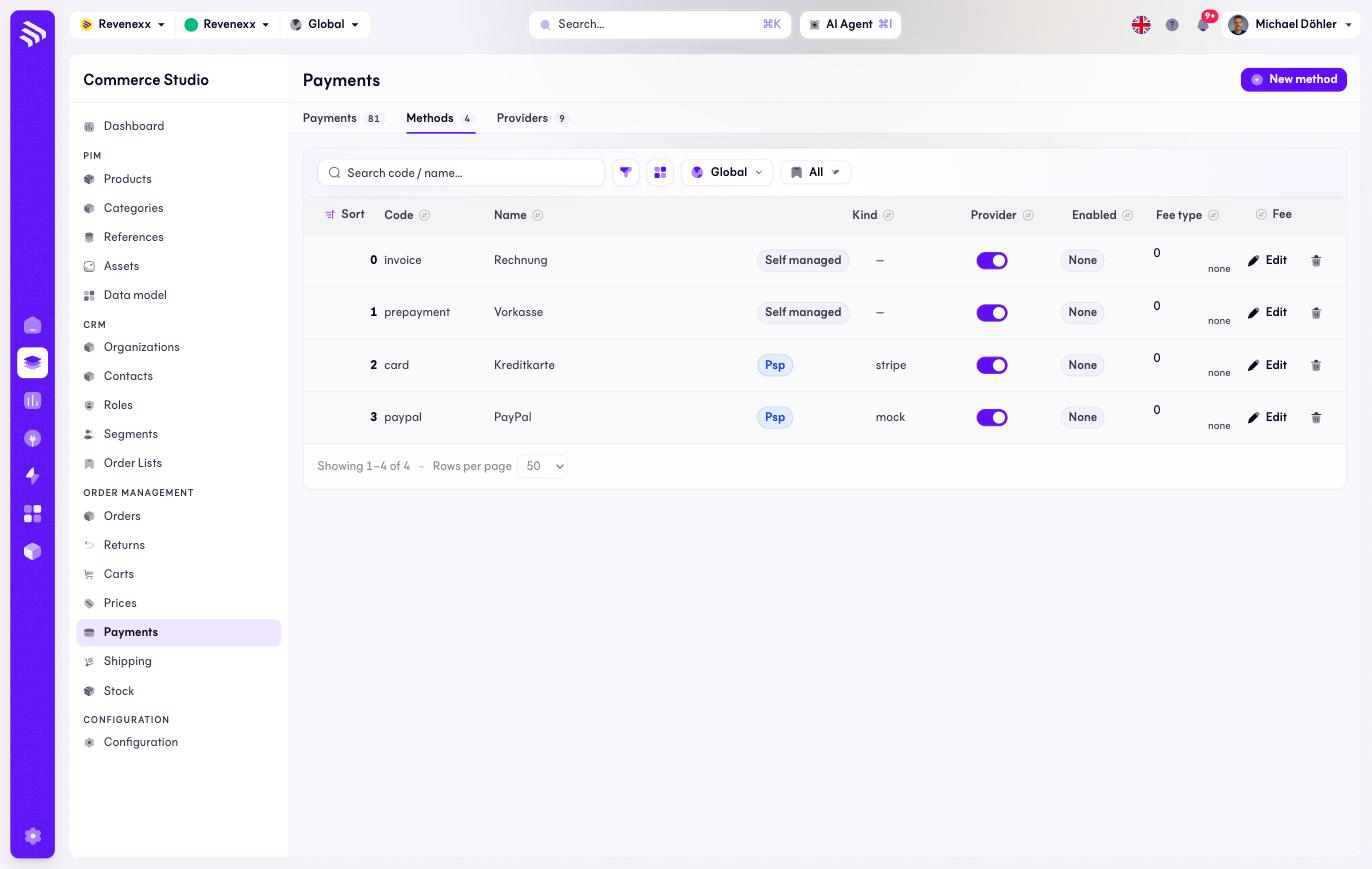
Payment methods are what your buyers see at checkout: invoice, prepayment, credit card, PayPal. A method is either self-managed — you handle the money — or backed by a payment service provider.
Where you find it
Commerce Studio › Order Management › Payments › Methods —
/commerce/payments/methods.
What it does
One row per method, with its kind, provider, fee and an enabled switch. The classic B2B pair — invoice and prepayment — runs self-managed; card and PayPal run through a provider.
Fields and controls
| Column | What it shows |
|---|---|
| Sort | Checkout order. |
| Code | The stable identifier, for example invoice. |
| Name | What the buyer sees. |
| Kind | Self managed or Psp. |
| Provider | The PSP for psp methods. |
| Enabled | The on/off switch, editable in the row. |
| Fee type | None, fixed or percent. |
| Fee | The amount. |
Actions: New method, and per row the enabled toggle, Edit and a delete icon — the only list in this section with an inline delete.
What happens when you change it
Disabling a method removes it from checkout on the next eligibility check; existing payments keep working. Deleting a method that payments still reference is refused with the count — disable instead when the method has history.
Permissions
The payments app declares create, read, update and delete on payment methods in its manifest. Which Cockpit roles may open this screen is not verified.