Payment providers
Providers are the payment service providers behind your PSP methods — Stripe, PayPal, Adyen and their peers. Adding a PSP is configuration, not a project: one provider row with credentials.
Where you find it
Commerce Studio › Order Management › Payments › Providers —
/commerce/payments/providers.
What it does
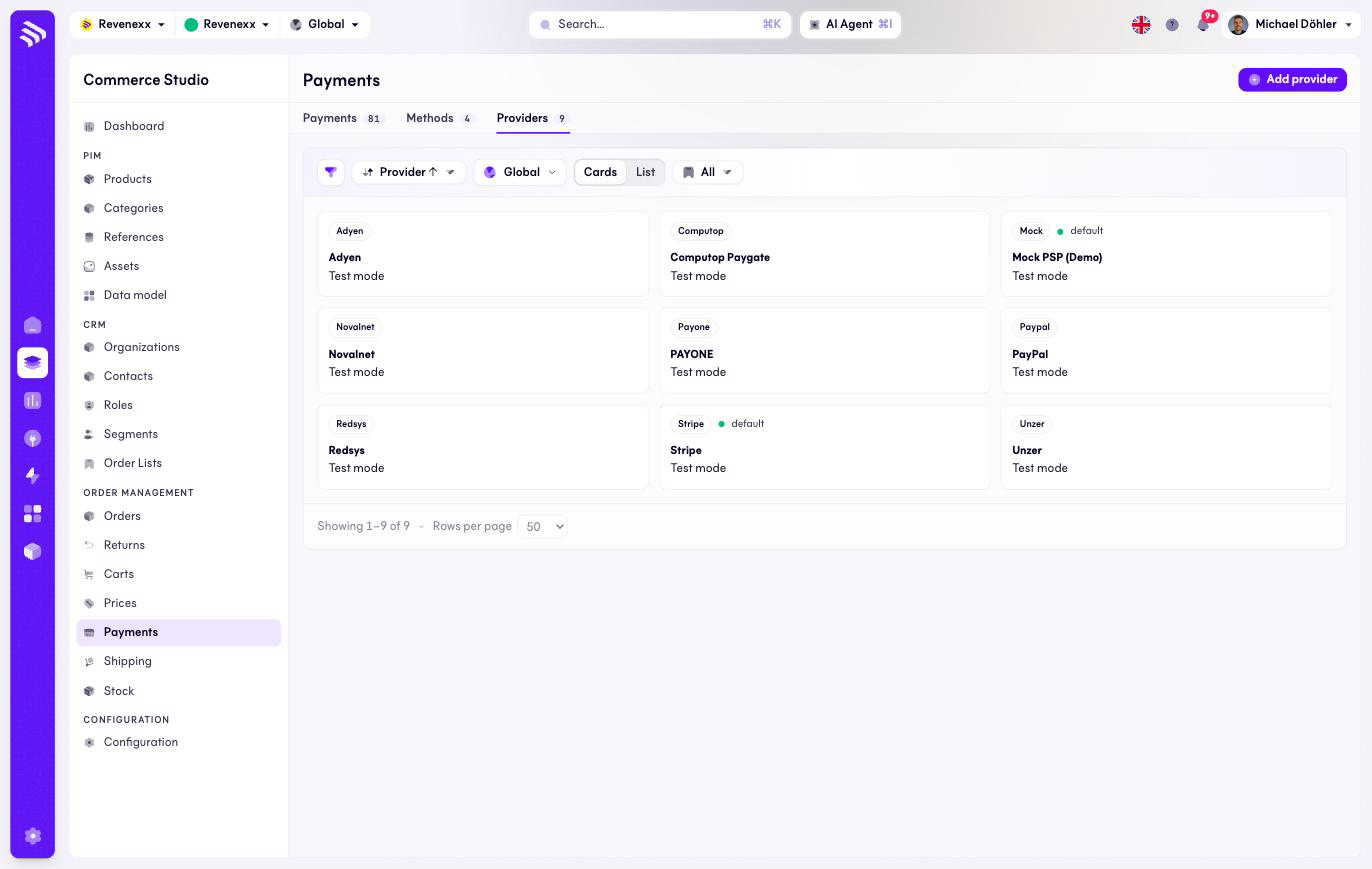
Each provider is a card with its code, name, mode and — where set — a default marker. Add provider creates a new configuration; a layout switch offers a list view instead of cards.
Fields and controls
| Element | What it shows |
|---|---|
| Provider code | The badge on the card, for example stripe. |
| Name | The provider's display name. |
| Mode | Test mode or live. |
| Default | Which provider new psp methods use. |
Toolbar: a filter toggle, a sort control, market scope, the card/list layout switch and saved views.
What happens when you change it
A configured, enabled provider can take payments through the methods that name it. Deleting a provider that methods or open payments still need is refused with the counts; disabling is the safer move — no new payments start, running ones finish.
Permissions
The payments app declares create, read, update and delete on payment providers in its manifest. Which Cockpit roles may open this screen is not verified.