API keys
API keys are the credentials your integrations use to call the platform — the ERP sync, the BI export, the script your partner runs nightly. Each key is a door into your data; this list is where you see how many doors exist.
Where you find it
Settings › Developer › API keys — /settings/api-keys.
What it does
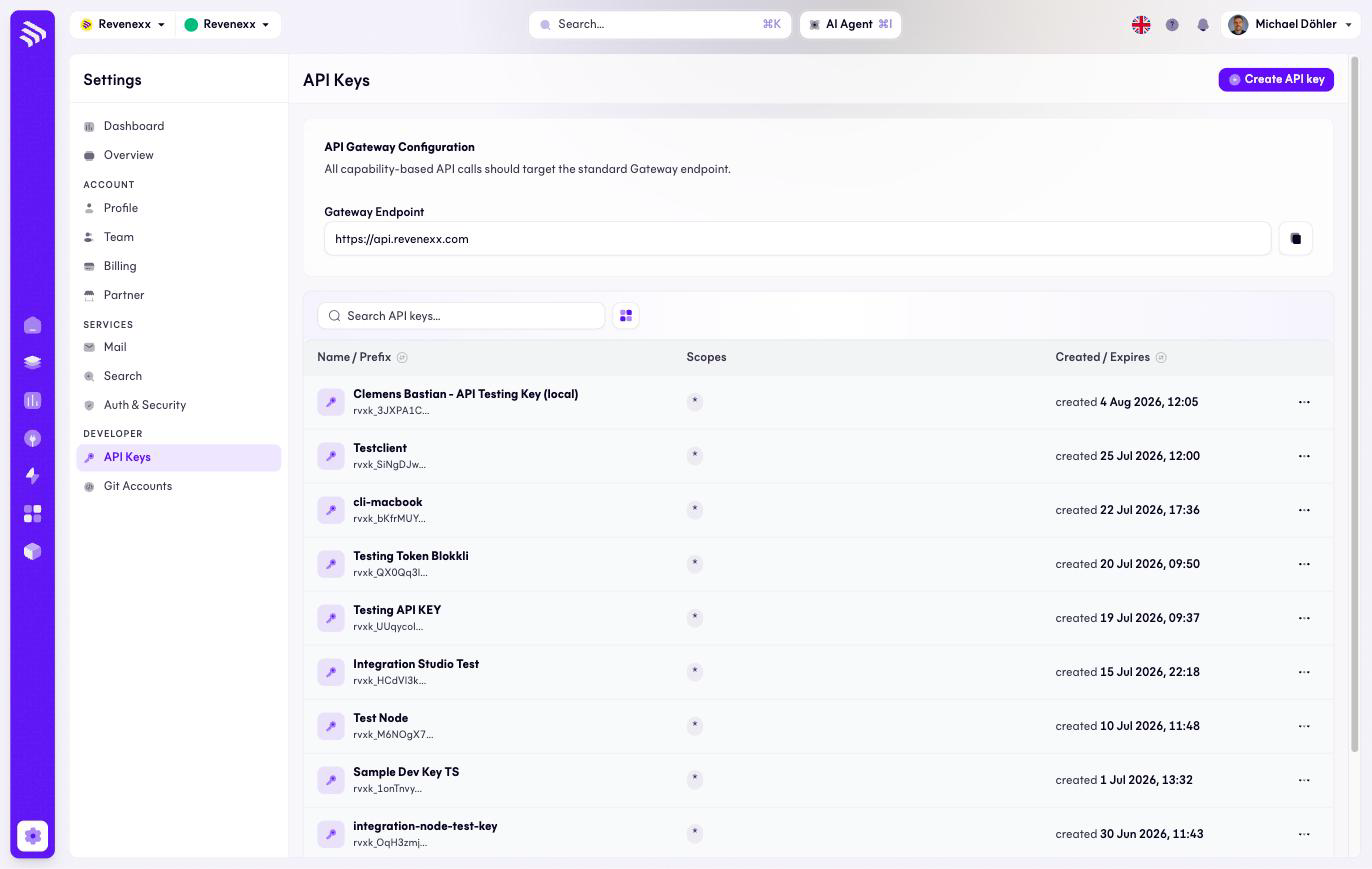
One row per key, showing its name and prefix, its scopes, and when it was
created and expires. The API gateway configuration block shows the gateway
endpoint (https://api.revenexx.com) with a copy button — the base URL every
key is used against.
A key's full value is shown once, at creation, and never again; the list
displays only the prefix (rvxk_…). If a value is lost, the answer is a new
key, not a support ticket.
Fields and controls
| Column / control | What it shows or does |
|---|---|
| Name / prefix | The key's label and its rvxk_… prefix. |
| Scopes | What the key may access; * means everything. |
| Created / expires | Lifetime of the key. |
| Row menu (…) | Per-key actions. |
| Create API key | Creates a new key. |
| Copy endpoint | Copies the gateway URL. |
| Search, view switch | Standard list controls. |
What happens when you change it
A new key works immediately against the gateway endpoint. Revoking a key cuts off whatever used it — find out what that is first, because "the ERP sync stopped at 02:00" is how an unannounced revocation usually surfaces.
Keys with scope * can do everything the API can. That is convenient during
integration and worth narrowing before go-live.
Permissions
Which Cockpit roles may create or revoke keys is not verified. The full key value is never retrievable after creation, for anyone.
Related
- Guide: Create an API key
- Guide: Authentication
- Guide: Security