Billing
Billing shows what your tenant costs and lets you change it: the plan, the payment methods behind it, and the services booked on top.
Where you find it
Settings › Account › Billing — /settings/billing.
What it does
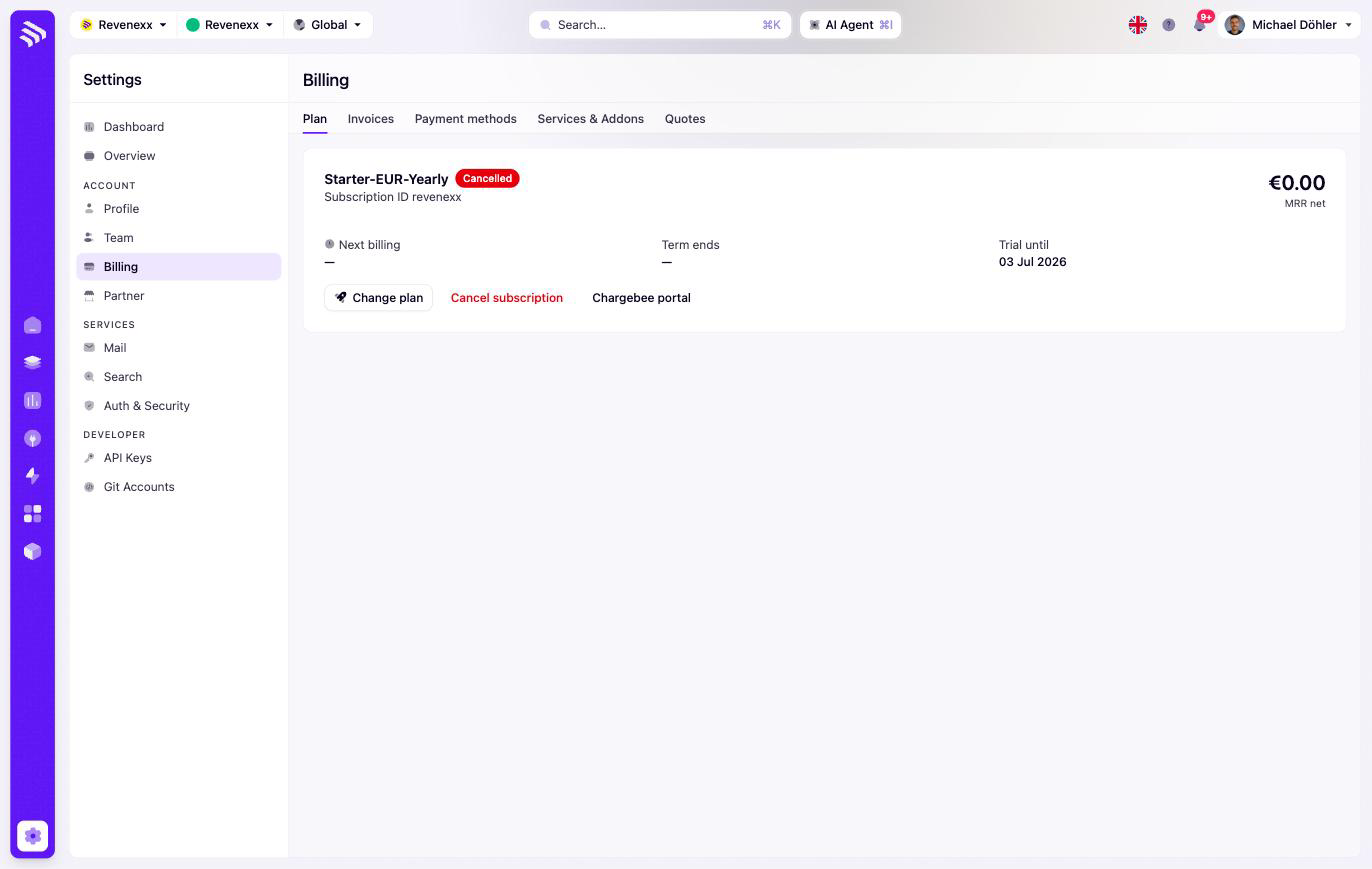
Five tabs: Plan, Invoices, Payment methods, Services & Addons, and Quotes. The plan card names your plan and its status and shows the subscription ID, net MRR, next billing date, term end, and — where one applies — the trial end date. Change plan and Cancel act on the subscription; the Chargebee portal button opens the billing provider's self-service portal, because subscriptions and invoices run through Chargebee.
Services & Addons
Bookable extras live on their own tab, each with a seat stepper (−/+) and an Apply button:
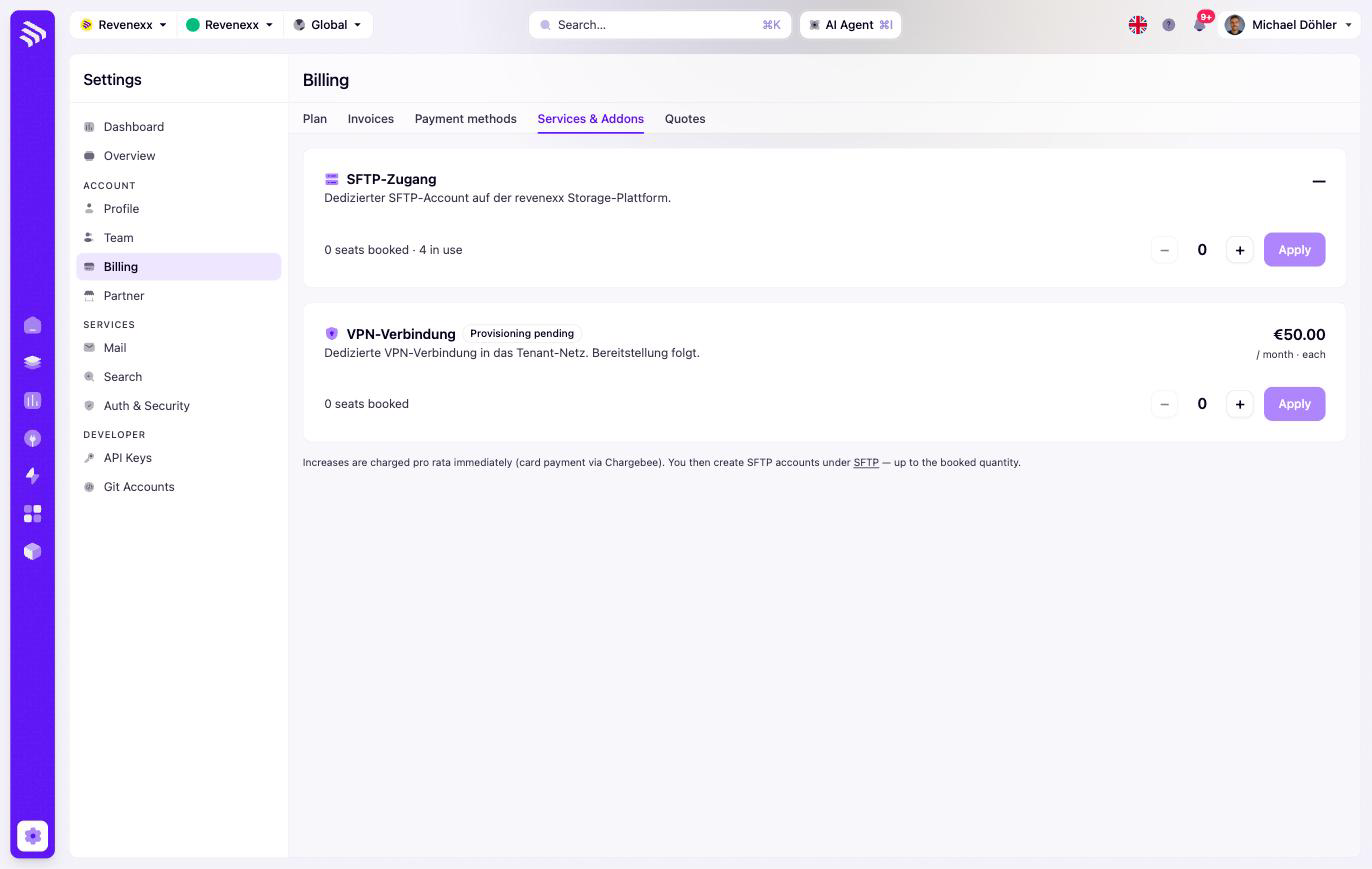
- SFTP access — dedicated SFTP accounts for file exchange. The card shows booked seats against seats in use. Once booked, the accounts themselves are created under Integration Studio › SFTP server.
- VPN connection — a dedicated network connection, priced per unit per month; a provisioning to follow badge means the booking is placed and the connection is being set up.
Upgrades are charged pro-rata through Chargebee — you pay from the day you book, not for the whole period retroactively.
Fields and controls
| Control | What it does |
|---|---|
| Change plan | Switches the subscription to another plan. |
| Cancel | Cancels the subscription — the plan card then shows a Cancelled badge until term end. |
| Chargebee portal | Opens the external billing portal. |
| Seat stepper + Apply | Books or reduces addon seats; Apply confirms. |
What happens when you change it
Plan changes and addon bookings take effect through Chargebee and show up on the next invoice, pro-rata where you booked mid-term. Cancelling does not cut access immediately — the plan runs to its term end.
Permissions
Which Cockpit roles may change the plan or book addons is not verified. Treat this screen like your ERP's purchasing module: few people, deliberate clicks.
Related
- Guide: Billing
- SFTP server — where booked SFTP seats become accounts.
- Overview — the legal details printed on invoices.