Auth & Security
Auth & Security sets the rules for the accounts your customers use to sign in to your storefront — session lifetimes, password hygiene, login methods. It does not manage your Cockpit team; that is Team.
Where you find it
Settings › Services › Auth & Security — /settings/security.
What it does
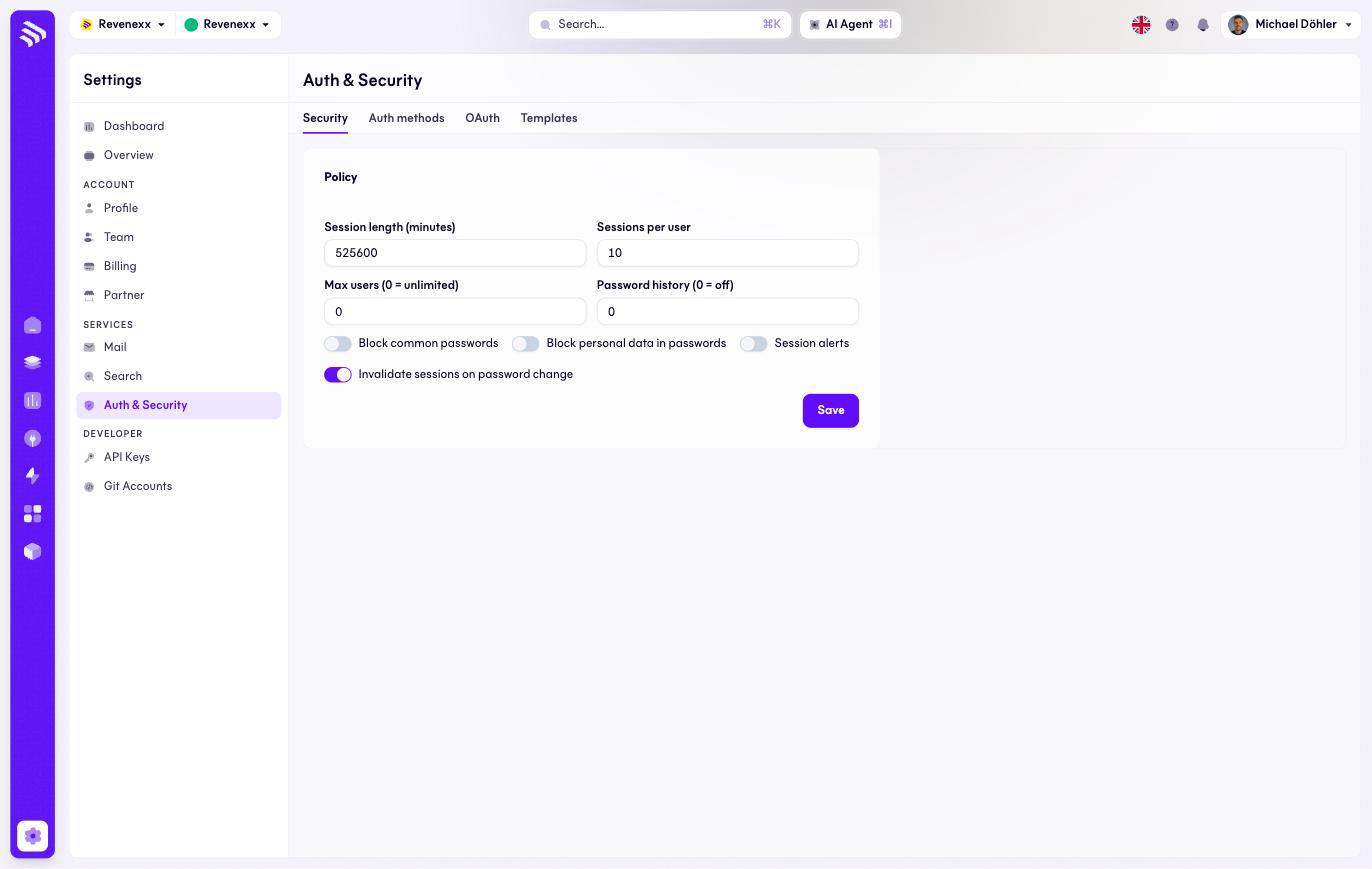
Four tabs: Security, Login methods, OAuth and Templates. The Security tab holds the policy; this page documents it, the other three tabs are not documented yet.
Fields and controls
| Setting | What it controls | Note |
|---|---|---|
| Session duration (minutes) | How long a login stays valid. | 525600 is one year. |
| Sessions per user | How many parallel logins one account may hold. | |
| Max. users | A cap on accounts. | 0 means unlimited. |
| Password history | How many previous passwords are blocked from reuse. | 0 turns the check off. |
| Block common passwords | Rejects passwords from known-breached lists. | Toggle. |
| Block personal data in passwords | Rejects passwords containing the account's own data. | Toggle. |
| Session notifications | Notifies the account on new sessions. | Toggle. |
| Invalidate sessions on password change | Signs out all sessions when the password changes. | Toggle. |
Save applies the policy.
What happens when you change it
The policy applies to your storefront's customer logins. Two settings deserve a second look before saving: a very long session duration keeps buyers signed in for months, which is convenient for a Stammkunde placing weekly orders and uncomfortable on a shared warehouse terminal; and invalidate sessions on password change is the switch that makes a password reset actually end a compromised session.
Permissions
Which Cockpit roles may change the auth policy is not verified.
Related
- Guide: Security
- Guide: Single sign-on — SSO for your Cockpit team, a separate topic.
- Guide: Logged in vs. not