Profile
Profile is about you, not your tenant: the name colleagues see, the email and phone your account is reachable at, and the language your Cockpit speaks.
Where you find it
Settings › Account › Profile — /settings/profile.
What it does
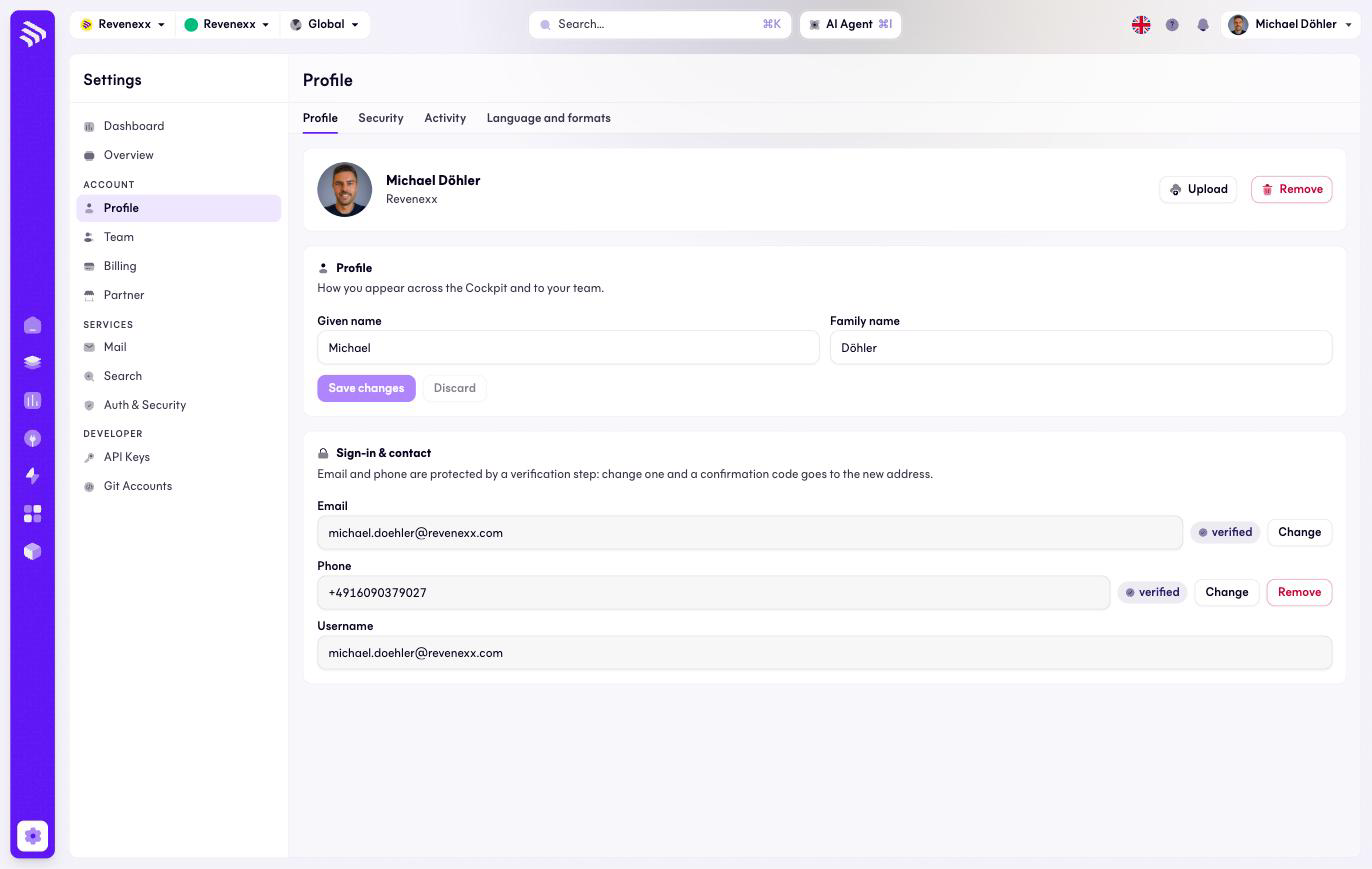
Four tabs: Profile, Security, Activity, and Language and formats. The Profile tab holds your avatar (upload or remove), first and last name, and the Login & contact block: email and phone, each with a verified badge, and your username, which is read-only.
Changing your email or phone is protected by a confirmation code sent to the new address or number — the change only takes effect once you confirm it. That protects the account: nobody reroutes your login contact without also controlling the new destination.
Language and formats is where you set the Cockpit UI language; the flag in the topbar switches it too. This page covers the Profile tab; the Security and Activity tabs are not documented yet.
Fields and controls
| Field / control | What it does |
|---|---|
| Upload / Remove | Sets or clears your avatar. |
| First name, Last name | Your display name. |
| Email — Change | Starts the confirmation-code flow to the new address. |
| Phone — Change / Remove | Same flow for the phone number. |
| Username | Read-only. |
| Save changes | Applies name and avatar edits. |
What happens when you change it
Name and avatar apply on save. Email and phone stay unchanged until the code sent to the new destination is confirmed.
Permissions
Everyone edits their own profile here; you cannot edit a colleague's.
Related
- Team — the accounts of everyone else.
- Guide: Users and roles