Search
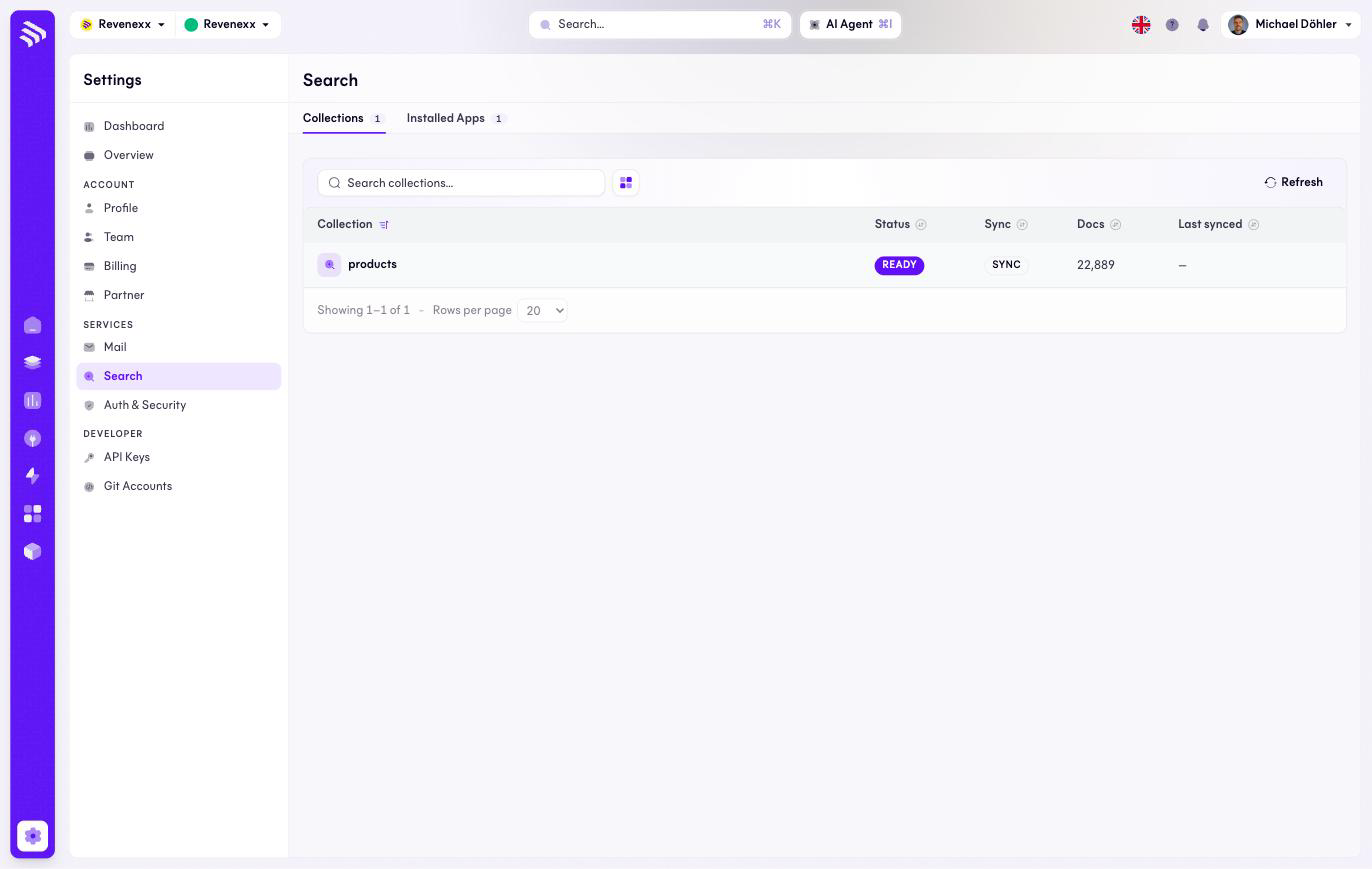
Search shows the indexes behind your storefront's search box. When customers report that a product is missing from search results, this screen tells you whether the index is the reason.
Where you find it
Settings › Services › Search — /settings/search.
What it does
Two tabs: Collections and Installed apps (the apps feeding the index).
The collections list shows one row per index — for example a products
collection carrying the documents of your catalog — with its status, sync
state, document count and last sync time. A healthy collection reads
READY / SYNC, and its document count roughly matches the size of the data
it indexes: a 23,000-product catalog should show about that many documents.
Fields and controls
| Column / control | What it shows or does |
|---|---|
| Collection | The index name, e.g. products. |
| Status | Index state, e.g. READY. |
| Sync | Whether the index keeps up with changes. |
| Docs | How many documents the collection holds. |
| Last synced | When the index last caught up. |
| Search, refresh, view switch | Standard list controls; a row opens the collection's detail. |
What happens when you change it
The list itself is read-only monitoring. A document count far below the data it should mirror, or a stale last synced time, is the signal to investigate before touching anything.
Permissions
Which Cockpit roles may open this screen is not verified.
Related
- Guide: Search
- Installed apps — the apps that feed the collections.