Dashboard
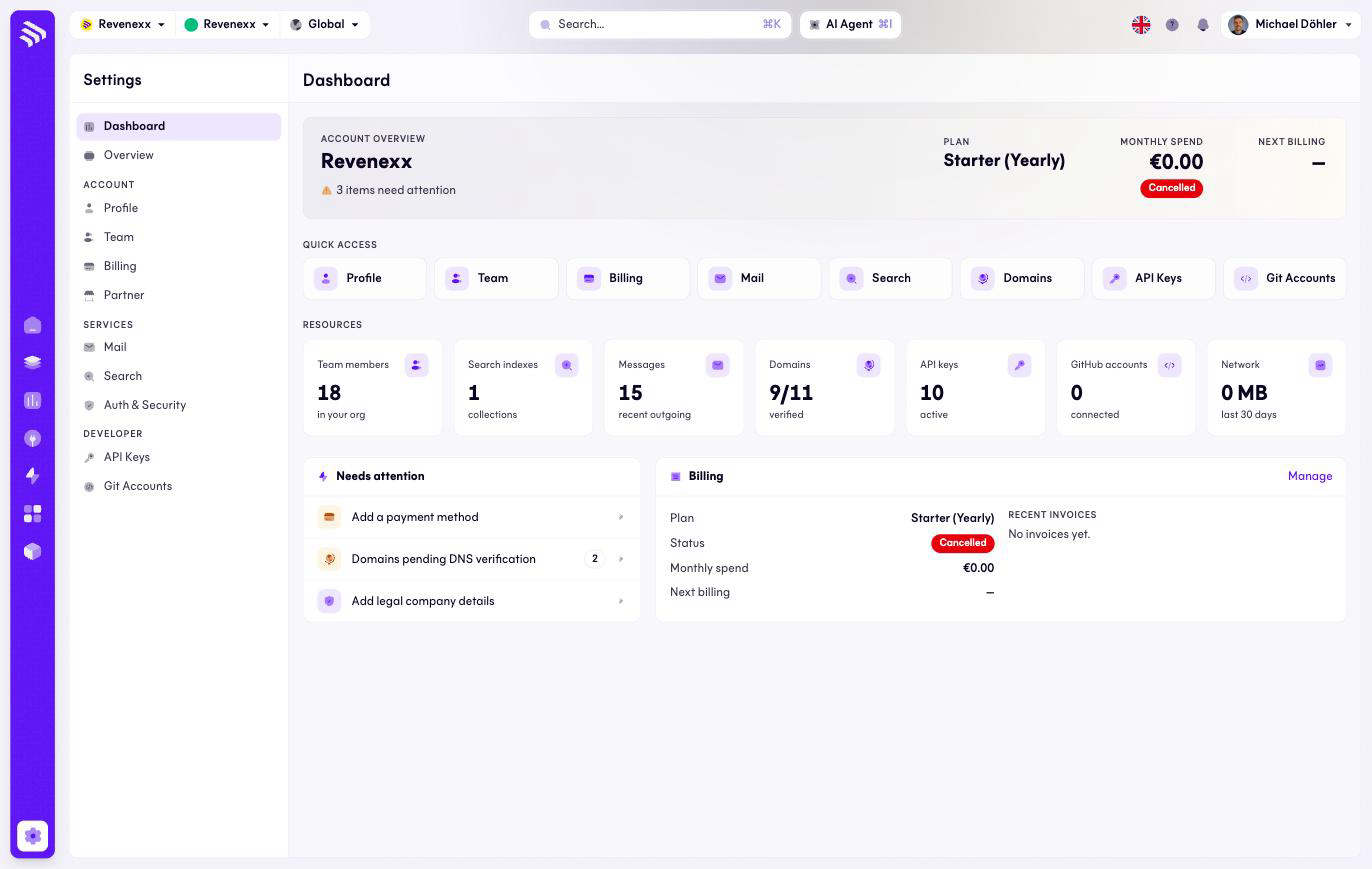
The Settings dashboard is a health check for your tenant's account: one look tells you the plan you are on, the size of your team, and what is waiting for someone to act.
Where you find it
Settings › Dashboard — /settings/dashboard.
What it does
The top shows your tenant's name, plan and current monthly spend, with a Manage button into Billing. KPI tiles summarise the account: team members, search indexes, recently sent mail messages, confirmed domains, active API keys, connected GitHub accounts, and network traffic over the last 30 days.
A Needs attention panel lists what is incomplete, each item linking to the screen that fixes it — a missing payment method, domains waiting for DNS confirmation, or legal company details that are still blank.
Quick-access cards open each settings area directly: Profile, Team, Billing, Mail, Search, Domains, API keys, Git accounts. The Domains card is the one that leaves Settings — it opens Experience Studio › Domains.
Fields and controls
| Control | What it does |
|---|---|
| Manage | Opens Billing. |
| Needs-attention items | Each links to the screen where the item is resolved. |
| Quick-access cards | One per settings area; Domains opens Experience Studio. |
What happens when you change it
Nothing is edited here; every control navigates.
Permissions
Which Cockpit roles see the Settings dashboard is not verified.
Related
- Overview — where the legal details are completed.
- Billing — where the payment method is added.
- Guide: Tenant model