Configuration
Address types
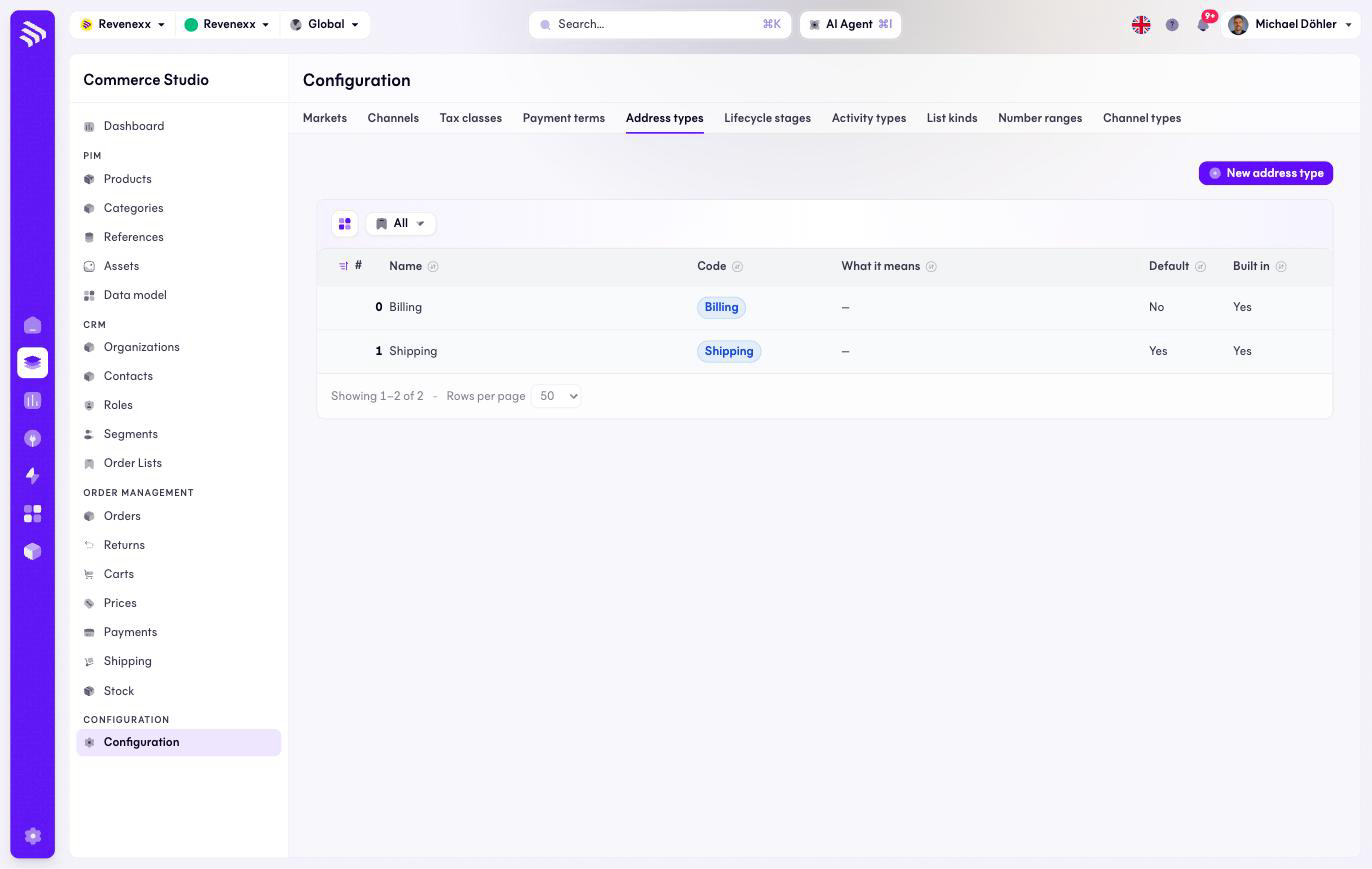
The Address types value list: billing and shipping, extensible with your own.
Address types classify the addresses on organizations and contacts. Two ship built in — Billing and Shipping — and Shipping is the default an address gets when it is saved without a type.
Where you find it
Commerce Studio › Configuration › Address types —
/commerce/configuration?tab=address-types.
What it does
A value list with the same shape as its neighbours: position, name, code, description, default marker, built-in marker. New address type adds your own — a delivery dock, a site office.
Fields and controls
| Column | What it shows |
|---|---|
| # | Position. |
| Name | The type's name. |
| Code | The stable identifier. |
| What it means | A short description, where set. |
| Default | The type an address saved without one gets. |
| Built in | Whether the value ships with the platform. |
What happens when you change it
A new type becomes selectable wherever addresses are managed. Existing addresses keep the type they have.
Permissions
The customers app declares create, read, update and delete on address types in its manifest. Which Cockpit roles may open this screen is not verified.
Related
- Guide: Addresses