Number ranges
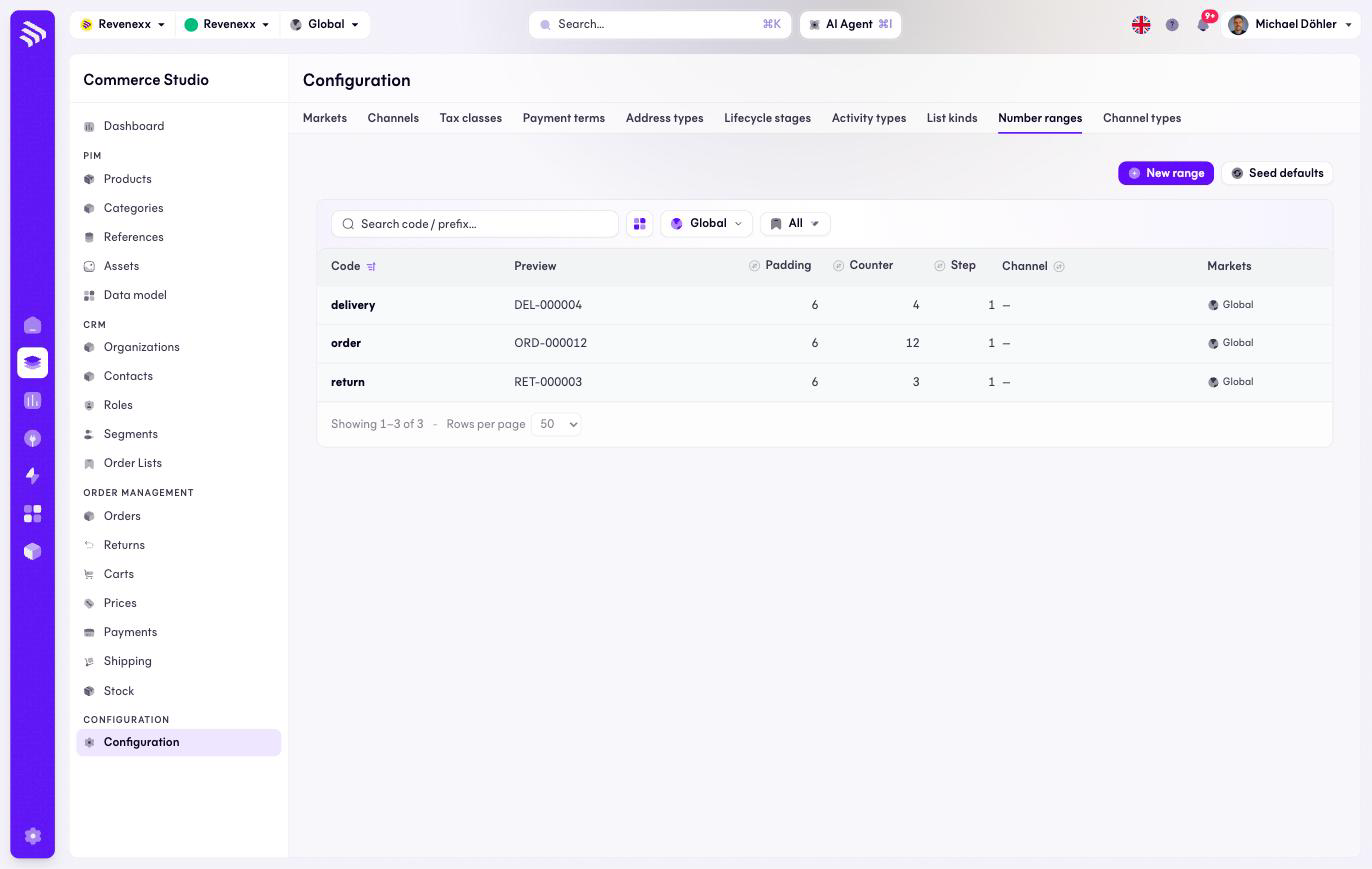
Number ranges are the counters your documents draw their numbers from: orders, deliveries and returns each have one, and the preview shows what the next number looks like — ORD-000012, DEL-000004, RET-000003.
Where you find it
Commerce Studio › Configuration › Number ranges —
/commerce/configuration?tab=number-ranges.
What it does
One row per range. Three ship seeded — order, delivery and return — and
Seed defaults restores them. The counters track the documents actually
drawn, so the preview matches your live numbers.
Fields and controls
| Column | What it shows |
|---|---|
| Code | The range's code — what a document type draws from. |
| Preview | The current number rendered in full. |
| Padding | The digit count, for example 6 for 000012. |
| Counter | Where the counter stands. |
| Step | The increment. |
| Channel | A label a range can carry. Numbering per channel does not follow from it — per market it does, through the market's settings. |
| Markets | Market assignment. |
Actions: New range and Seed defaults.
What happens when you change it
Which range a document type draws from is a per-market setting, so a market can number its orders off its own counter. Renumbering an ERP has opinions about is a conversation with your ERP first — the numbers land there.
Permissions
The orders app declares create, read, update and delete on number ranges in its manifest. Which Cockpit roles may open this screen is not verified.
Related
- Guide: Number ranges
- Guide: Reconcile with your ERP