Lifecycle stages
Lifecycle stages are the pipeline values behind the Stage column of the organization list: how far along a company is, from first contact to gone.
Where you find it
Commerce Studio › Configuration › Lifecycle stages —
/commerce/configuration?tab=lifecycle-stages.
What it does
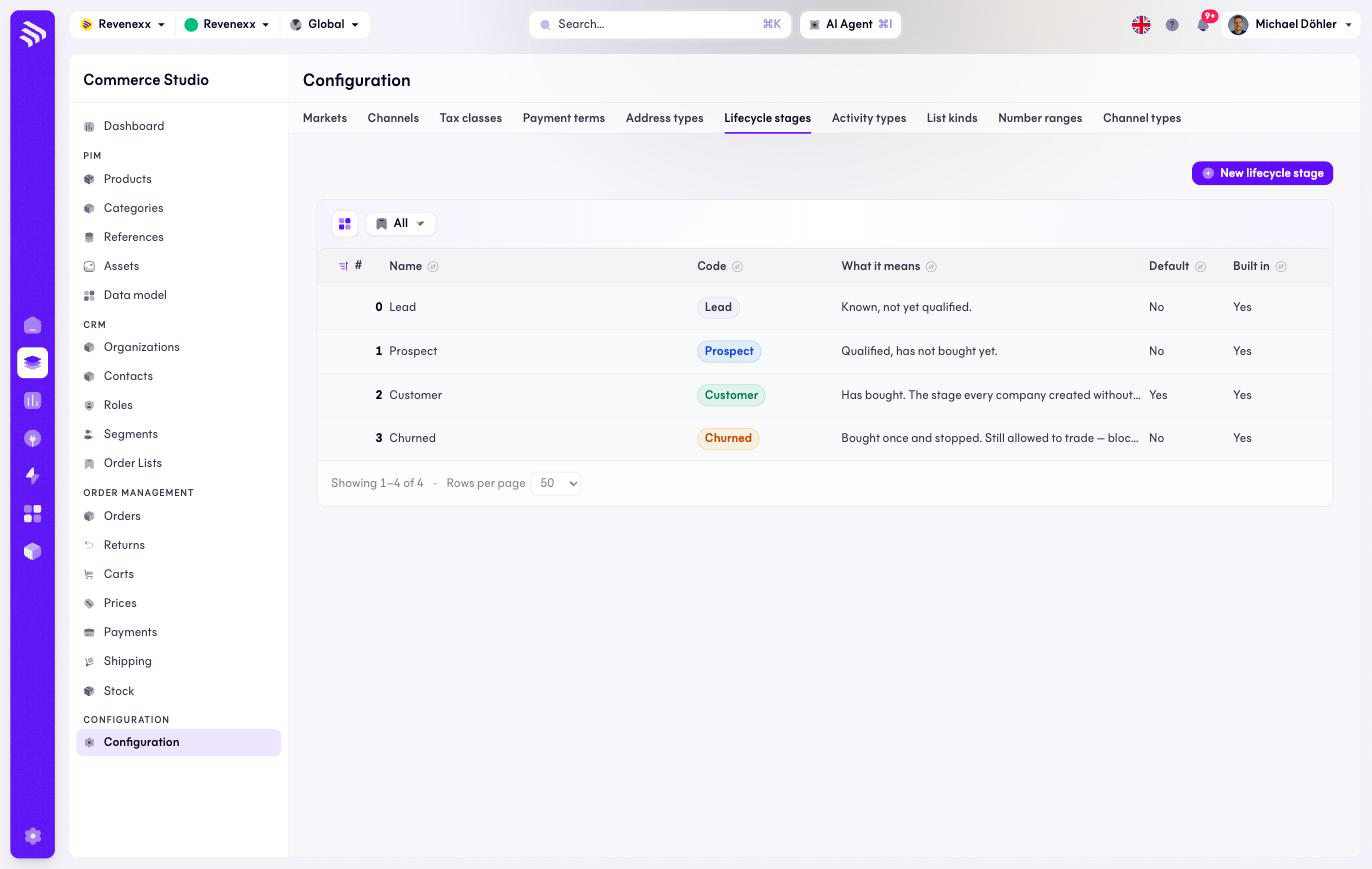
Four stages ship built in — Lead, Prospect, Customer (the default) and Churned. Churned means bought once and stopped; the company may still trade, and blocking it is a separate switch. New lifecycle stage adds your own.
Fields and controls
| Column | What it shows |
|---|---|
| # | Position. |
| Name | The stage's name. |
| Code | The stable identifier, for example prospect. |
| What it means | A short description. |
| Default | The stage new organizations start in. |
| Built in | Whether the value ships with the platform. |
What happens when you change it
A new stage becomes selectable on every organization. A stage grants and blocks nothing — access is the organization's status, a separate field.
Permissions
The customers app declares create, read, update and delete on lifecycle stages in its manifest. Which Cockpit roles may open this screen is not verified.