Tax classes
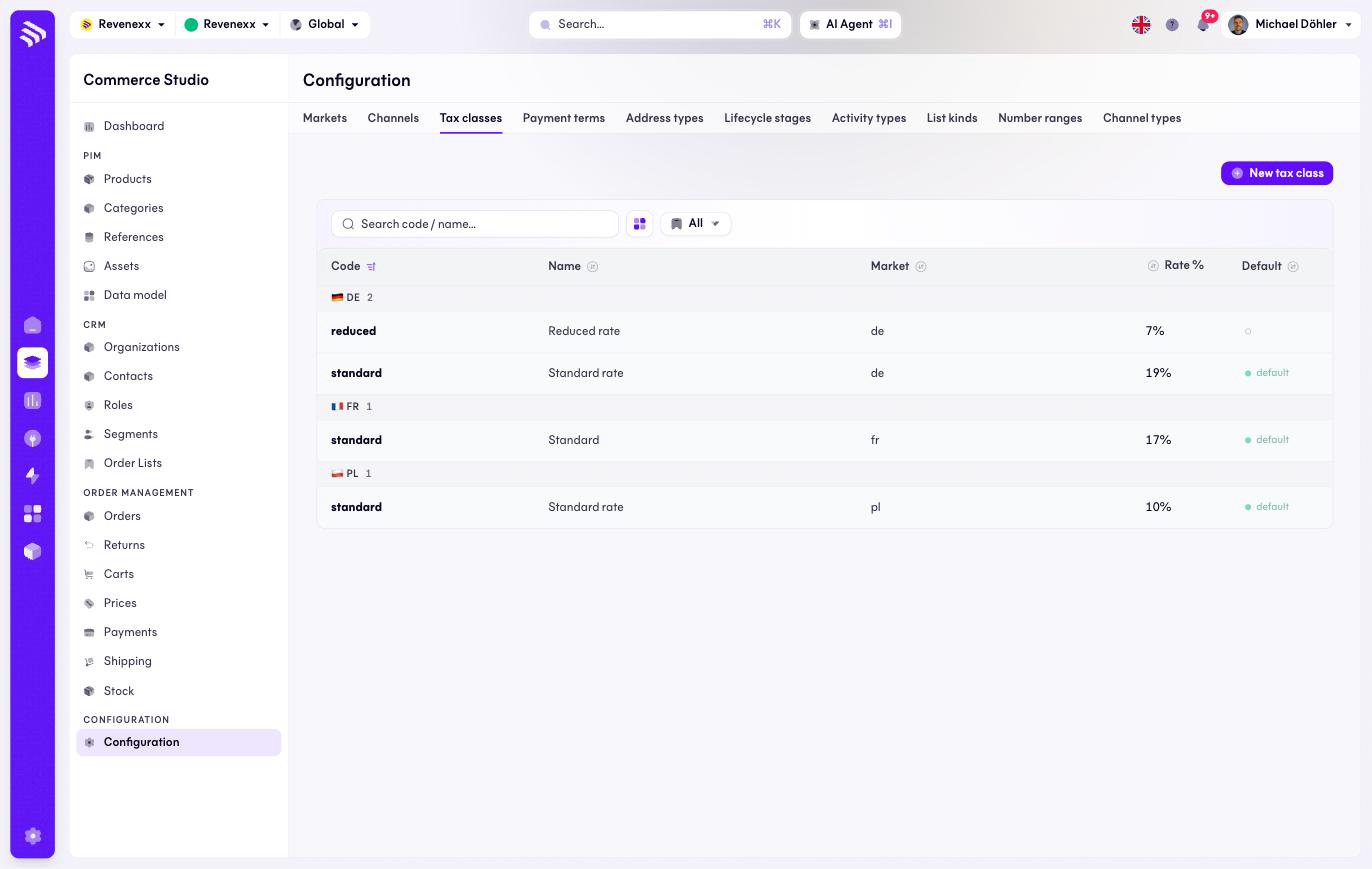
A tax class is a named rate — standard, reduced, zero. Products and orders reference the class by code; the market resolves the concrete percentage, so the same product taxes at 19 % in Germany and at the French rate in France.
Where you find it
Commerce Studio › Configuration › Tax classes —
/commerce/configuration?tab=tax-classes.
What it does
The rows are grouped by market, each group under its flag — Germany with standard 19 % and reduced 7 %, the other markets with their own sets. One class per market carries the default marker.
Fields and controls
| Column | What it shows |
|---|---|
| Code | The class code, for example standard or reduced. |
| Name | The display name. |
| Market | The market the rate belongs to. |
| Rate % | The percentage. |
| Default | The market's default class. |
Action: New tax class.
What happens when you change it
A changed rate changes the tax on the next priced order in that market — orders already placed keep their snapshot. A product referencing a class code that a new market does not define has no rate there, so give every market the codes your catalogue uses.
Permissions
The markets app declares create, read, update and delete on tax classes in its manifest. Which Cockpit roles may open this screen is not verified.
Related
- Markets
- Guide: Currencies and tax