Channels
A channel is where business happens: the web shop, a marketplace, a punchout integration, the API. Products and categories can be sliced per channel, and each channel carries a policy for the rows nobody explicitly assigned.
Where you find it
Commerce Studio › Configuration › Channels —
/commerce/configuration?tab=channels.
What it does
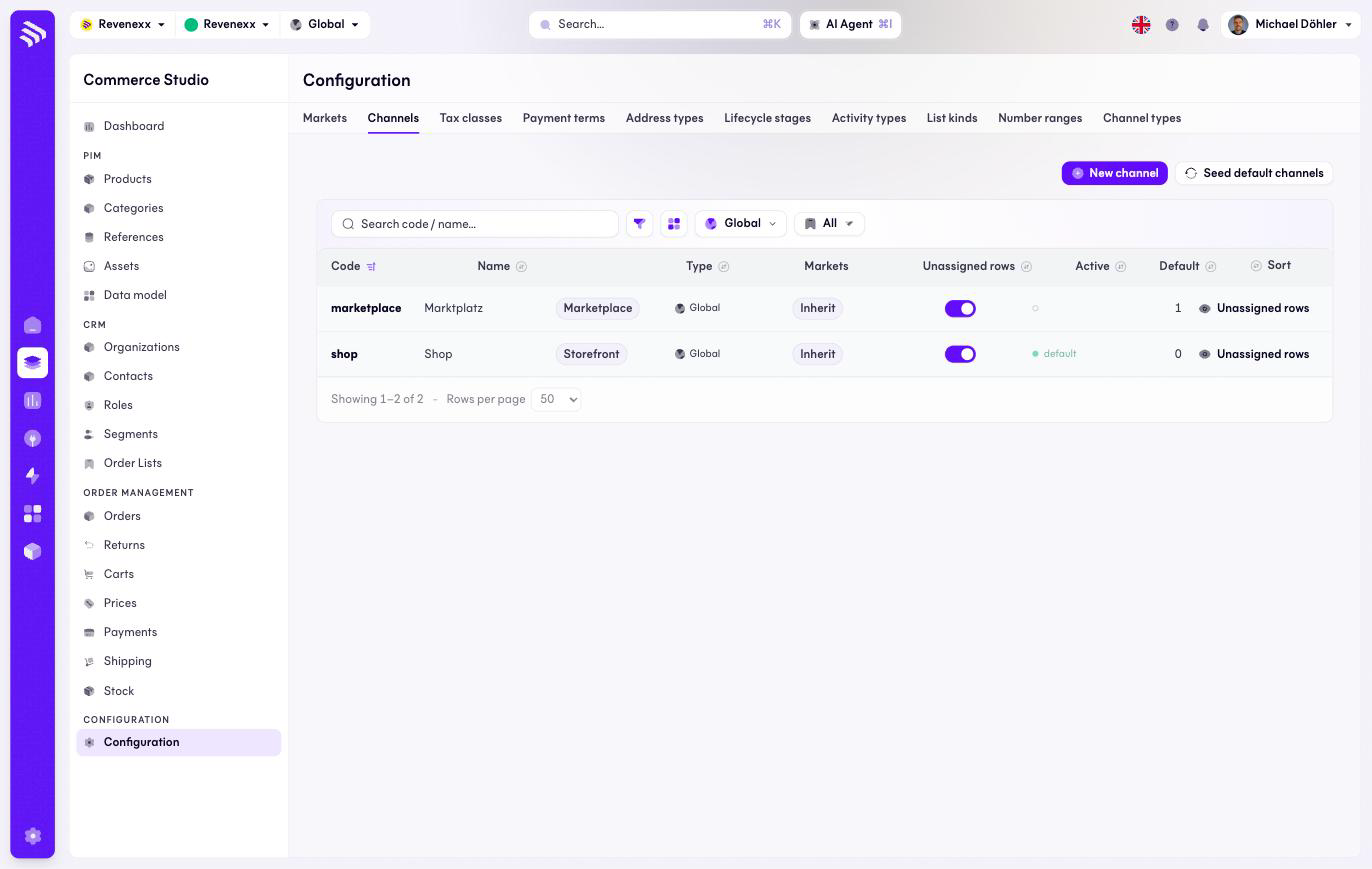
One row per channel with its type, market assignment, unassigned-rows policy, active toggle and default marker. Seed default channels creates the standard set on a fresh tenant.
Fields and controls
| Column | What it shows |
|---|---|
| Code | The stable identifier, for example shop. |
| Name | The display name. |
| Type | Storefront, Marketplace and the other channel types. |
| Markets | Market assignment. |
| Unassigned rows | The visibility policy for rows not explicitly assigned to the channel — Inherit follows the tenant default. |
| Active | The on/off switch, editable in the row. |
| Default | The channel anything unspecified lands on. |
| Sort | Display order. |
Actions: New channel, Seed default channels, and the per-row active toggle and unassigned-rows control.
What happens when you change it
The unassigned-rows policy decides a real merchandising question: does a product assigned to no channel appear everywhere, or only where it is explicitly assigned? The open default suits a web shop; a punchout channel with a negotiated assortment wants the strict answer. A channel can override the tenant default for itself.
Permissions
The channels app declares create, read, update and delete on channels and channel types in its manifest. Which Cockpit roles may open this screen is not verified.
Related
- Channel types
- Guide: Channels