Movements
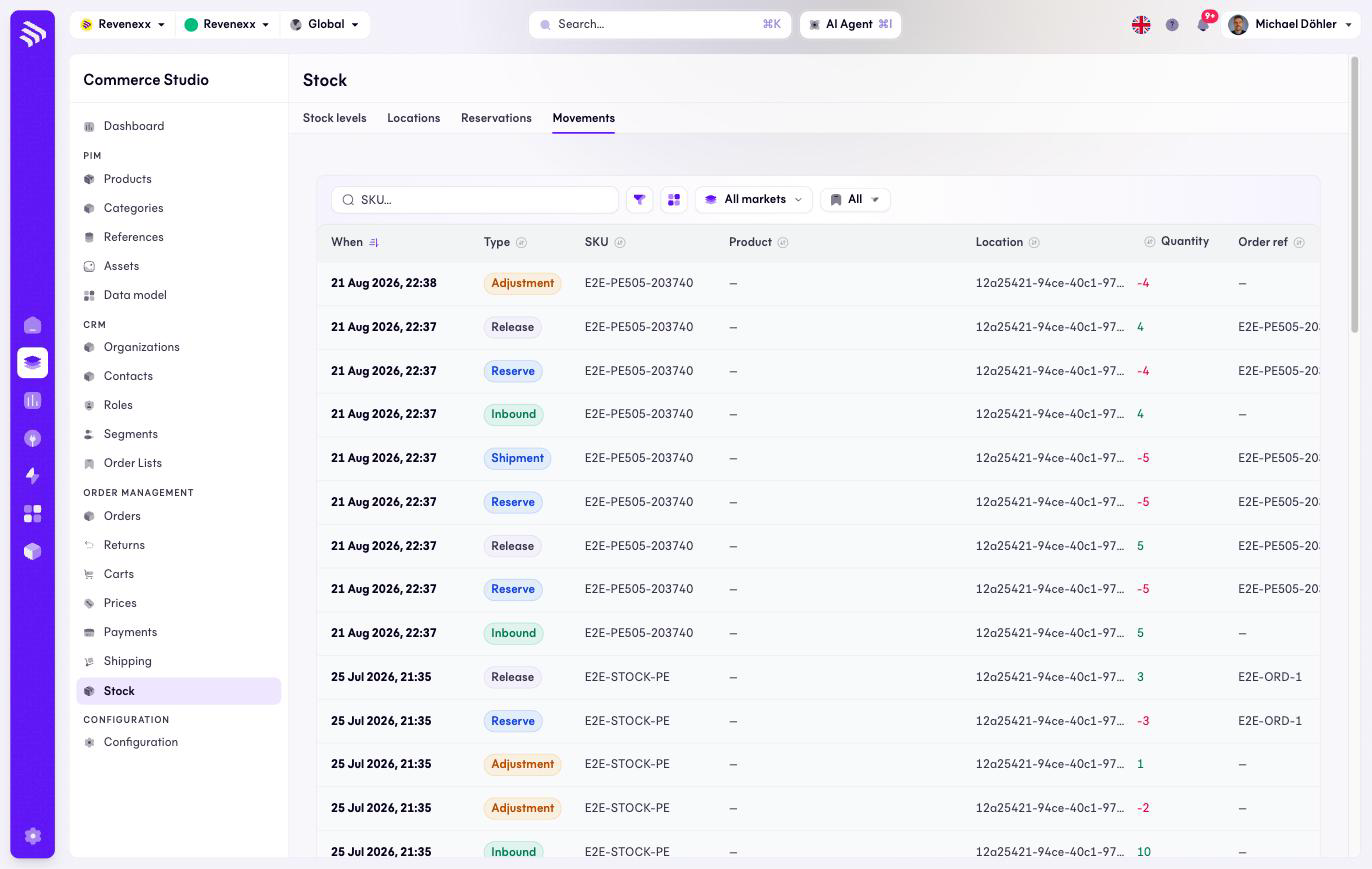
Movements is the ledger: every stock change is one booking row, signed and dated. On-hand and reserved are the running totals of this list, which makes it the audit trail when a number looks wrong.
Where you find it
Commerce Studio › Order Management › Stock › Movements —
/commerce/inventories?tab=movements.
What it does
One row per booking, newest first, with a signed quantity — positive green, negative red. The type says what happened: Inbound, Adjustment, Reserve, Release, Shipment, Restock. There is no create action; movements come from the stock actions and from order fulfillment.
Fields and controls
| Column | What it shows |
|---|---|
| When | The booking time. |
| Type | Inbound, Adjustment, Reserve, Release, Shipment or Restock. |
| SKU | The article. |
| Product | The product, where linked. |
| Location | Where it happened. |
| Qty | The signed quantity. |
| Order ref | The order, where the movement belongs to one. |
| Reason | The stated reason, on adjustments. |
Toolbar: a SKU search, a filter toggle, a column picker, market scope and saved views.
What happens when you change it
Nothing — the ledger is read-only. To move stock, use the actions on the Stock levels tab.
Permissions
The inventories app declares create, read, update and delete on stock movements in its manifest. Which Cockpit roles may open this screen is not verified.
Related
- Stock
- Guide: Stock accuracy