Reservations
A reservation holds stock for an order: reserved quantity is on hand but not available. A reservation ends in one of three ways — committed by a shipment, released by a cancellation, or expired and swept.
Where you find it
Commerce Studio › Order Management › Stock › Reservations —
/commerce/inventories?tab=reservations.
What it does
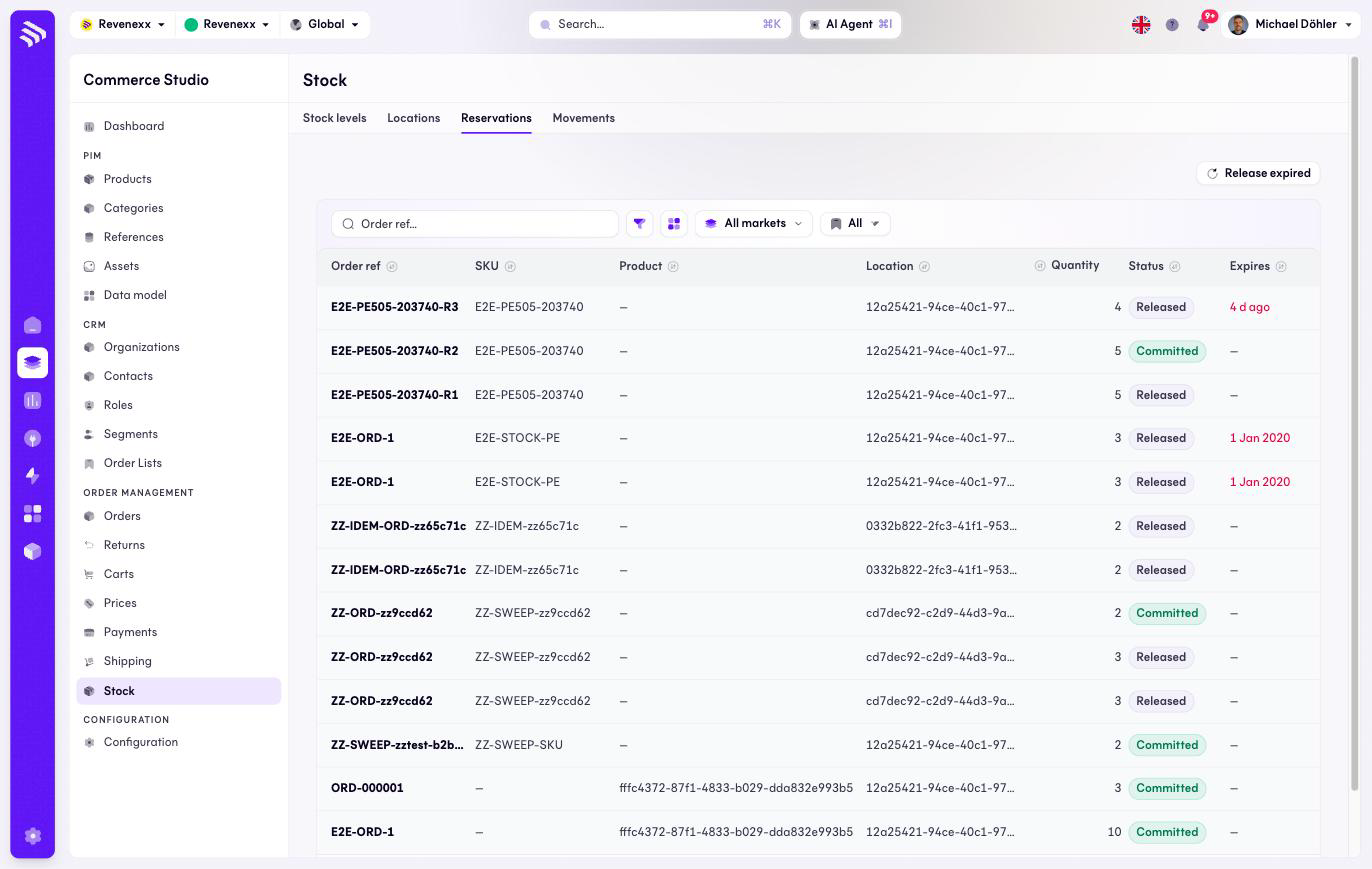
One row per reservation with its order reference, quantity, status and expiry. An expiry in the past shows in red. Release expired frees everything the sweeper has not caught yet.
Fields and controls
| Column | What it shows |
|---|---|
| Order ref | The order the stock is held for. |
| SKU | The article. |
| Product | The product, where linked. |
| Location | Where the stock is held. |
| Qty | The reserved quantity. |
| Status | For example Released or Committed. |
| Expires | When the hold lapses. |
| Created | When it was reserved. |
Toolbar: an order reference search, a filter toggle, a column picker, market scope and saved views.
What happens when you change it
Release expired books release movements for lapsed reservations; the quantity returns to available. Committing and reserving happen through the actions on the Stock levels tab and through order fulfillment.
Permissions
The inventories app declares create, read, update and delete on reservations in its manifest. Which Cockpit roles may open this screen is not verified.