Attributes
An attribute is one property a product can carry — a weight, a thread size, a marketing text. New properties are new attributes, not new columns: the model grows by rows, which is the core idea of this PIM.
Where you find it
Commerce Studio › PIM › Data model › Attributes —
/commerce/data-model?tab=attributes.
What it does
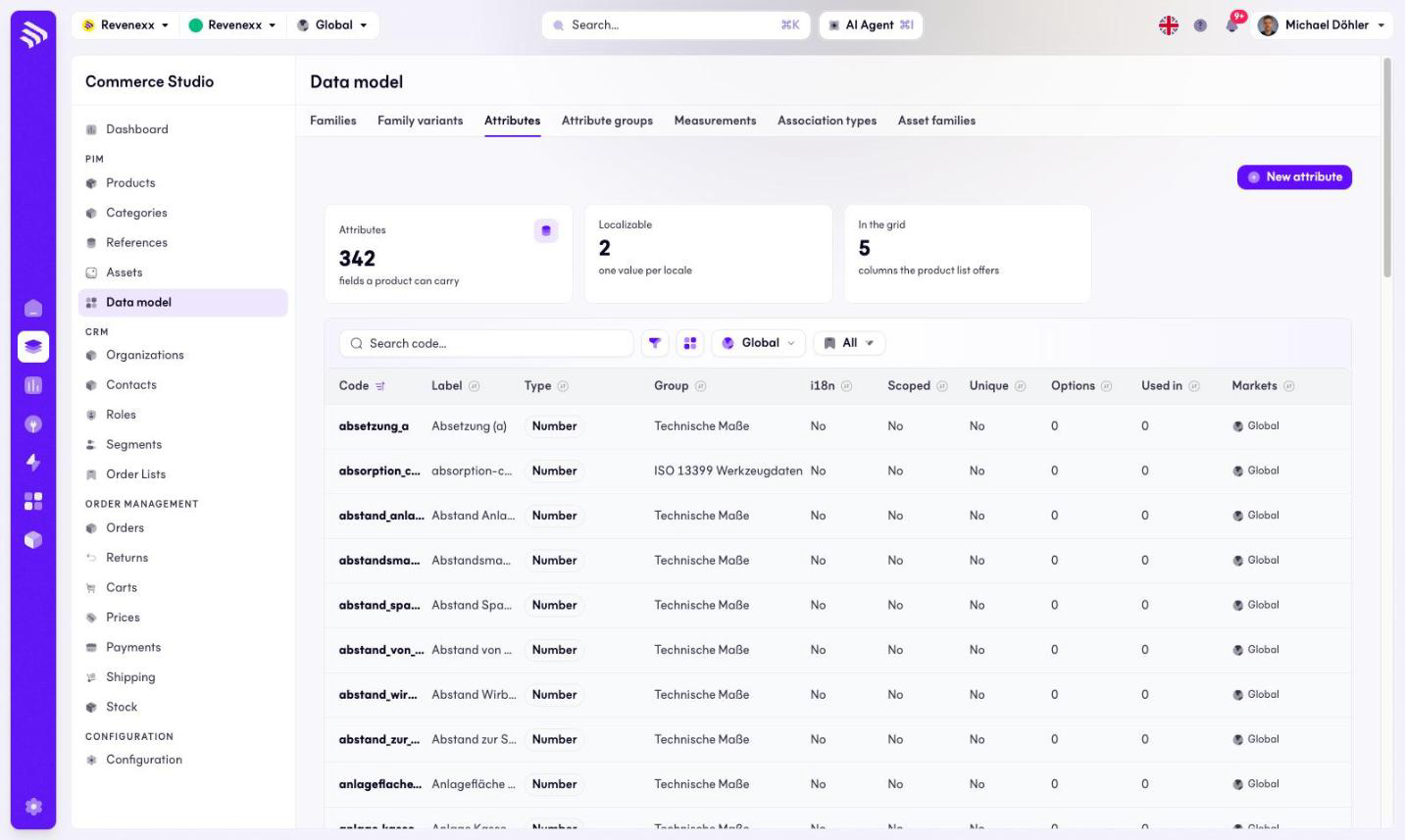
KPI cards count the attributes, how many are localizable and how many appear in the product grid. The table lists every attribute with its type — Number, Text, Textarea and Asset collection appear on a typical model — and where it is used. New attribute creates one; the toolbar has a code search and a filter toggle.
Fields and controls
| Column | What it shows |
|---|---|
| Code | The stable identifier, for example thread_size. |
| Label | The display name. |
| Type | The value type. |
| Group | The attribute group it renders under in the product editor. |
| i18n | Whether the value is per locale. |
| Scoped | Whether the value is per channel. |
| Unique | Whether the value must be unique across products. |
| Options | The option count, for select attributes. |
| Used in | How many families carry it. |
| Markets | Market assignment. |
What happens when you change it
A new attribute exists in the model but reaches no product until a family carries it. Localizable and channel-scoped flags decide how many values one product holds for it — one, one per locale, one per channel, or one per pair.
Permissions
The products app declares create, read, update and delete on attributes and attribute options in its manifest. Which Cockpit roles may open this screen is not verified.
Related
- Guide: Attributes
- Attribute groups