Family variants
A family variant defines the axes on which a model's variants differ — a solid carbide mill by diameter and length, an insert by width and radius. The model carries the shared values; the variants carry the axis values.
Where you find it
Commerce Studio › PIM › Data model › Family variants —
/commerce/data-model?tab=family-variants.
What it does
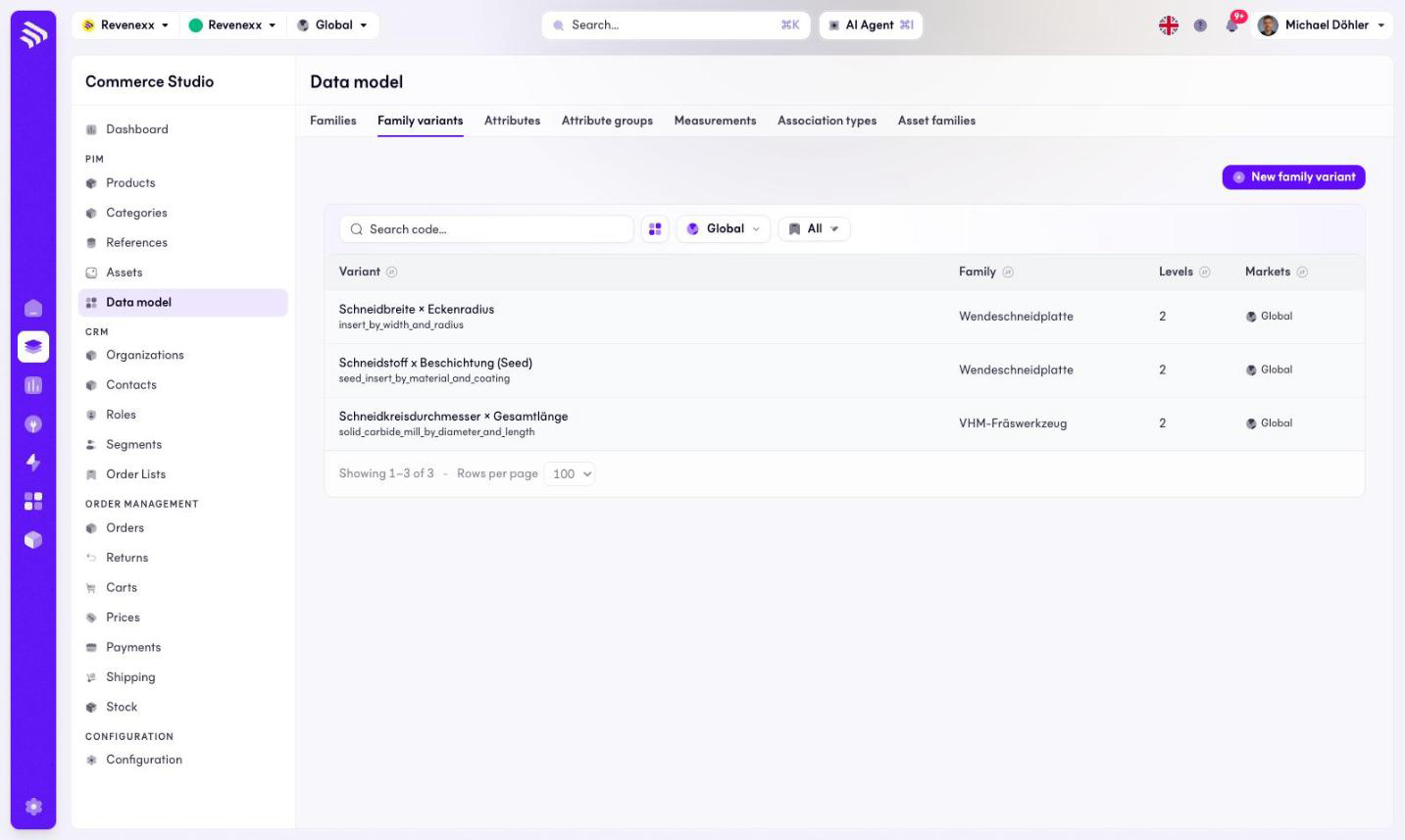
The tab lists the variant definitions with their family and their number of levels. New family variant creates one; a search box finds one by code.
Fields and controls
| Column | What it shows |
|---|---|
| Variant | Name and code, for example solid_carbide_mill_by_diameter_and_length. |
| Family | The family the definition belongs to. |
| Levels | How many variant levels the definition has. |
| Markets | Market assignment. |
What happens when you change it
A family variant makes a family able to carry models: products of kind Model use its axes, and their Variant children fill the axis values.
Permissions
The products app declares create, read, update and delete on family variants in its manifest. Which Cockpit roles may open this screen is not verified.