Attribute groups
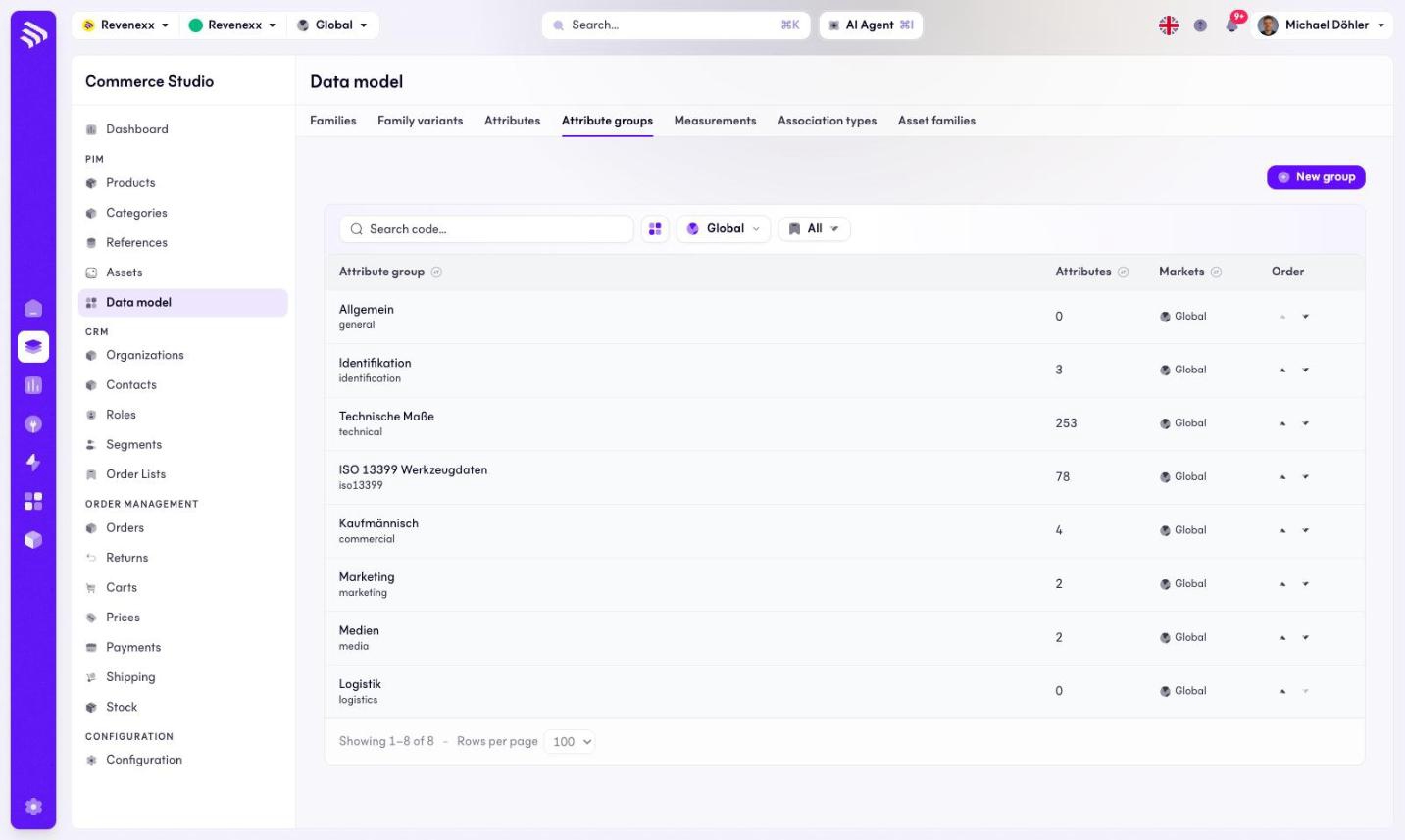
Attribute groups are the sections of the product editor: Identification, Technical, Commercial, Marketing, Media and their peers. Every attribute belongs to one group, and the group order is the order an editor works through.
Where you find it
Commerce Studio › PIM › Data model › Attribute groups —
/commerce/data-model?tab=attribute-groups.
What it does
The tab lists the groups with their attribute counts. Up and down arrows on each row reorder the groups — the only row action on this tab. New group creates one; a search box finds one by code.
Fields and controls
| Column | What it shows |
|---|---|
| Attribute group | Name and code, for example technical. |
| Attributes | How many attributes the group holds. |
| Markets | Market assignment. |
| Order | Up/down arrows to move the group. |
What happens when you change it
Moving a group changes where its section appears in the product editor's group list — the form your team fills in every day, so order the groups the way the work flows.
Permissions
The products app declares create, read, update and delete on attribute groups in its manifest. Which Cockpit roles may open this screen is not verified.